petsafe.com
8
Basic Operation
Basic Operation Guide
FUNCTION BUTTON ACTIVATION LED INDICATOR ACTION
Manual Mode Press & Release Red - Solid for 5 seconds Latch will unlock. Use 4-Way Lock options
for pet access.
Automatic Mode Press & Release Green - Solid for 5
seconds
Latch will lock and will only be activated by
reading a “programmed” microchip ID.
Learn Mode Press & Hold for 5
seconds until LED is
activated
Red – Solid for up to 60
seconds
Cat flap will exit Learn Mode once
microchip ID is programmed. Latch will
unlock after successful programming.
Repeat for additional cats.
Motion Sensor N/A Green - Solid for the
length of activation
Motion is detected outside and the cat flap
is looking for a microchip to read.
Low Battery N/A Red - Flashes every 10
seconds
Replace batteries soon.
Batteries
Replaced
N/A Green – 3 quick flashes Cat flap will enter Automatic mode.
Factory Reset Press & Hold 15
seconds until LED is
activated
Red - 5 quick flashes Cat flap will enter back into Automatic
Mode and be locked. All programmed
microchip IDs will be erased from the
memory.
Error N/A Red – Continuous quick
flashing
Remove batteries, wait 30 seconds then
replace batteries. If Red light continues,
contact the Customer Care Centre. Latch
will attempt to unlock for cat flap to be used
in Manual Mode.
Function Definitions
• Manual Mode – Pet access setting that allows entry and exit for all. Cat fap does not
operate using programmed microchip IDs. Typically used with 4-Way Manual Lock.
• Automatic Mode – Pet access selective entry setting which only allows programmed cats
to enter. Can be used in conjunction with 4-Way Manual Lock.
• Learn Mode - Mode used to program your cat’s unique microchip ID. The cat flap can learn
up to 40 micro-chipped cats.
• Motion Sensor – Indicates that the cat flap is looking for a microchip ID to read.
• Low Battery Indicator – Indicates that batteries are running low and will need to be
replaced soon.
• Factory Reset – Can be used to erase all programmed microchip IDs in the cat flap.
• Error – Indicates that something is not operating normally in the cat flap. Contact our
Customer Care Centre for assistance. Please visit www.petsafe.com for a list of our Customer
Care Centre telephone numbers.
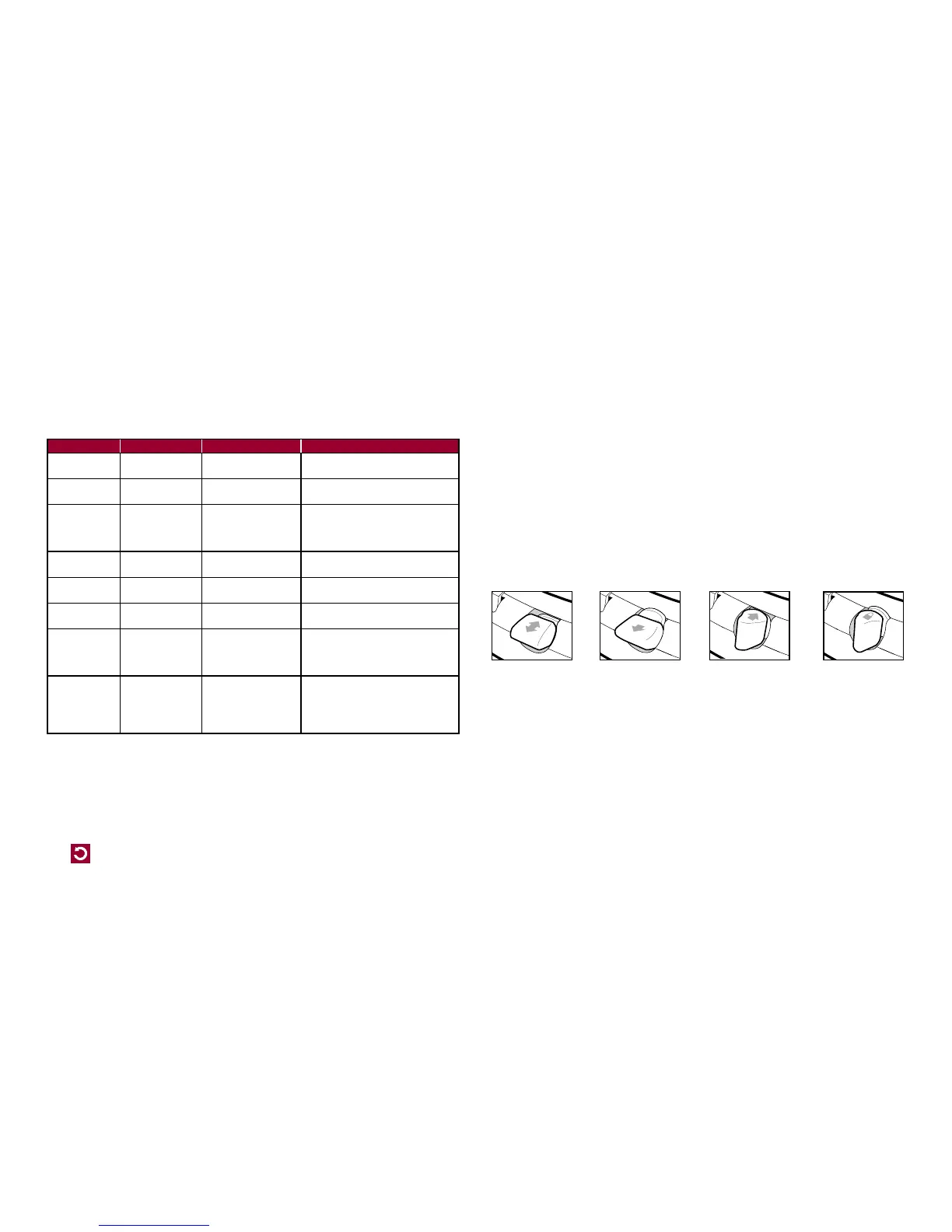
4-Way Manual Lock
The 4-Way Manual lock allows you to control your cat’s access in and out of your home in either
direction. Until your pet is thoroughly familiar with using the cat flap, it is a good idea to only use the
4-Way Manual lock in the “In or Out” position only (Fig. H).
Fig. H
Maintenance
Your cat flap is constructed of the highest quality material with a toughened flap and has been
designed to last for many years. To maintain its appearance, occasional wiping with a damp cloth
is all that is necessary.
From time to time, the motion sensor in the inside of the tunnel may become covered with dirt and
may cause performance issues of the cat Flap. Please wipe this area with a damp cloth as needed
to ensure proper usage. Also check for cat hair or debris in the dual-auto latches.
Fully lockedIn or Out Out onlyIn only



 To Next Page