Operating Instructions Contador
© 2019 – Pfeuffer GmbH Revision 6 Page 23 of 40
7 Operation
The CONTADOR may be operated only by qualified and trained operating personnel.
7.1 Operator panel
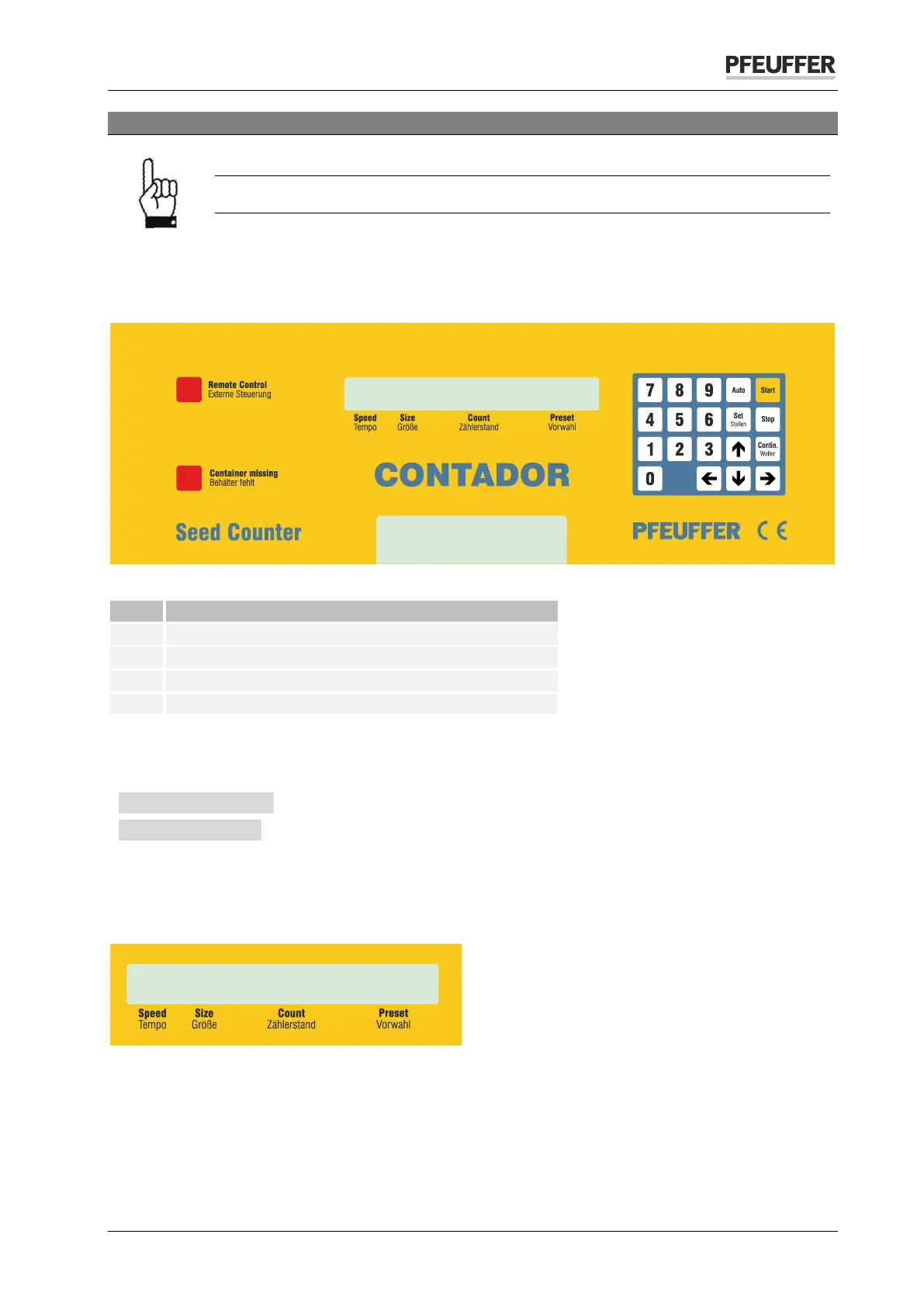
The CONTADOR is operated via the operator panel and the LC display on the front of the device.
Figure 19: Operator panel
Lamp »Remote Control/Externe Steuerung«
Lamp »Container missing/Behälter fehlt«
7.2 Switch on CONTADOR
Switch on the CONTADOR via the main switch position I on the back of the device. The system message
» *** CONTADOR *** « is displayed in the LC display for 2 seconds, followed by the operation indicator
» # # 0 0 « with the values for speed, size, count and preset.
The » # « sign indicates that speed and size regulation are set automatically.
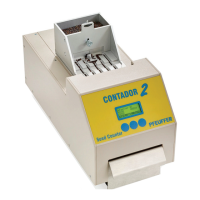
LC display
In normal operation, the following settings are displayed:
Speed/Tempo = Counting speed
Size/Größe = Grain size in mm
Count/Zählerstand = Count
Preset/Vorwahl = Count preset


 To Next Page