6
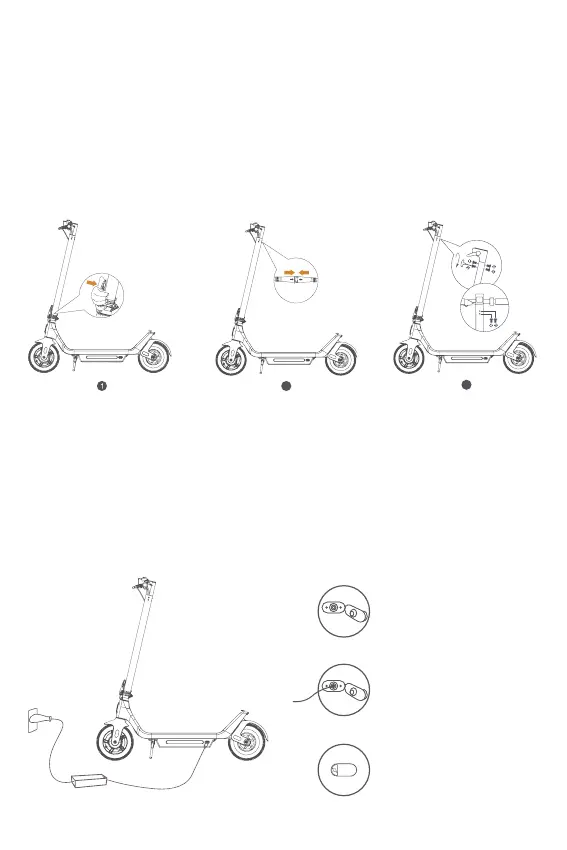
Assembly
Charge Your Scooter
1. Pull the folding handle upwards until an audible click is heard. then
pull the folding handle conrming the lock is in place.
2. Manually connect the handlebar and data cable in the front tube
Once connected, check if the scooter powers on normally.
3. Use the included 6 screws to fasten the handlebars. Further tighten
the screws by using the T-shape allen key.
1. The indicator light of the charger turns green when the scooter is
connected to the power supply.
2. When actively charging, the light should switch to red from green.
3. After charging, the indicator light should switch back to green.
3
2
1. Open the rubber
ap
2. Plug the power
adapter into the
charging port
3. Fasten the rubber
ap after charging


 To Next Page