76
Phantom Ultrahigh-speed Camera Manual
sensor solutions
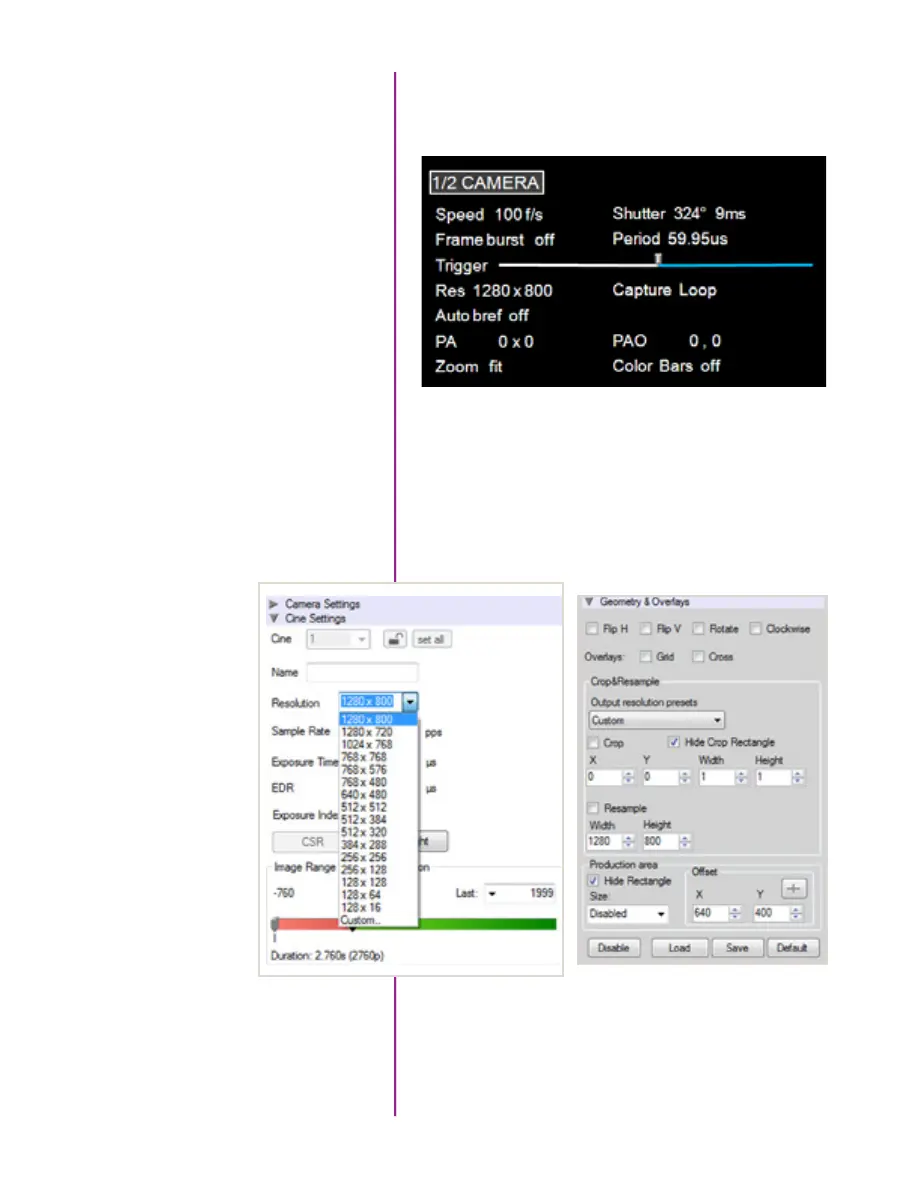
To simplify things, only specific resolutions are available
from the camera menu. The choices are a variety of
common resolutions and aspect ratios.
The resolution controls in PCC software are somewhat
different, and allow more flexibility in choosing how the
images are captured and output. First, the native
resolution must be selected from the ‘Cine Settings /
Resolution’ pull-down, however an output resolution
can be set using the ‘Geometry & Overlays’ section
of the ‘Image Tools’ menu.
What is the difference
between ‘Native’ and
‘Cropped’ resolutions?
There are a variety of pre-set output resolutions available,
or any value can be typed in and offset with the X & Y
coordinates listed. Cropped or scaled resolutions set
on the camera body will automatically set the ‘Crop &
Resample’ parameters appropriately.



 To Next Page