Vision Research, Inc. | Phantom Ultrahigh-Speed Camera Manual
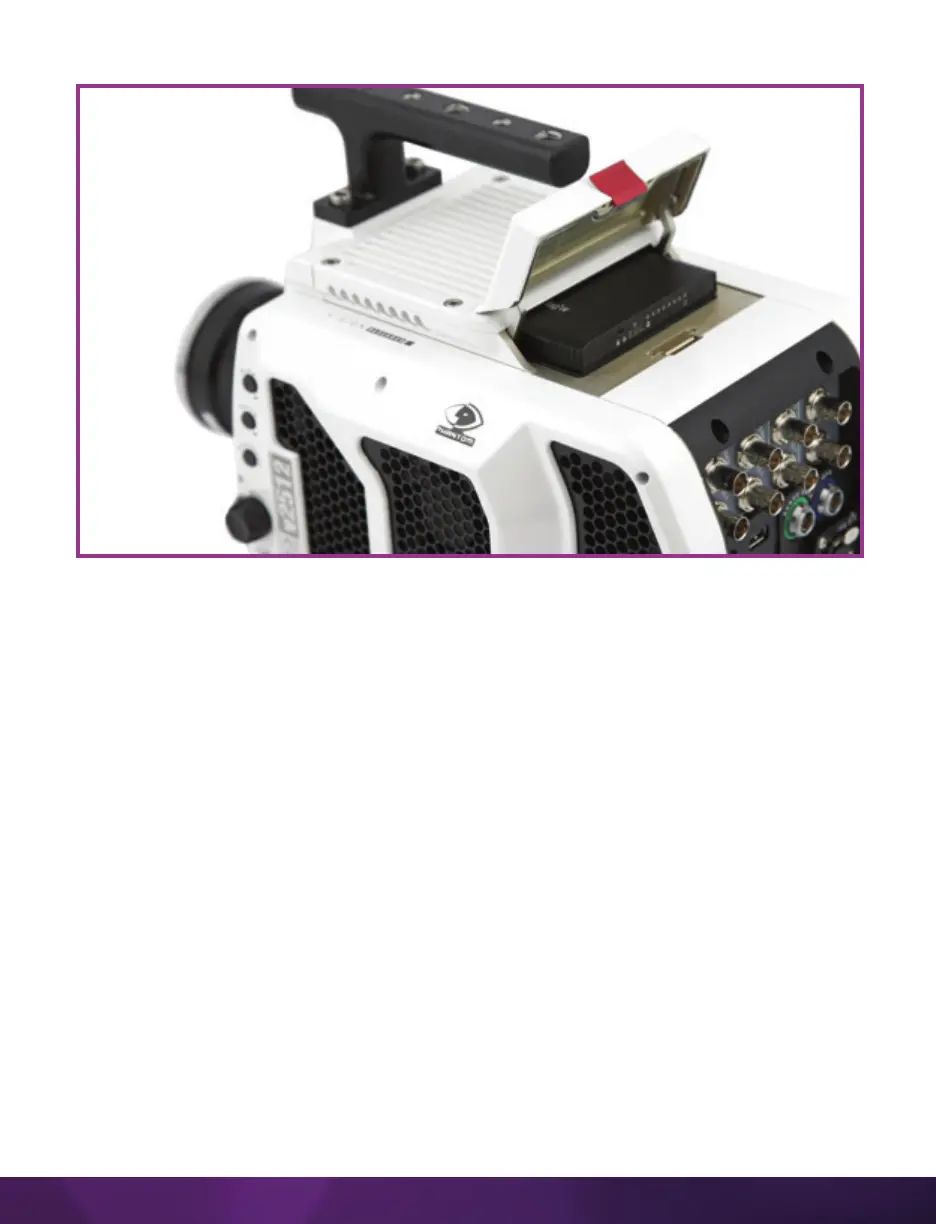
INSERTING A CINEMAG
The Phantom CineMag slides into the top compartment of the camera and the door
latches shut. Ensure the CineMag slides in evenly and mounts securely. CineMag
status can be read on the upper right of the video display (OSD).
REMOVING A CINEMAG
To remove the Phantom CineMag, press the red tab on the top door and pull the
CineMag out of the camera. The CineMags are hot-swappable and the camera can
remain on during this procedure, but ensure the camera is not writing or reading from
the CineMag before removing it.
SAVING FROM A CINEMAG
Vision Research recommends that you save the clips from a CineMag as Cine Raw
files. Cine Raw files preserve all the metadata of the clip (such as frame rate, shutter
speed, timestamps, etc.) and is the fastest and best-quality format.
The 10-bit ‘Packed’ format is the default when saving Cine Raw files from a CineMag
IV. This results in smaller, more manageable files than the 12-bit ‘Unpacked’ format,
and with no quality loss. To save the Cine Raw in an ‘Unpacked’ format, un-check the
‘Packed’ box prior to saving.



 To Next Page