Vision Research, Inc. | Phantom Ultrahigh-Speed Camera Manual
The ‘Help’ options provide valuable reference information, along
with extensive documentation, relating to the software. Online
tutorials can be found at www.phantomhighspeed.com/tutorials.
CONTROL TABS
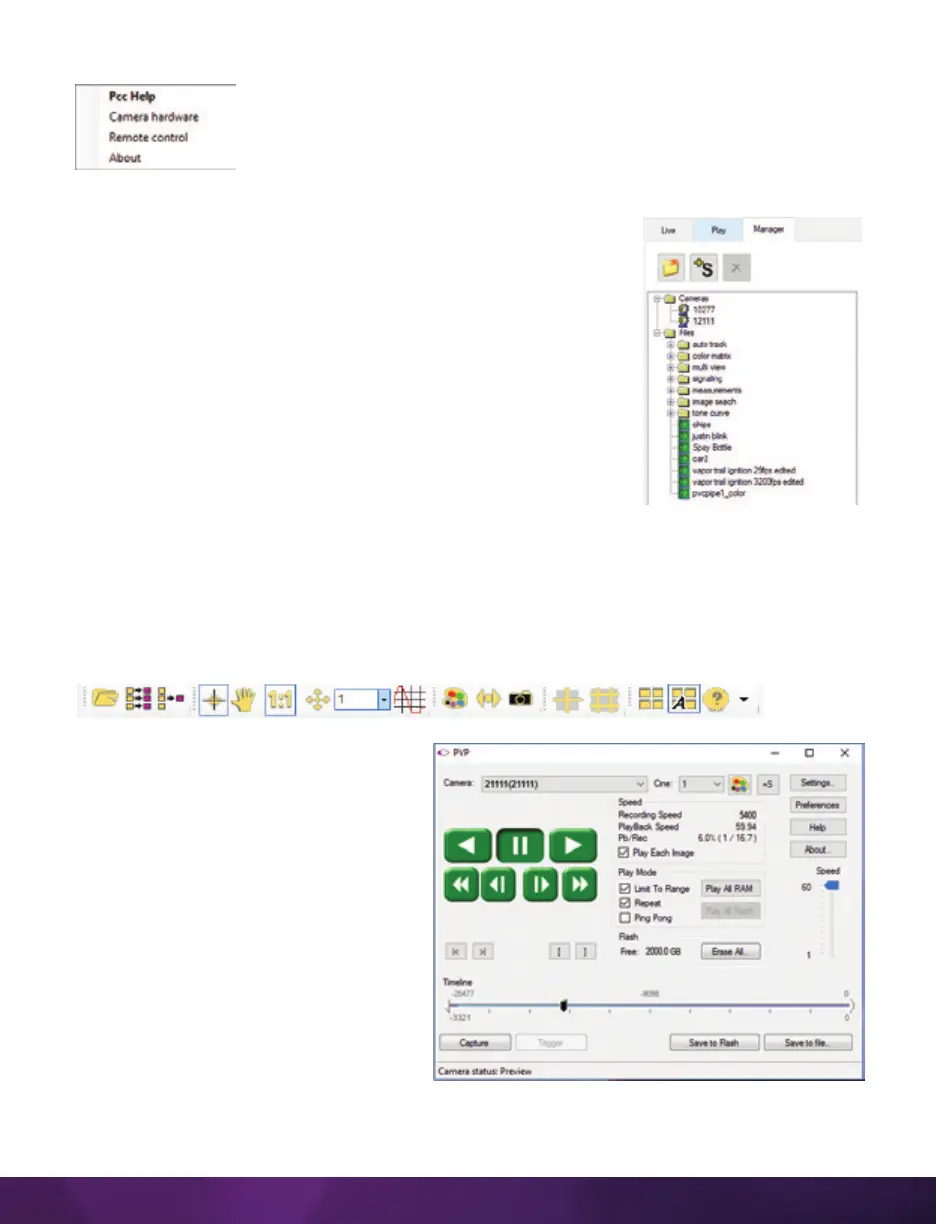
PCC provides three control tabs: ‘Live,’ ‘Play’ and ‘Manager.’
When first started, the ‘Manager’ tab is selected. It is in this
tab that connected cameras are displayed, selected for use
and renaming. It is also used to manage saved Cine files.
All camera control and capture parameters (sample rate,
exposure time, etc.) are performed in the ‘Live’ tab.
Reviewing, editing and saving of Cine files, either from the
camera’s internal RAM memory, installed Phantom CineMag
IV or external hard drive, are performed in the ‘Play’ tab.
PHANTOM VIDEO PLAYER (PVP)
APPLICATION OVERVIEW
PVP can be launched directly from the desktop or by the ‘Video Out’ toolbar button
in PCC.
PVP controls the video outputs (HD-
SDI) connected to a computer monitor
or viewfinder only.
PVP provides the ability to view,
capture, review, edit and/or save a
Cine recorded into the camera’s RAM,
to a hard drive or installed Phantom
CineMag. PVP is extremely effective
when used with high-resolution
cameras since most computers are
not powerful enough to view live or
captured raw files smoothly.


 To Next Page
 Loading...

