Vision Research, Inc. | Phantom Ultrahigh-Speed Camera Manual
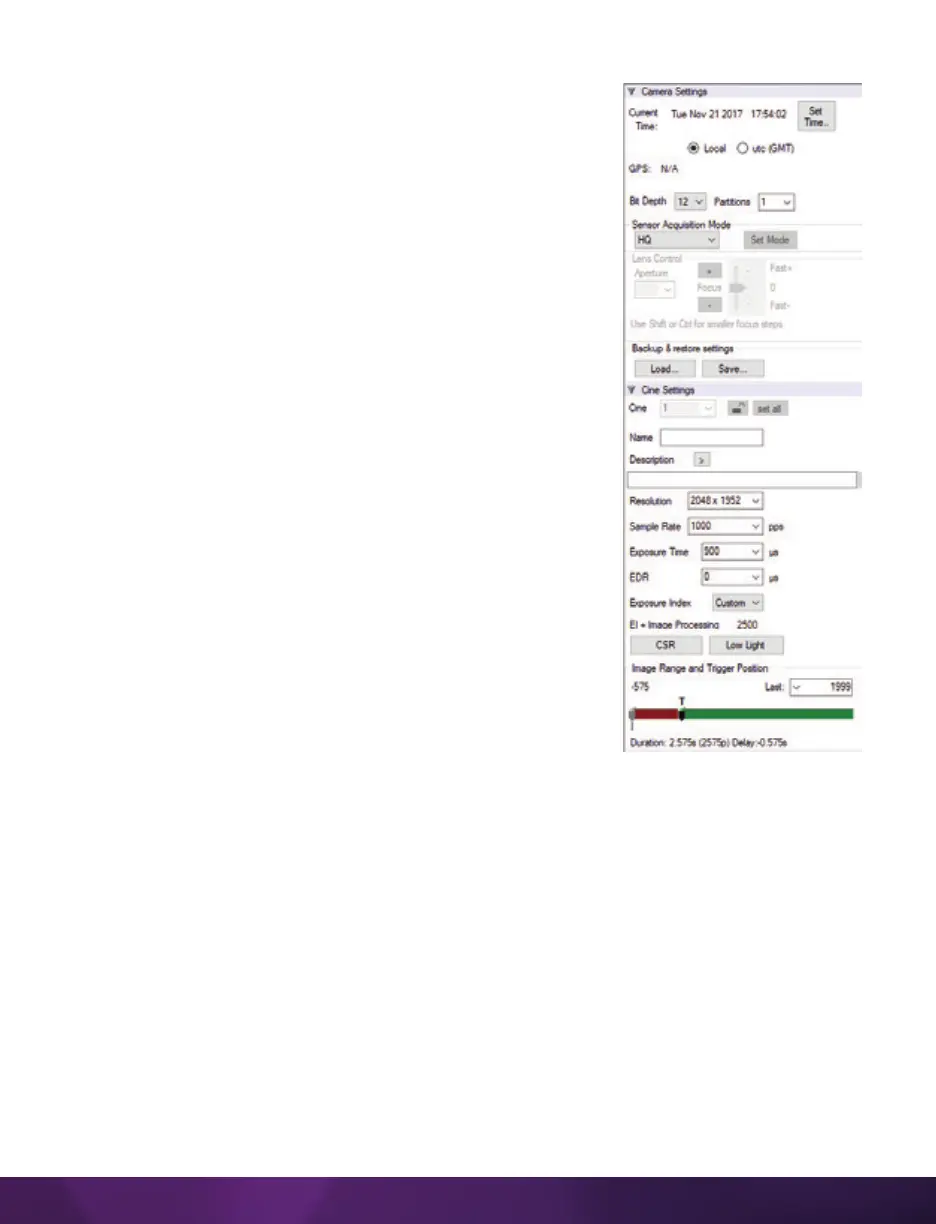
Sensor Acquisition Mode: Used by the v1840 and v2640 to
select the required operational mode of the sensor. When
the operating mode is changed, settings default to factory
settings for that mode.
Lens Control: Available for Canon EF lenses only, for
control of aperture and focus.
Backup & Restore: Allows for user and factory settings to
be saved and recalled from the camera’s memory.
Resolution: Sets the camera’s acquisition resolution.
There are several options in the pull-down menu.
Alternatively, type in a value and the closest valid
resolution will be set.
Sample Rate: Sets the acquisition frame rate in frames-
per-second (fps).
Exposure Time (shutter): Sets the exposure time in
degrees, microseconds or percentage (this depends on
how the PCC preferences are set).
EDR (Extreme Dynamic Range): Sets a secondary
exposure time to pixels that may become fully saturated
or overexposed. This is valuable for monochrome
cameras, but be careful with color cameras as a color
cast will occur on the areas of the image to which EDR is
applied.
Exposure Index: Sets the exposure index (Effective ISO)
of the image by loading preset tone curves. Adjusting
gamma, gain and other settings will contribute to the overall EI value, and this
combined value is what should be used to determine lighting.
CSR (Current Session Reference): Closes the camera’s internal shutter and resets the
black point of every pixel for optimal image quality.
Image Range and Trigger Position: The slider represents the memory buffer, with the
‘Duration’ indicated in seconds and the total number of frames available.
The trigger position is indicated in the ‘Last’ pull-down menu and as the ‘T’ slider
along the timeline. The trigger position is exactly when the trigger signal will be
detected in the Cine.


 To Next Page
 Loading...

