Need help?
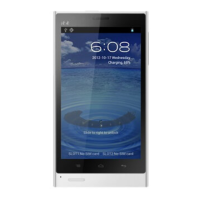
Do you have a question about the PHICOMM i600 and is the answer not in the manual?
Crucial warnings regarding battery handling and warranty voidance before initial use.
Information on intellectual property rights and legal disclaimers for the product.
Essential health and safety guidelines to prevent injury and damage.
Safety measures for power supply, sunlight exposure, and hazardous environments.
Identification of phone parts and list of items included in the packaging.
Step-by-step instructions for inserting SIM, battery, and SD cards.
How to charge the battery and the functions of the phone's buttons.
Explanation of touch gestures, initial setup, and home screen customization.
Instructions for dialing, answering, rejecting, handling multiple calls, and using call history.
How to compose, send, and manage SMS and MMS messages.
Steps to connect to Wi-Fi, use the web browser, and manage internet settings.
Configuring and using Bluetooth for wireless communication and pairing devices.
Instructions for using the camera and viewing media in the gallery.
Copying music to SD card and managing music playback.
Using the calendar, setting alarms, and operating the sound recorder.
Adjusting screen brightness, ringtones, and other fundamental settings.
Protecting your device and SIM card using PINs and screen lock patterns.
Managing storage, applications, and resolving common phone issues.
 General
| SIM | Dual SIM (Nano-SIM, dual stand-by) |
|---|---|
| Type | IPS LCD |
| OS | Android 6.0 (Marshmallow) |
| GPU | Adreno 405 |
| Video | 1080p@30fps |
| Selfie camera | 5 MP |
| Loudspeaker | Yes |
| 3.5mm jack | Yes |
| WLAN | Wi-Fi 802.11 b/g/n, hotspot |
| Bluetooth | 4.0, A2DP |
| GPS | Yes, with A-GPS |
| Radio | FM radio |
| USB | microUSB 2.0 |
| Network | GSM / HSPA / LTE |
| Announced | 2016 |
| Status | Available |
| Weight | 160 g |
| Size | 5.5 inches |
| Resolution | 1080 x 1920 pixels |
| CPU | Octa-core |
| Card slot | No |
| Internal | 32GB 3GB RAM |
| Main Camera | 13 MP, f/2.0 |
| Features | LED flash, HDR, panorama |
| Sensors | Fingerprint (rear-mounted), accelerometer, proximity |
| Colors | Gold |


 To Next Page