Configura
tion
Paramete
r
Function Size
(Byte)
Value Unit Default Description
1 LED
brightness
level
1 0-100 100
0 : LED always off
1~100 : 1%~ 100 %
2
LED color for
relay on
indication
1 0-3 1
0 : LED off
1 : Green
2 : Red
3 : Yellow
3
LED color for
relay off
indication
1
0-3
2 0 : LED off
1 : Green
2 : Red
3 : Yellow
4
All on / All off
function option
1 0-1 1 0:Disable
1:Enable
5
Delay time to
turn off the
Specific Relays
1 0-255
1
min
1 0 : Disable
1-255 : 1min ~255min
6
Specified
relays
1 1-7 1 1 :
Relay1+Relay2+Relay3
2 : Relay1+Relay2
3 : Relay2+Relay3
4 : Relay1+Relay3
5 : Relay1
6 : Relay2
7 : Relay3
7
Restore switch
state mode
1 0-2 1 0 : Switch off
1 : Last switch state
2 : Switch on
3-1 LED brightness level:
The led brightness level can be set as off or from 1% to 100%. The default setting
is 100%.
3-2 LED color for relay on indication:
The led color for relay on indication can be set as LED OFF、Green、Red or Yellow.
The default setting is Green.
3-3 LED color for relay on indication:
The led color for relay off indication can be set as LED OFF、Green、Red or Yellow.
The default setting is Red.
3-4 All on/ All off function option:
The All on/All off function can be disable or enable. The default setting is Enable.
3-5 Delay time to turn off the specified relays:
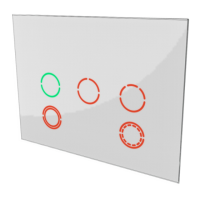
If user press the 5th touch key once, it will turn on all the specified relays and
after a delay time passed turn them off. This is helpful for user don’t have to touch
the dark to leave. The default setting is 1 min.
3-6 Specified relays:
This setting is used for configuration parameter 5. To specify the relays for the
delay off function. The default setting select relay1 and relay2 and relay3.
3-7 Restore switch state mode
Whenever the AC power return from lost, PAN28 will restore the switch state which
could be SWITCH OFF、LAST SWITCH STATE、SWITCH ON. The default setting is
LAST SWITCH STATE.
5. Firmware update over the air (OTA)
PAN28 is based on 800 series SoC and supports Firmware Update Command
8


 To Next Page