EasyManua.ls Logo

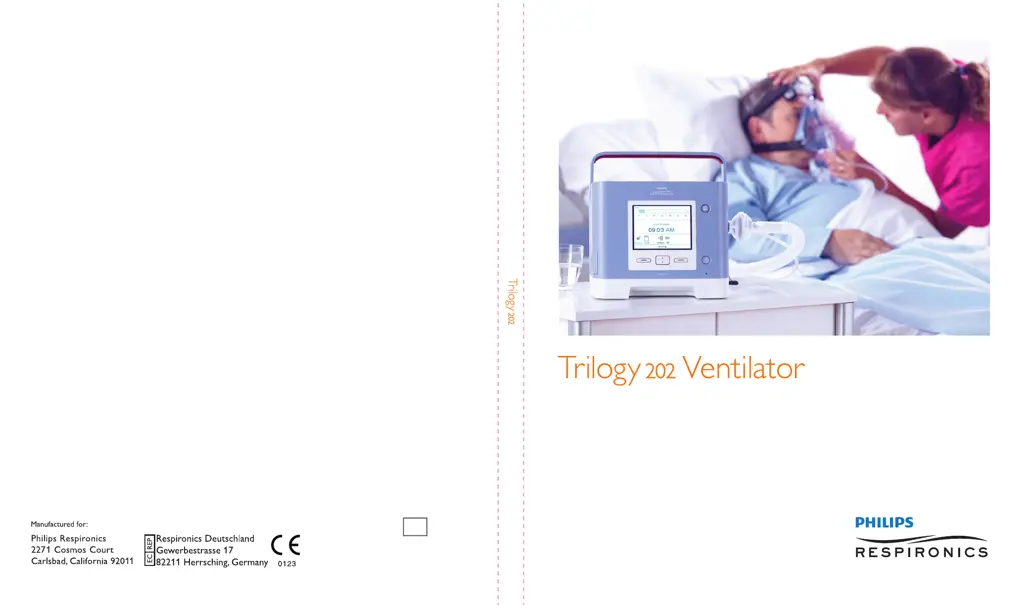
PHILIPS Respironics Trilogy 202 - User Manual

PHILIPS Respironics Trilogy 202
179 pages
Print Icon
To Next Page IconTo Next Page
Loading...
User Manual
REF 1067236
1067235
JH 12/3/09

Table of Contents

Questions and Answers

  • M
    mreyesAug 13, 2025
    Why is the air from my PHILIPS Respironics Respiratory Product mask too warm?
    • T
      Thomas BurchAug 13, 2025
      If you notice the air coming out of the mask of your PHILIPS Respironics Respiratory Product is much warmer than usual, it could be due to a dirty air filter or the device operating in direct sunlight or near a heater. Clean or replace the air filter. Ensure the device is properly ventilated and keep it away from direct sunlight and heating equipment. Also, make sure the cooling air vents are not blocked, as the temperature of the air may vary based on the room temperature.
  • J
    julie81Aug 17, 2025
    What to do if my PHILIPS Respironics Trilogy 202 mask is uncomfortable?
    • W
      Wesley JonesAug 17, 2025
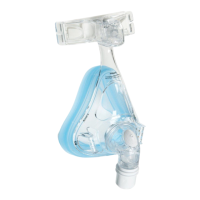
      If the mask feels uncomfortable, leaks air, or causes other issues with your PHILIPS Respironics Respiratory Product, it may be due to improper headgear adjustment or mask fitting. Ensure the patient is properly fitted with the correct size mask. If the problem continues, try fitting the patient with a different mask.
  • J
    Jon NguyenAug 21, 2025
    How to fix a PHILIPS Respironics Trilogy 202 that won't turn on?
    • A
      Amy TurnerAug 21, 2025
      If your PHILIPS Respironics Respiratory Product isn't turning on, and nothing happens when you press the Start/Stop button, it might be because the AC power cord isn't properly plugged in or the internal battery is not charged. Ensure the AC power cord is securely plugged into both the device and a wall outlet that is not controlled by a switch. This action powers the system and charges the internal battery.
  • J
    jperezAug 25, 2025
    Why are the batteries not charging on my PHILIPS Respironics Respiratory Product?
    • K
      Kathleen TaylorAug 25, 2025
      If the batteries in your PHILIPS Respironics Respiratory Product are not charging, even when plugged in, it could be because the device is too hot or too cold, or operating outside of its specified temperature range. Also, the cooling fan may not be working properly. Ensure the device is not near a heat source and that the cooling air vents are not blocked. Bring the ventilator to ambient room temperature.
  • R
    Renee PattersonAug 29, 2025
    What to do if my PHILIPS Respironics Trilogy 202 is causing dryness?
    • P
      Patrick AndrewsAug 29, 2025
      If you're experiencing throat or nose dryness while using your PHILIPS Respironics Respiratory Product, it's likely because the air is too dry (this applies only to non-invasive therapy). Increase the room humidity and consider using a humidifier with the device. If you are using a humidifier, refer to its instructions to ensure it is working correctly.
  • J
    Jason BurnsSep 1, 2025
    Why is my PHILIPS Respironics Respiratory Product making unusual sounds?
    • M
      michelle93Sep 1, 2025
      If your PHILIPS Respironics Respiratory Product is not working properly or is making unusual sounds, it might have been dropped, mishandled, or is in an area with high EMI emissions. Try turning the device off and then on again. If the problem persists, relocate the device away from electronic equipment like cell phones, computers, and TVs.
  • S
    sheakelseySep 5, 2025
    How to deal with condensation in my PHILIPS Respironics Trilogy 202 tubing?
    • M
      Michael Solomon DVMSep 5, 2025
      If you notice condensation in the circuit tubing or exhalation valve lines of your PHILIPS Respironics Respiratory Product, it's likely due to moisture from a heated humidifier. Use an appropriate method of water management, such as a water trap, when using a heated humidifier.
  • J
    James GallagherSep 8, 2025
    How to fix condensation in the exhalation valve of my PHILIPS Respironics Respiratory Product?
    • C
      Cynthia SantiagoSep 8, 2025
      If there is condensation in the proximal flow or exhalation valve lines of your PHILIPS Respironics Respiratory Product (Active Flow Circuit only), and it's causing alarms or preventing proper triggering, it's likely due to excessive humidity. Remove tubes with condensation: the exhalation valve line must be removed from both ends of the circuit; the flow tube lines must be removed from the ventilator side. If there is water built up in the exhalation diaphragm, disassemble the exhalation valve and clean/dry the assembly. Clear the flow tubes of water droplets using a low flow air source and re- assemble the circuit.

Summary

1. Introduction

Intended Use, Contraindications, and System Overview

Describes device purpose, patient population, contraindications, and overall capabilities.

Safety Information: Warnings, Cautions, and Precautions

Covers critical safety advice, operating limits, maintenance, and potential hazards like temperature and ESD.

3. Modes, Features, and Alarms

Key Therapy Features

Explains comfort features like Flex, Ramp, Rise Time, AVAPS, Flow Patterns, Sigh, Dual Prescription, and Triggering.

Ventilator Alarms

Details various ventilator alarms, their priority, and descriptions.

4. Ventilator Setup

Supplying Power to the Device

Covers AC power, external batteries, detachable batteries, and internal battery operation.

5. Viewing and Changing Settings

Changing Device Settings (Options Menu)

Covers settings like Menu Access, Detailed View, Language, Pressure Units, Alarm Volume, and Keypad settings.

6. Ventilator Alarms

Alarm Types and Indicators

Classifies alarms (High, Medium, Low) and describes audible and visual indicators.

Alarm Messages and Handling

Explains how alarm messages appear, their priority, and actions for inoperative conditions.

Alarm Summary Table

Provides a comprehensive table of alarms, priorities, actions, and clinician responses.

7. Cleaning and Maintenance

8. Troubleshooting

10. System Checkout Procedures

Settings and Alarms Tests

Guides through configuring settings and testing alarms like High Tidal Volume, Circuit Disconnect, and High Inspiratory Pressure.

Battery Function Verification

Details procedures for verifying the functionality of detachable, internal, and external batteries.

O2 Blending Operation Verification

Verifies the Low Oxygen Flow and Low Oxygen Inlet Pressure alarms.

11. Technical Specifications

PHILIPS Respironics Trilogy 202 Specifications

General IconGeneral
TypeVentilator
ModesCPAP
Power SupplyAC 100-240V, 50/60Hz
DisplayColor LCD touchscreen
ConnectivityUSB
Tidal Volume Range50 to 2000 mL
Pressure Range4-50 cmH2O
FiO221-100%
BatteryLithium Ion

Related product manuals