Front panel function control description
PHILIPS Confidential – Do Not Copy 105S5x
Control name.
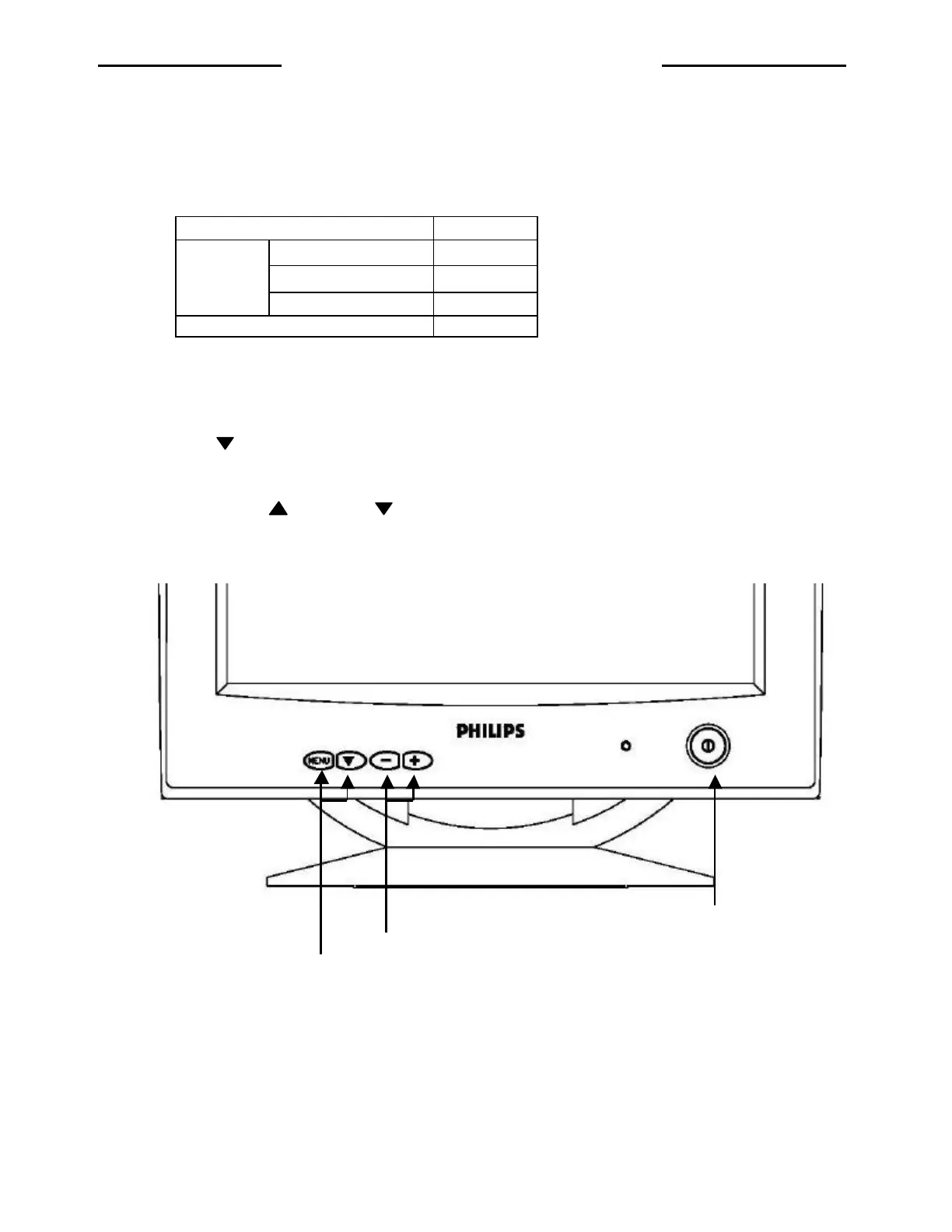
1. Power switch: Push-on / Push -off switch for power control
2. LED indication
Status LED
Normal Green
Power saving Yellow
Power on
Over range frequency Yellow
Power off Off
3. Function select button:
Press the “ MENU “ button to display OSD menu.
Press the “
-
,
+
“ button to select menu function or sub-function.
Press the “ “ button to enter the select function.
4. Adjustment control button:
Push the increased “ “ or decrease “ ” button for the desired adjustment, all adjustment are memorized
automatically immediately.
Power switch
Adjustment control buttons
Function select buttons
http://jdwxzlw.com/?fromuser=华盛维修


 To Next Page