Installing your Monitor
Front View • Rear View
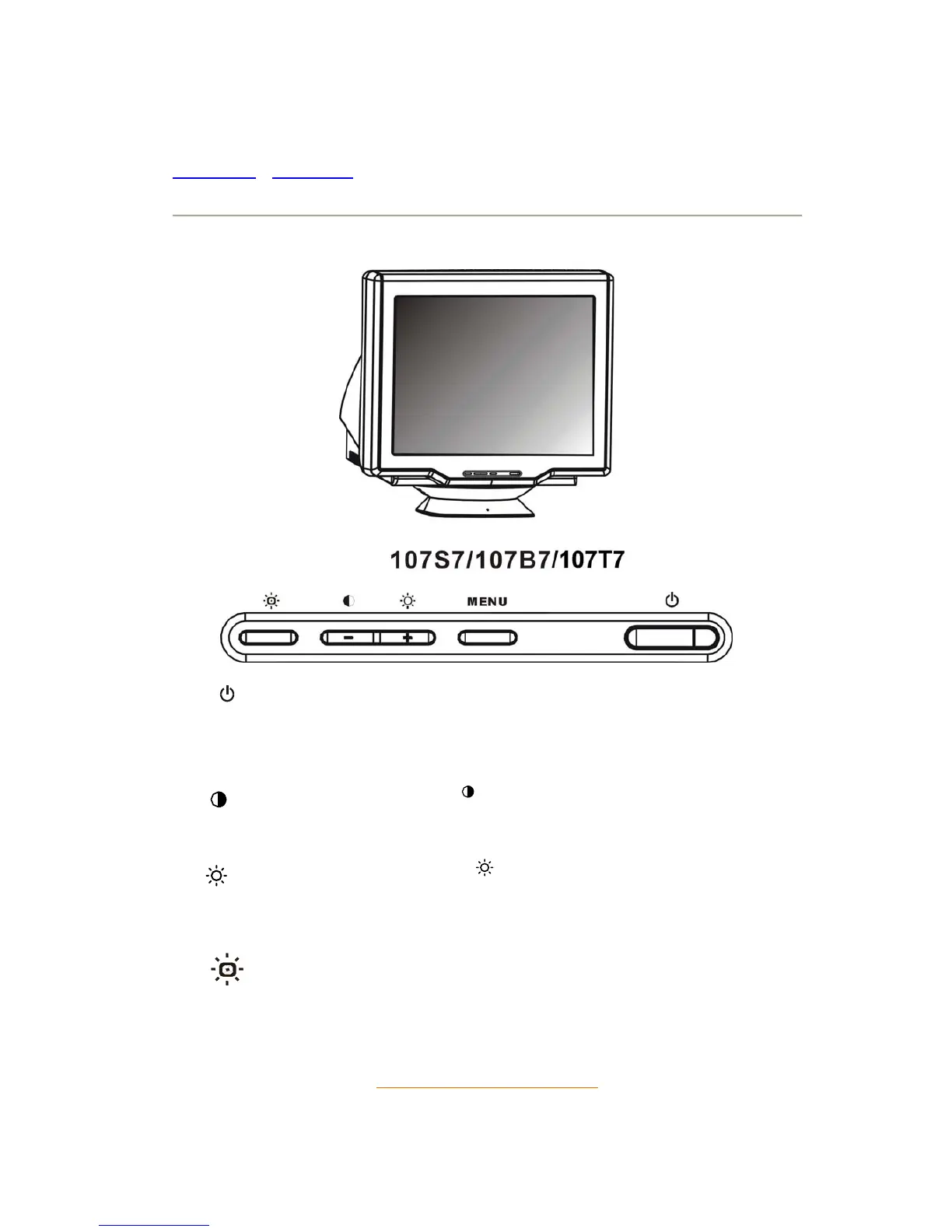
Front View
Power button switches your monitor on.
MENU
MENU button which when pressed will take you to the OSD
controls
(-)
Contrast hotkey. When the "(-)" button is pressed, the
adjustment controls for the CONTRAST will show up.
(+)
Brightness hotkey. When the "(+)" button is pressed, the
adjustment controls for BRIGHTNESS will show up.
High Bright hot key delivers 4 suitable brightness instantly for text,
internet, game and multimedia.
RETURN TO TOP OF THE PAGE



 To Next Page