5
E
N
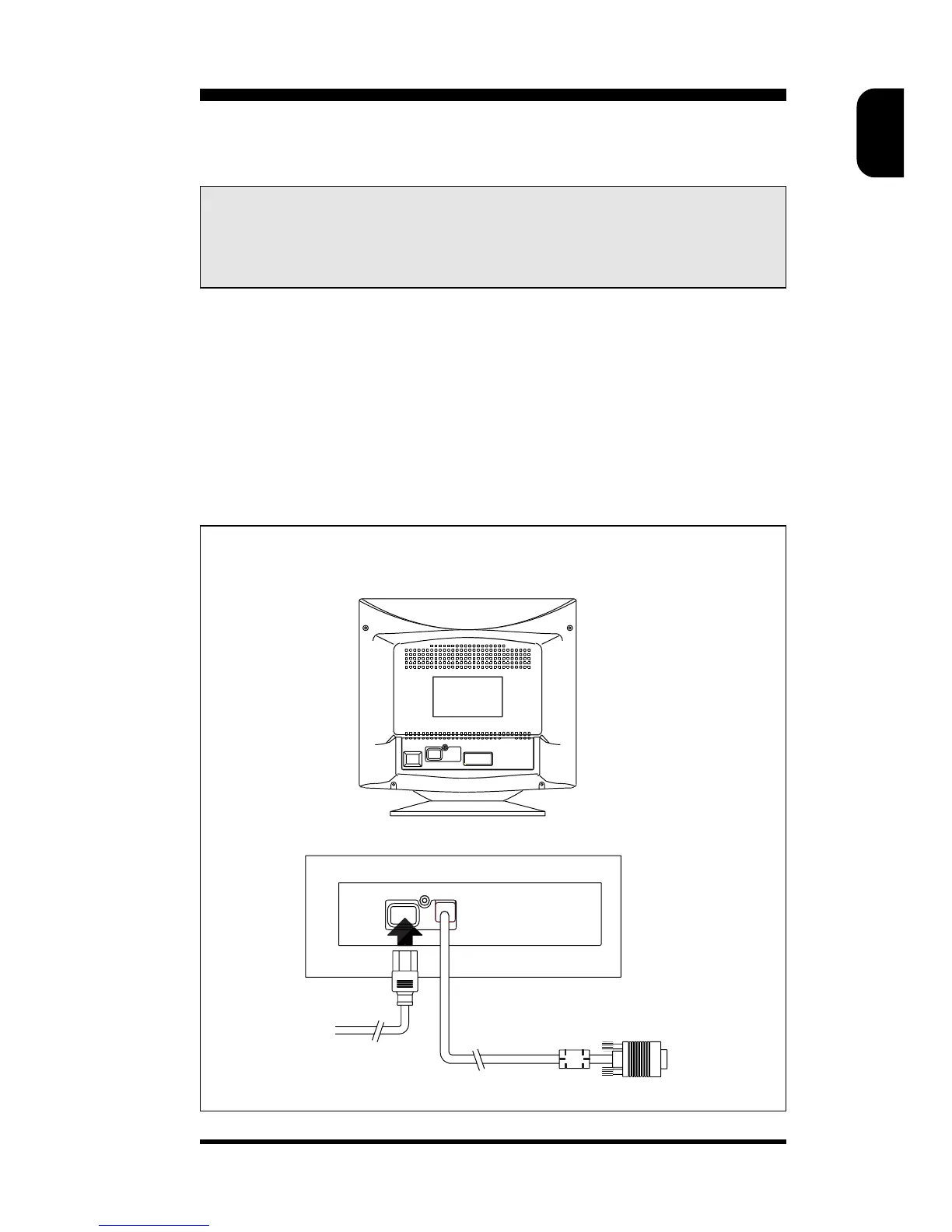
Connection
• Connect the monitor to the computer using the supplied interface
cables. Connection with computer system other than IBM PC may
need different type of adapters. Please consult your computer supplier
for these adapters. Connect the power cord to a wall outlet after the
interface cable is properly connected.
Important: Please make sure the AC power to your computer is
“OFF” before connecting or disconnecting any display
peripheral. Failure to do so may cause serious personal injury
as well as permanent damage to your computer equipments.
1) IBM PC connection
2) Mains connection
Monitor rear view
WARNING:SHOCK HAZARD-DO NOT OPEN
AVIS:RISQUE DE CHOC ELECTRIQUE NE PAS OUVRIR
PRECAUCION RIESGO DE CHOQUE ELECTRICO,NO ABRIR
1
2



 To Next Page