EN
10
Playing cassettes
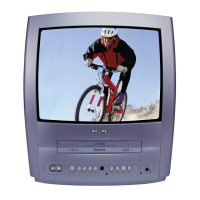
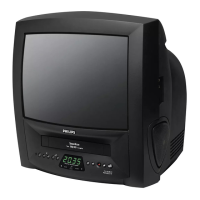
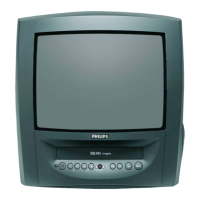
You can use this TV-Video Combi to playback
recorded VHS video cassettes. You can operate
the TV-Video Combi using the remote control or
the buttons on the set.
Your TV-Video Combi can only record and play
standard VHS cassettes.
1.
1.Put a cassette into the cassette slot. The cas-
sette is inserted automatically.
2.
2.Press to view the tape.
3.
3.To stop the playback, press or on
the TV-Video Combi.
4.
4.To eject the cassette, press
or
when the TV-Video Combi stops the play-
back.
Playing back NTSC cassettes
Cassettes that have been recorded in the NTSC
standard (for example, American cassettes) can
be played back using this TV-Video Combi.
Displaying current tape position
The following information is displayed on the
screen: e.g.: 0:02:45 shows the counter in hours,
minutes and seconds.
SP/LP: will show the recorded speed of your
cassette.
'REM 0:06': will show the actual amount of play-
ing/recording time left on the tape in hours and
minutes.
When you play an NTSC cassette, the TV-Video
Combi will show 'REM -:--'.
C/
AA
EJECT
AA
C/
AA
LC
KB
5. Playback
Do I need to change the playback speed
when playing back LP recordings?
During playback, the correct speed will auto-
matically be selected. For more information,
please read the section 'Selecting the recording
speed (SP or LP)' in the chapter 'Manual
recording'.
DIGITAL STUDIO PICTURE CONTROL
Philips has developed a system which produces
the best possible playback quality. For old and
often-used video cassettes, this system reduces
interference. For new or high quality cassettes,
it emphasises the details.
Picture/ sound quality is poor
When playing rental videos or older, poorer
quality cassettes, it may not be possible to com-
pletely filter out picture and sound interference.
This is not a fault in your machine. Read the
section 'Manual tracking'.
How can I set the counter to '0:00:00'?
You can set the counter to '0:00:00' with
.
When you put a cassette in the TV-Video
Combi, the counter will automatically reset to
'0:00:00'.
CLEAR
The counter does not move
This occurs when there are no recordings on a
portion of a tape. This is not a fault in your TV-
Video Combi.
The screen shows '-0:01:20'
If you rewind a cassette from the tape position
'0:00:00', the counter will show for instance,
'-0:01:20' (the cassette was rewound to 1
minute and 20 seconds before '0:00:00').
'-:--' is displayed in the 'REM' counter
This counter will automatically recognise the
length of the tape. In addition, when you put in
a cassette the TV-Video Combi must first calcu-
late the time played. Therefore, '-:--' appears
first and only after the tape has been running
for a few seconds, the correct playing time will
be shown.









 To Next Page