15
Go to cover page
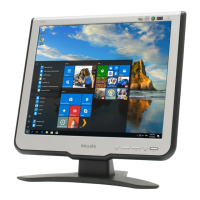
170C7 LCD
Color Adjustment
Alignment procedure
1. Turn on the LCD monitor.
2.Turn on the Timing/pattern generator. See Fig.1
3. Preset LCD color Analyzer CA-110
-Remove the lens protective cover of probe CA-A30.
-Set measuring/viewing selector to measuring position for reset
analyzer.(zero calibration) as Fig.2
- Turn on the color analyzer (CA-110)
-Press 0-CAL button to starting reset analyzer.
Fig. 1
Fig. 2
Clear imageClear image
Measurement/viewing selectorMeasurement/viewing selector
Fig. 3
4). Press button, then select factory mode indicator by"OK" "UP"
or "DOWN" button .Press"OK” button to bring up submenu
windows as below:
Fig.5
Cover (black)Cover (black)
Measurement viewing selectorMeasurement viewing selector
Fig. 4
Fig. 2
5.Display
Press "UP" or "DOWN" button to select . Change the value
by "LEFT" or "RIGHT" key until the X,Y co-ordinates as below
4. Access Factory Mode
1). Turn off monitor.
2).
3).Press "OK button, wait until the OSD menu with Characters"
HUDSON 170C7 V010 2006/06/29" (below OSD menu) come on
the Screen of the monitor. as shown in Fig3.
[Push "AUTO" & "OK" buttons at the same time and hold them]
+[Press "power" button untill comes out "Windows screen" ]
=> then release all buttons
"
Factory Mode indicator
6. Display Adjustment
6.1 Access to factory mode (RS232) in auto-alignment system. The
communication protocol switches to RS232.
6.2 Auto color adjustment (B)
Apply a 640*480/60Hz signal with 16 level grey test pattern, set
brightness control at 100%, and contrast control at 50%. Adjust
the R.G. B. offset, and gain to calibrate the color smoothly and
64-grey level distinguishable.
6.3 Adjustment of WHITE-D (B)
Apply a 1280*1024 / 60Hz signal with white pattern, set
brightness control at 100%, and contrast control at 50%. Adjust
the R, G, B Sub-Gain, for the screen center, the 1931 CIE
chromaticity (X, Y) co-ordinates shall be
Use Minolta CA-210 for color coordinates and luminance check.
Luminance is > 200 Nits in the center of the screen when
brightness at 100% and contrast set to 100%.
6.4 Adjustment of sRGB (B)
Apply a 1280*1024/ 60Hz signal with white pattern, set
brightness control at 100%, and contrast control at 50%.
Adjust the R, G, B Sub-Gain, for the screen center, the 1931
CIE chromaticity (X, Y) co-ordinates shall be;
sRGB
x(center) 0.313 ± 0.008
y(center) 0.329 ± 0.008
Ynits 180 ± 10
9300°K6500°K
x (center) 0.283 ± 0.020 0.313 ± 0.020
y (center) 0.297 ± 0.020 0.329 ± 0.020


 To Next Page
 Loading...