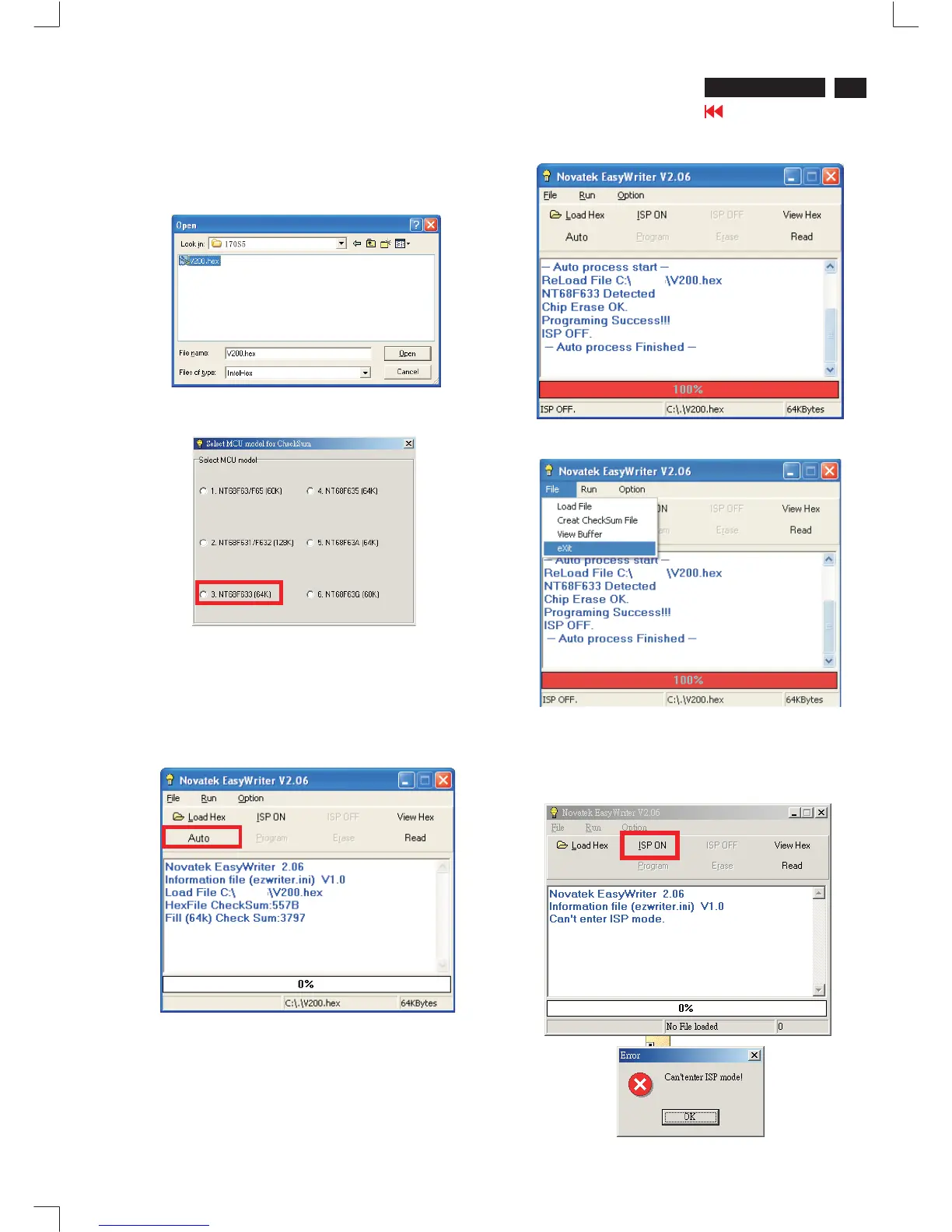
2. Press the Load hex then select the V200.hex as shown
in Fig. 8.
3. From the menu that appears, choose the "NT68F633(64K)" as
showninFig.9
4 Press the AUTO to running program , the firmware be
updated as shown in Fig. 10~11.
4 Pressthe file-->exit toend program ,asshown inFig.12.
.
17
Fig. 8
170S5 LCD
Go to cover page
Firmware Update for CPU Novatek NT68F633L
If there is a warring message coming as shown in Fig 13. , you
havetochecktheACpower,Videocable,orNovatekMCU.
Fig. 9
Fig. 10
Fig. 11
Fig. 12
Fig. 13
170S5
170S5
170S5


 To Next Page