31
English
EN
7 Professional
mode
instruction
Introduction
Included in this TV is a special functional
commerical application. This feature is called
Professional mode.
This section has been designed to help install
and operate this TV in Professional mode.
Before reading this section, please read section
3 to 6 to set the basic functionality of this TV.
'*
This TV is specially designed to operate in
Professional Mode. Professional Mode offers the
Access to the [Consumer Menu] can be
blocked. This prevents users (e.g. guests)
from deleting or changing channel settings
and / or modifying picture and sound
settings. This ensures that TVs are always
set up correctly.
A switch-on volume and channel can be
selected. After switching on, the TV will
and channel.
The maximum volume level of the TV can
be limited in order to prevent disturbance
to other guest.
Channels can be blanked (Video only).
The TV local buttons VOLUME +/-,
P/CH+/- and
(Home) can be locked.
Screen information can be suppressed.
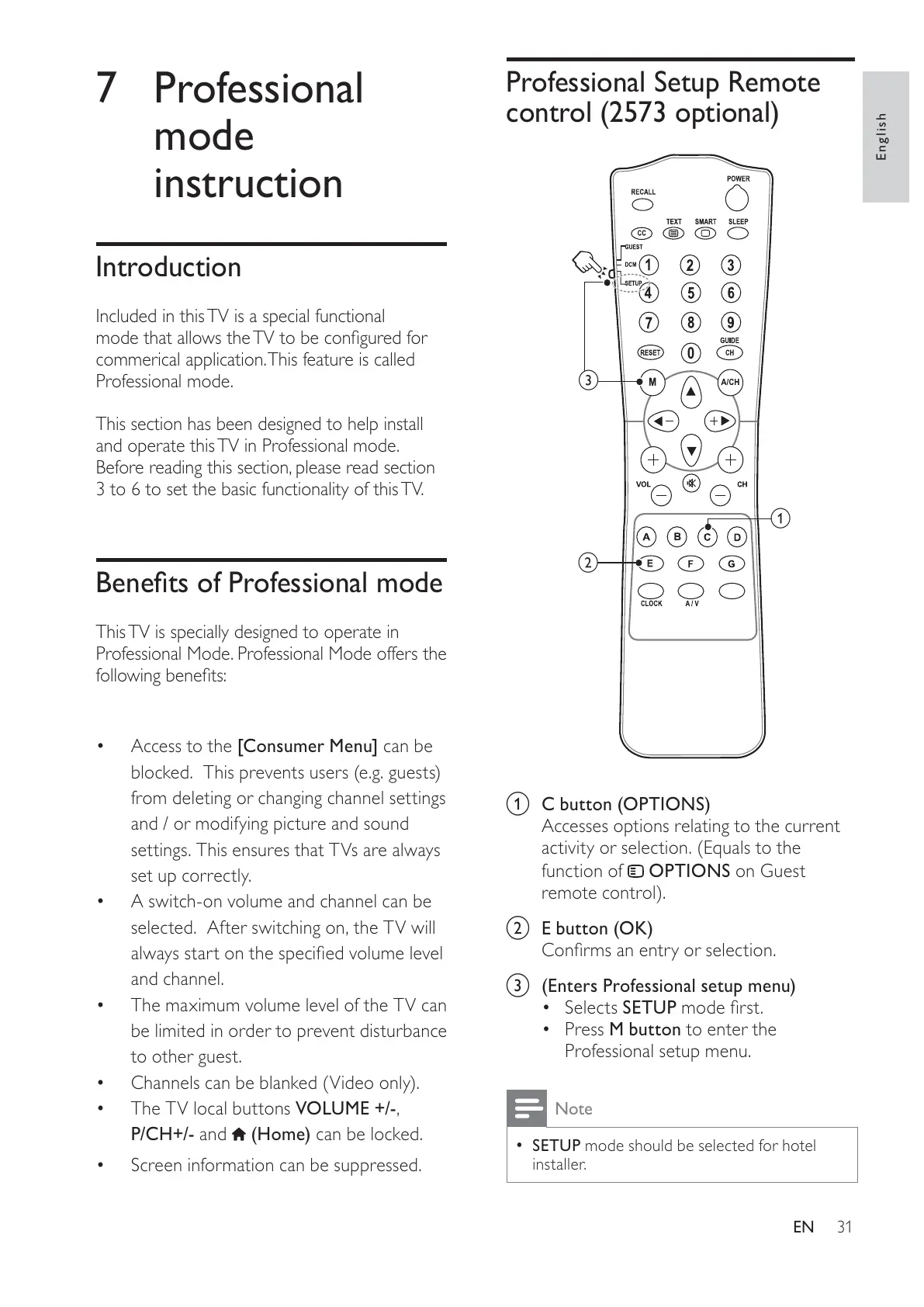
Professional Setup Remote
control (2573 optional)
0
a
b
c
a C button (OPTIONS)
Accesses options relating to the current
activity or selection. (Equals to the
function of
OPTIONS on Guest
remote control).
b E button (OK)
c (Enters Professional setup menu)
Selects SETUP
Press M button to enter the
Professional setup menu.
Note
SETUP mode should be selected for hotel
installer.







 To Next Page