ʳ
ʳ
84
Meridian 3
3.16.1.7 Demo mode
A. Purpose: Built-in demo mode for sales in-store demo.
B. Design:
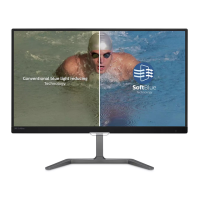
i. Dynamically split screen to 2 vertical frames with one vertical white line. The line
width is 2 pixels. The left frame will be enhanced by SmartImage Lite and right
frame remains original performance.
ii. There is OSD showing “SmartImage On / SmartImage Off” in
left frame and “Original Image” in right frame.
iii. The OSD word color is white with transparent background.
iv. The demo profile will be “Video Playback” profile with “High” ODC setting.
C. Hot keys to trigger:
Press [Smart Image] 3 seconds or more to trigger the demo mode.
When demo mode is On, press 3 seconds or more to turn off the demo mode.
When the demo mode is enabled, the white LED.
3.17 PerfectTune
A. PerfectTune must be done after warming 30 minutes at least.
B. PerfectTune must be performed after Auto Color.
C. PerfectTune must be conducted through DVI or scaler embedded patterns.
D. Delta E < 2.5
3.17 audio
3.17.1 Frequency Response
The amplifier and speaker combination shall provide a frequency response of
300 Hz to 20 kHz, with +/- 3 dB variation over the entire response range.
3.17.2 Total Harmonic Distortion
Total harmonic distortion shall be limited to 5% THD at the maximum
wattage speaker rating specified in section 1.3, at 1 kHz, when the input is
1.3Vrms.










 To Next Page