EasyManua.ls Logo

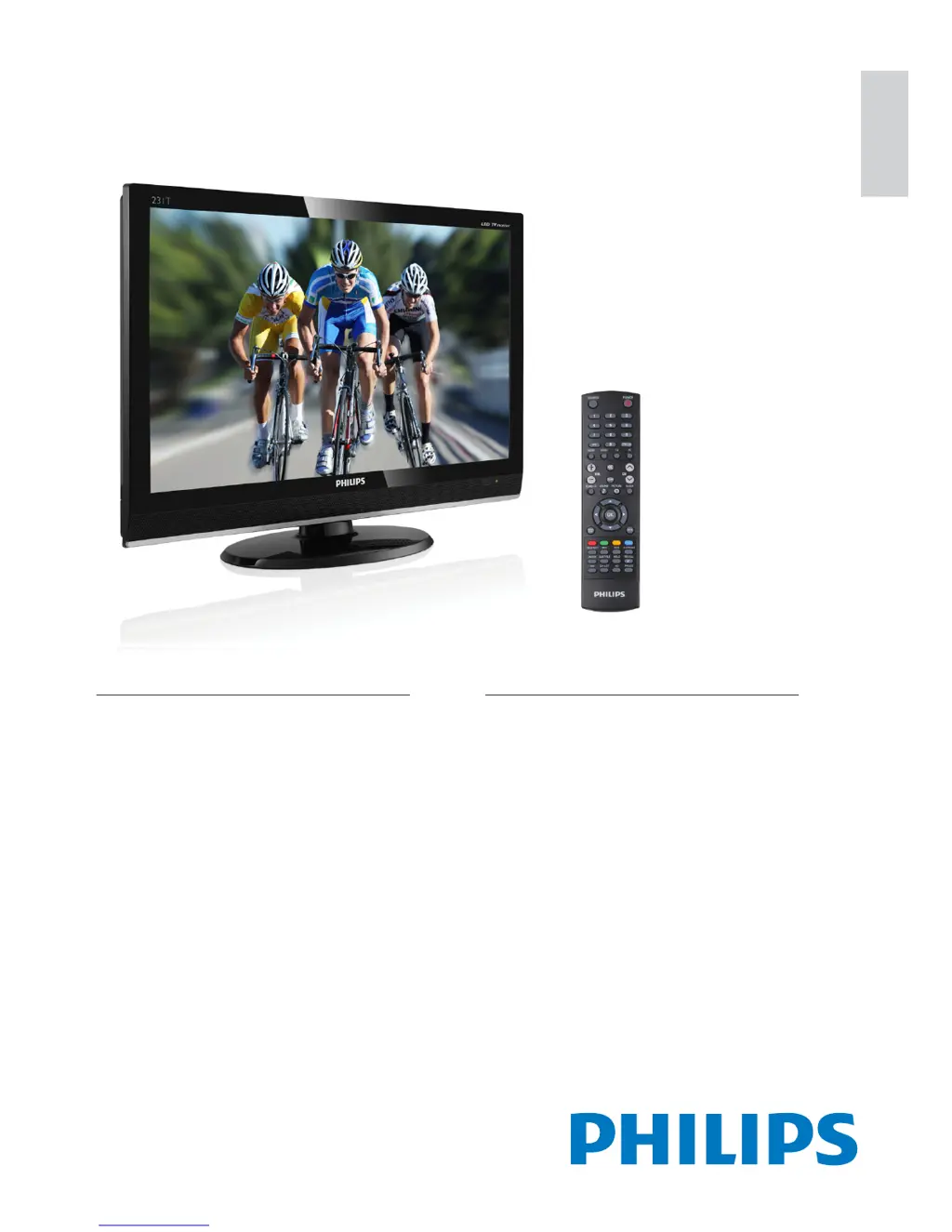
Philips 231T1LSB/00 - User Manual

Philips 231T1LSB/00
32 pages
Print Icon
To Next Page IconTo Next Page
Loading...
English
Register your product and get support at
www.philips.com/welcome
231T1L
EN User Manual

Questions and Answers

  • K
    Kimberly KellyJul 29, 2025
    What to do if Philips Monitor remote control is not working properly?
    • W
      webermarcJul 29, 2025
      If the remote control for your Philips Monitor isn't working correctly, try the following: * Ensure the batteries are correctly inserted, matching the +/- orientation. * Replace the batteries if needed. * Clean the remote control and the TV sensor lens.
  • D
    Danny AdamsAug 1, 2025
    What to do if my Philips Monitor TV is on, but there is no picture?
    • E
      Eric BradshawAug 2, 2025
      If your Philips Monitor TV is on but showing no picture, verify that the antenna is properly connected to the TV. Also, ensure that you have selected the correct device as the TV source.
  • J
    Jeffrey BrewerAug 6, 2025
    What to do if there is sound but no picture on Philips 231T1LSB/00?
    • V
      Victor TaylorAug 6, 2025
      If you're getting sound but no picture on your Philips Monitor, make sure that the picture settings are correctly configured.
  • D
    David HuntAug 10, 2025
    How to fix poor picture quality from connected devices on Philips 231T1LSB/00?
    • D
      David ObrienAug 11, 2025
      If you're experiencing poor picture quality from devices connected to your Philips Monitor, first check that the devices are connected properly. Additionally, ensure that the picture settings are correctly configured.
  • H
    Heather RoseAug 14, 2025
    How to improve poor TV reception from an antenna connection on Philips 231T1LSB/00?
    • E
      Emma HerreraAug 14, 2025
      To improve poor TV reception from an antenna connection on your Philips Monitor, ensure the antenna is properly connected to the TV. If possible, try to improve the reception quality by changing the antenna direction or moving devices away from the TV.
  • K
    Kimberly JohnsonAug 19, 2025
    How to fix the unstable computer display on Philips 231T1LSB/00 TV?
    • S
      Sarah StanleySep 12, 2025
      If the computer display on your Philips Monitor TV is unstable, ensure that a supported resolution and refresh rate are selected on the computer. Also, set the TV picture format to unscaled.
  • A
    Anthony GreerAug 25, 2025
    How to fix Philips 231T1LSB/00 Monitor TV not saving picture settings?
    • A
      Angelica MartinezAug 25, 2025
      If your Philips Monitor TV isn't saving your picture settings, check that the TV location is set to the home setting.

Summary

Important Notice and Safety

Essential Safety Precautions

General Safety Guidelines

Crucial safety guidelines for TV usage, handling, environmental conditions, and electrical safety.

Connecting External Devices

Back Panel Connectivity Ports

Details on PC (VGA/Audio) and EXT 2 (YPbPr/Audio) inputs on the back of the TV.

Rear Input and Output Connections

Describes SCART, Antenna, AV OUT, SPDIF OUT, and HDMI connections on the rear panel.

Side Panel Interface Ports

Explains the Common Interface, AUDIO L/R, VIDEO, and SERVICE ports located on the side.

TV Controls and Remote Functions

Remote Control Button Guide

Details the purpose and operation of each button on the provided remote control.

Basic TV Operation

TV and Channel Setup

Automatic Channel Scanning

Procedure to find and store all available digital and analog channels automatically.

Advanced Feature Settings

Parental Menu and Controls

Accessing parental controls like channel blocking, password setup, and guidance.

Channel Blocking Configuration

Instructions on how to block specific channels from being viewed.

Parental Guidance Age Ratings

Setting age ratings to restrict access to content based on age appropriateness.

Input Source Blocking

How to block specific input sources from being selected on the TV.

Troubleshooting Common Issues

General TV Operation Problems

Solutions for TV not powering on, remote control malfunctions, and standby light issues.

Picture Display Problems

Troubleshooting no picture, poor reception, or incorrect picture settings.

Audio Output Problems

Solutions for no sound, poor sound quality, or sound from only one speaker.

HDMI Connection and Display Issues

Troubleshooting HDMI device recognition, display, and sound disruptions.

Philips 231T1LSB/00 Specifications

General IconGeneral
BrandPhilips
Model231T1LSB/00
CategoryMonitor
LanguageEnglish

Related product manuals