6 EN
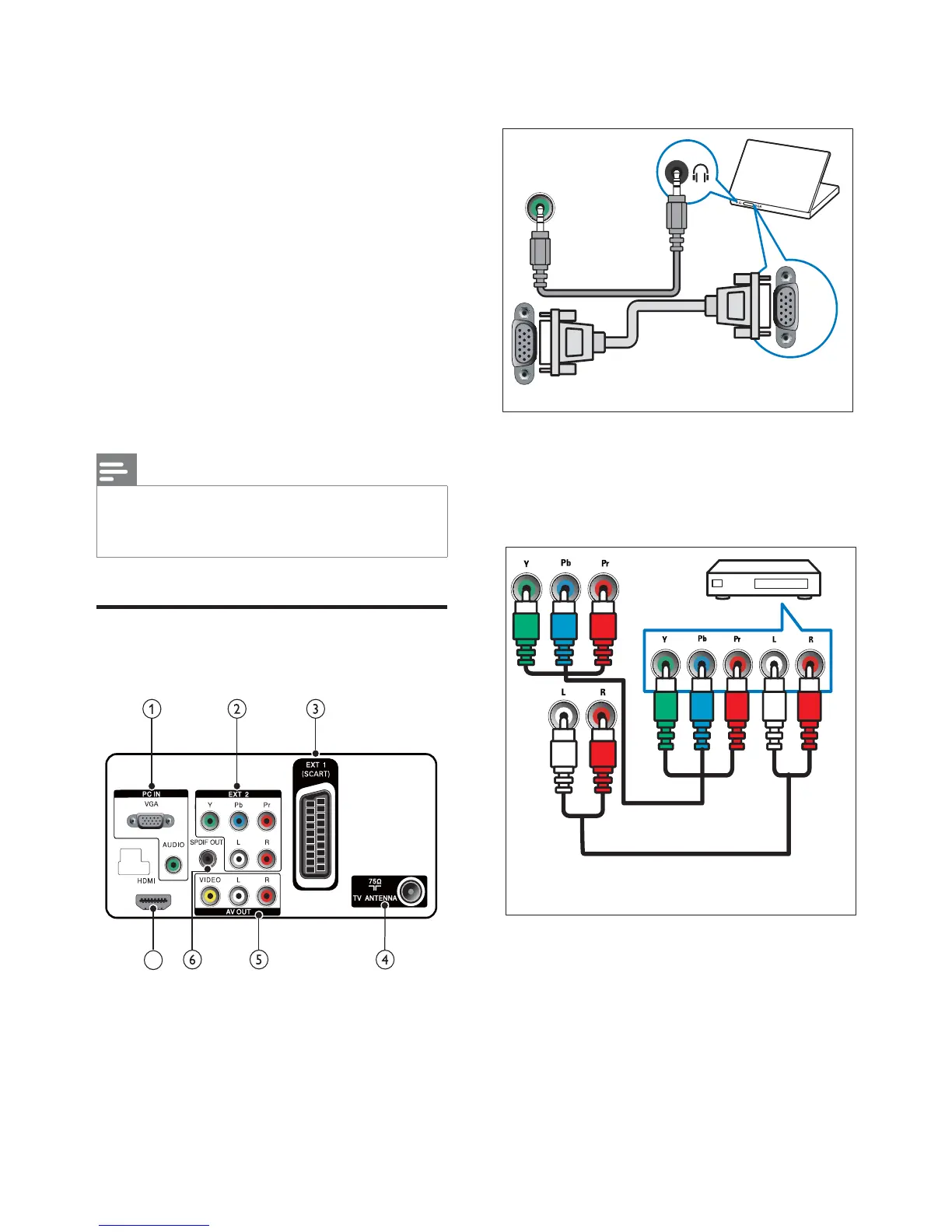
a PC IN (VGA and AUDIO IN)
Audio and video input from a computer.
b EXT 2 (Y Pb Pr and AUDIO L/R)
Analogue audio and video input from
analogue or digital devices such as DVD
players or game consoles.
AUDIO
VGA
VGA
3. Get started and
connect your
devices
Congratulations on your purchase, and
ZHOFRPHWR3KLOLSV7RIXOO\EHQHÀWIURPWKH
support that Philips offers, register your product
at www.philips.com/welcome.
This section describes how to connect
various devices with different connectors and
supplements examples provided in the Quick
Start.
Note
Different types of connectors may be used to
connect a device to your TV, depending on
availability and your needs.
Back connector
7











 To Next Page