15EN
English
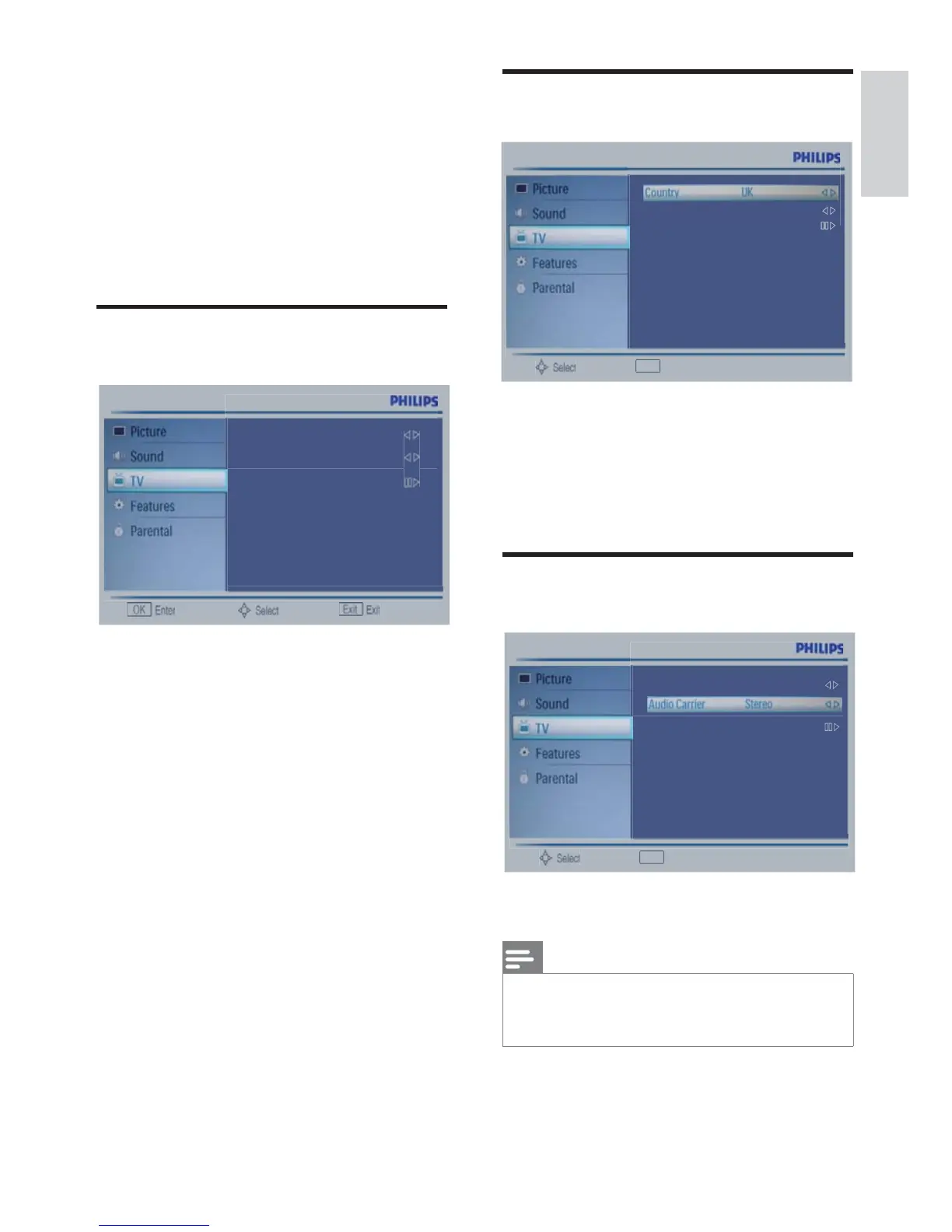
To adjust the country for
auto tuning
ɽ3UHVV0(18ɼɾEXWWRQWRVHOHFW
TV.
ɽ3UHVV2.ɼɾEXWWRQWRVHOHFW
Country.
ɽ3UHVVɿɽEXWWRQWRVHOHFWWKHLWHP
Audio Carrier(Analog TV
only)
ɽ Select Mono / Stereo / Dual l / Dual ll ,for
preference
Note
if your preference is not the workable carrier,
the default priority will be : Dual l > Dual ll
;Stereo > Mono.
Exit
Back
Audio Carrier Stereo
Channels
Exit
Back
Country UK
Channels
7. TV/Channel
settings
This chapter provides adjust the program
related settings and the audio language related
settings
Using TV signal as the input
source.
ɽ Press MENU button to display the menu.
ɽ3UHVVɼɾEXWWRQWRVHOHFWWKH79
item.
ɽ Press OK button enter the TV sub item.
ɽ Press MENU button to exit the sub item.
Country UK
Audio Carrier Stereo
Channels











 To Next Page