Controlling the display
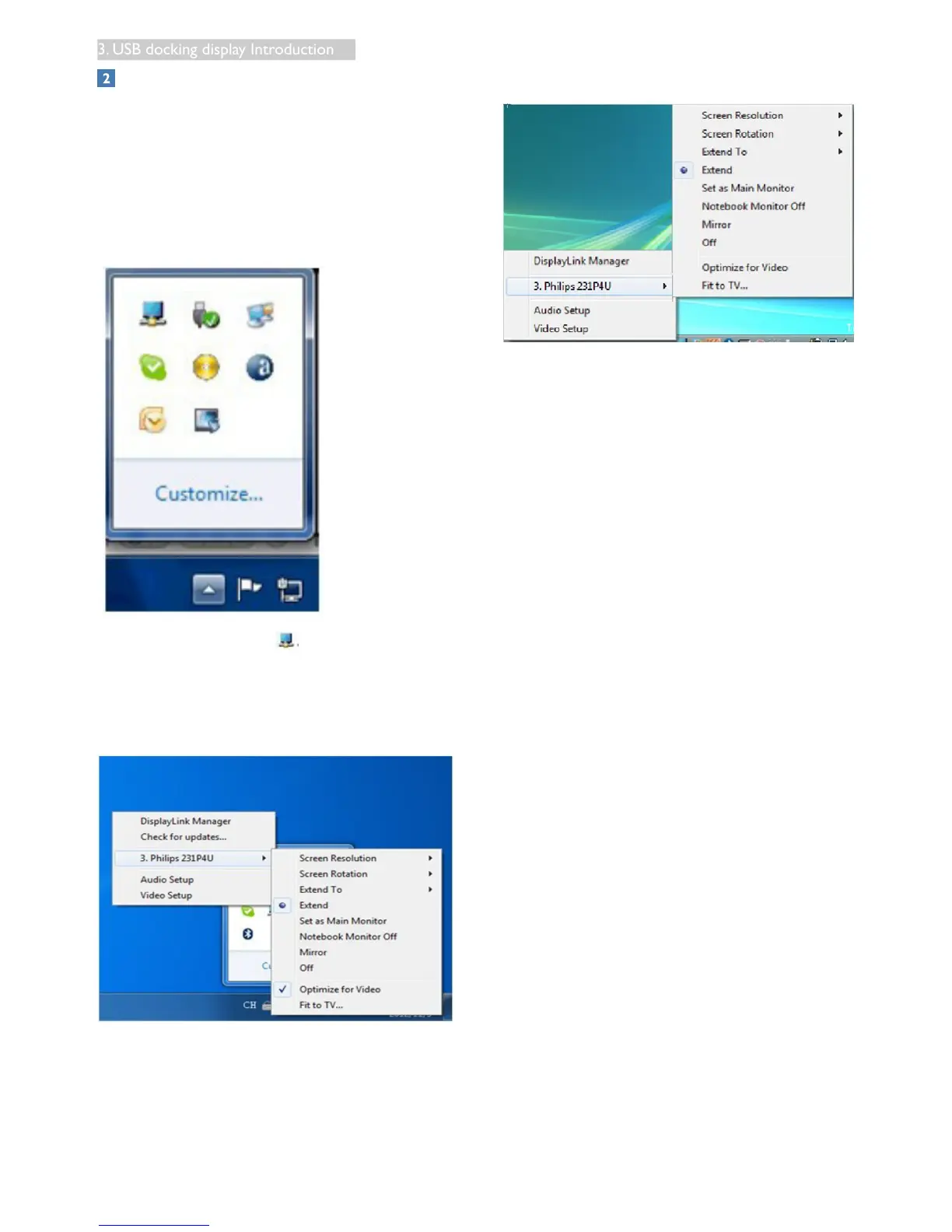
When devices are attached, an icon appears
in the taskbar. This gives you access to the
DisplayLink manager menu.
To use the DisplayLink Manager Menu
1. From the taskbar, click the “Show hidden
icons arrow” to show all available icons.
2. Click the DisplayLink icon .
A menu appears with several options. These
are shown and described below.
Windows 8, Windows 7
Windows Vista, Windows XP











 To Next Page