13
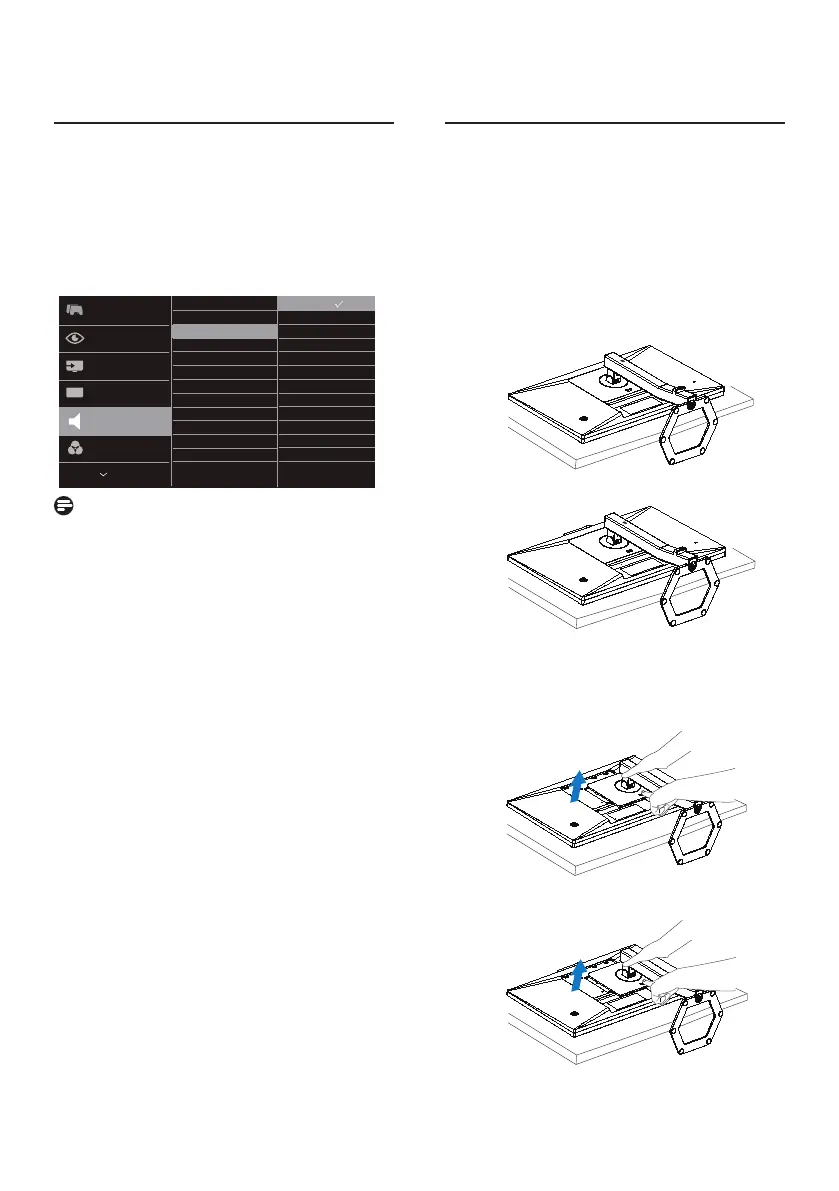
2.4 Noise Cancelling
(24E1N5300HE)
This monitor has Noise Cancelling
functionality. When connected via USB C
during video conferencing, the monitor
will automatically lter for human
sounds. This function can be turned o
in the OSD menu, under Noise Cancelling
(default=ON).
Note
If multiple devices are connected to
the display, both may play through
the speaker at the same time. It is
recommended to disable the audio
output of the non-primary device.
2.5 Remove the Base Assembly
for VESA Mounting
Before you start disassembling the
monitor base, please follow the
instructions below to avoid any possible
damage or injury.
1. Place the monitor face down on a
smooth surface. Pay attention not to
scratch or damage the screen. Then
lift the monitor stand.
2. While keeping the release button
pressed, tilt the base and slide it out.



 To Next Page