23
¸
USING THE T IMER
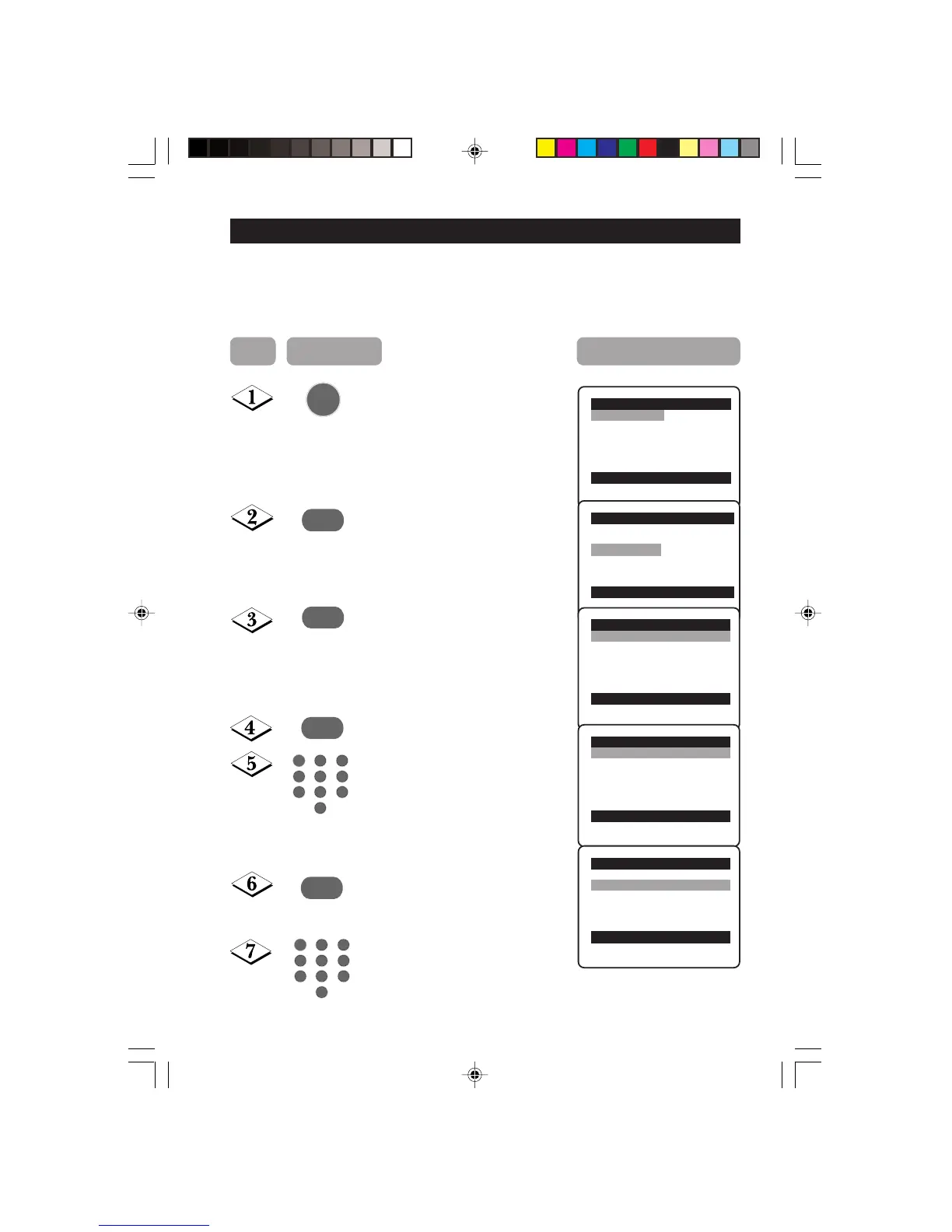
The Timer feature allows you to set the timer to switch to another channel at a specified
time while you are watching another channel or when the TV is on standby mode.
Note : For the timer to function, the set must not be switched off. Once the set is switched
off, the timer is disabled.
Main o
✔ Picture π Brightness
■ Sound Colour
■ Features Contrast
■ Install Sharpness
Colour Temp.
More...
œ
Main o
■ Picture Timer
■ Sound Child Lock
✔ Features π Rotation
■ Install Format
AutoPic.Booster
œ
Features o
✔ Timer π Time
■ Child Lock Start Time
■ Rotation Stop Time
■ Format Channel
■
AutoPic.Booster
Activate
Display
œ
˙
Display the main menu on screen.
Select Features.
Enter the Features menu.
Enter Timer menu.
Key in the current time starting from
the hour follow by minute.
This is the time where the “start time”
and “stop time” will take reference
from.
Select Start Time.
Key in the time you want the
programme to be switched on.
Timer o
✔ Time π 08:30
■ Start Time
■ Stop Time
■ Channel
■ Activate
■ Display
œ
˙
Timer o
■
Time
✔
Start Timeπ 10:30
■ Stop Time
■ Channel
■ Activate
■ Display
œ
¸
MENU
5
1
3
2
4
6
7
9
8
0
5
1
3
2
4
6
7
9
8
0
Step Press button Result on screen
23-29/E 24/9/01, 11:53 am23






 To Next Page