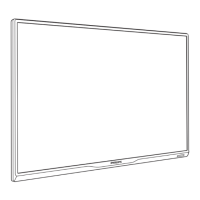
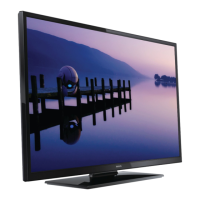
This document serves as a Quick Start Guide and user manual for a Philips 3 series television, providing comprehensive instructions for setup, operation, and troubleshooting. It also includes important safety information, regulatory notices, and warranty details.
Function Description
The Philips 3 series TV is designed to provide high-quality audio and video entertainment. It functions as a central display unit for various external devices, including antennas, cable/satellite/IPTV set-top boxes, Blu-ray Disc players, DVD players, and gaming consoles. The TV supports multiple input sources, allowing users to switch between different content providers seamlessly. It also features a digital audio output for connecting to sound bars or home theater systems, enhancing the audio experience. The TV includes a headphone audio output for personal listening, offering flexibility for different viewing environments.
Usage Features
The TV's usage is guided by a straightforward setup wizard that assists users in configuring basic settings such as language, time zone, and antenna/cable type. The remote control is the primary interface for interacting with the TV, offering a wide range of functions.
- Power Control: The remote has a dedicated power button to turn the TV on and off. The TV's power button is also located on the bottom side of the unit.
- Input Source Selection: A "SOURCE" button allows users to select from various connected devices, ensuring easy switching between different content providers.
- Sleep Timer: The "SLEEP" button enables users to set a timer for the TV to automatically turn off, useful for energy saving or bedtime viewing.
- Closed Captions (CC): The "CC" button toggles closed captions on and off, providing accessibility for hearing-impaired users or for viewing content in noisy environments.
- Navigation and Selection: Direction pads and an "OK" button facilitate navigation through menus and selection of options.
- Menu Access: A "MENU" button displays the setup menu, allowing users to adjust various TV settings.
- Volume Control: "VOL+/-" buttons increase or decrease the volume, while a "MUTE" button silences the sound.
- Channel Selection: "CH+/-" buttons allow users to select channels, and numeric buttons (0-9) with a dot enable direct channel entry.
- External Device Connectivity: The TV offers multiple connection options:
- HDMI Input Jacks: These provide high-quality audio and video connections for devices like Blu-ray players, gaming consoles, and set-top boxes. HDMI1 specifically supports HDMI-ARC, allowing TV audio to be output to compatible sound bars or home theater systems.
- RF Cable Connection: A 75 ohm cable/antenna/satellite box connection allows reception of DTV programs broadcasted in the area.
- Analog Audio (L/R) Input Jacks: Standard quality audio input for older devices.
- Composite Video Input Jack: Standard quality video input for older devices.
- USB Port: A USB port allows users to play photos and movies from a USB flash drive, supporting JPEG (.JPG) image files and MotionJPEG (.AVI) video files.
- Digital Audio (S/PDIF) Output: This optical (TOSLINK) cable connection provides high-quality audio output to sound bars or home theater systems.
- Headphone Audio Output Jack: A 3.5 mm stereo jack for personal listening with headphones.
- Wall Mounting: The guide provides recommendations for wall mount bracket kits and emphasizes safety instructions for wall mounting. It also specifies minimum clearance distances for proper ventilation when wall-mounted.
Maintenance Features
The manual provides troubleshooting tips and instructions for maintaining the TV's functionality.
- Power Issues: If the TV has no power, users are advised to check the AC outlet voltage, ensure the AC outlet operates normally, and unplug the power cord for one minute to reset the unit after a power failure.
- Remote Control Issues: If remote buttons are not functional, users should re-insert or replace the AAA batteries, ensuring correct polarity. It also advises checking for infrared-equipped devices that might interfere with the remote signal and ensuring nothing blocks the remote control sensor.
- No Screen Image: If power is on but the screen image is off, users should check the connection for the source device and ensure the correct input is selected using the "SOURCE" button on the remote.
- Voice Guidance: For accessibility, the TV offers voice guidance. If the TV is speaking prompts out-loud, users can disable this feature through the Audio > Accessibility > Voice Guide menu.
- HDMI Audio Issues: If a soundbar connected via HDMI has no sound, users should verify that the device is connected to the HDMI 1 (ARC) input and that the TV's ARC feature is enabled in the Setup > HDMI CEC > HDMI ARC menu.
- Initial Setup Redo: Users can redo the initial setup by accessing the Setup Wizard through the Setup menu.
- Factory Reset: To reset all settings to default, users can select "Restore default" from the Setup menu.
- Battery Installation: Instructions are provided for installing batteries in the remote control, emphasizing correct polarity.
- Moving/Shipping the Unit: The guide includes a diagram and instructions for properly packing the TV to prevent screen damage when moving or shipping.
- Environmental Care: The manual highlights that the product packaging is recyclable and encourages users to contact local authorities for recycling information. It also states that the TV contains recyclable materials and advises proper disposal according to local regulations at the end of its life.
- Cleaning: While not explicitly detailed as a maintenance feature, the manual warns against using a gas duster on the TV, as trapped gas could cause ignition and explosion. This implies that other, safer cleaning methods should be used.
- Ventilation: The manual stresses the importance of adequate ventilation, recommending at least 4 inches (10 cm) of space around the unit to prevent interruption of ventilation, especially when placed in built-in equipment.
- Stability Hazard: The manual provides extensive warnings and precautions regarding the stability of the TV, especially for large screen models. It advises securing the TV to furniture or a wall to prevent tipping, which can cause serious injury or death. It also recommends using appropriate furniture, ensuring the TV does not overhang edges, and educating children about the dangers of climbing on furniture.
The document emphasizes the importance of disconnecting the AC power cord before connecting devices and provides contact information for customer support, including a phone number and a chat link. It also details the limited one-year warranty, outlining coverage, exclusions, and how to obtain assistance.


 To Next Page
 General