11
The TV continuously measures and corrects all
incoming signals in order to provide the best
picture possible.
& Press the h key on the remote control.
é The Active Control menu appears.
“ Press the cursor up/down to select the Active
Control values
Off, Minimum, Medium
(recommended) or Maximum.
The picture settings are being optimised
continuously and automatically which is
displayed by bars.The menu items can not be
selected.
‘ Press the cursor right to select Smart
Picture
.
( Press the cursor up/down to select one of the
predefined picture settings.
§ Press the cursor right to select Active
Display
.
è Press the cursor up/down to select Show bars,
one of the Dual screen demos or
Off.
When you select Dynamic contrast, Pixel Plus,
Digital Noise Reduction or Digital Natural
Motion, the TV screen is divided into two parts:
in the left part the selected picture quality
setting is switched off; in the right part it is
switched on.
Note: Dependent on the input signal, one or more
Dual screen demos may not be selectable.
! Press the h key again to switch off the Active
Control menu.
Active Control
& Press the cursor right to select Sound.
é Select the menu items in the Sound menu with the cursor
up/down and adjust the settings with the cursor
left/right.Remember, control settings are at normal mid-range
levels when the bar scale is centred.
Smart sound
Select Smart sound to display a list of predefined sound settings,
each corresponding with specific factory settings of Treble and
Bass.
Personal refers to the personal preference settings of
sound in the sound menu.
Notes:
- Some menu items are only available in case of a Cinema Link
configuration and when the Cinema Link is activated. Others are
steered by the audio receiver instead of by the TV. See the separate
Cinema Link booklet supplied.
- Dual X is only available with dual sound transmission.
-Mono/Stereo is only selectable in case of analogue stereo
transmission.
-Nicam/Analogue is only selectable in case of Nicam transmission.
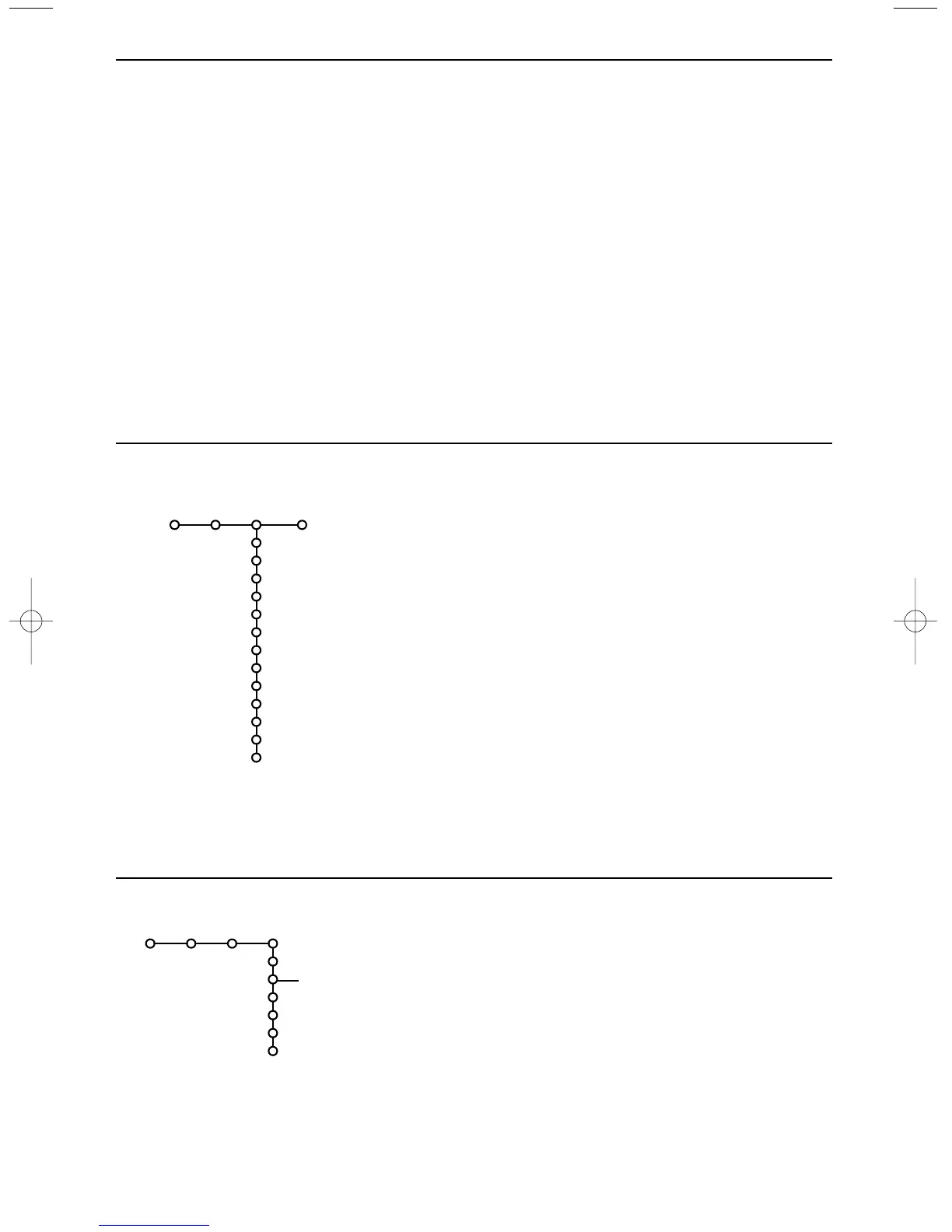
Sound
Smart sound
Equalizer
Volume
Balance
Loudness
Headphone volume
Surround mode
(Dual I-II)
(Mono/Stereo)
(Nicam/Analogue)
(3D effect)
AVL
Delta volume
TV
Sound
Off
On
On during mute
Features
Programme list
Subtitle
Sleeptimer
Child lock
On timer
Zoom
TV
Features menu
& Press the cursor right to select Features.
é Select the menu items with the cursor
up/down and adjust the settings with the
cursor left/right.
Use the on-screen Menu-Info i for more
information about the menu items.


 To Next Page