17
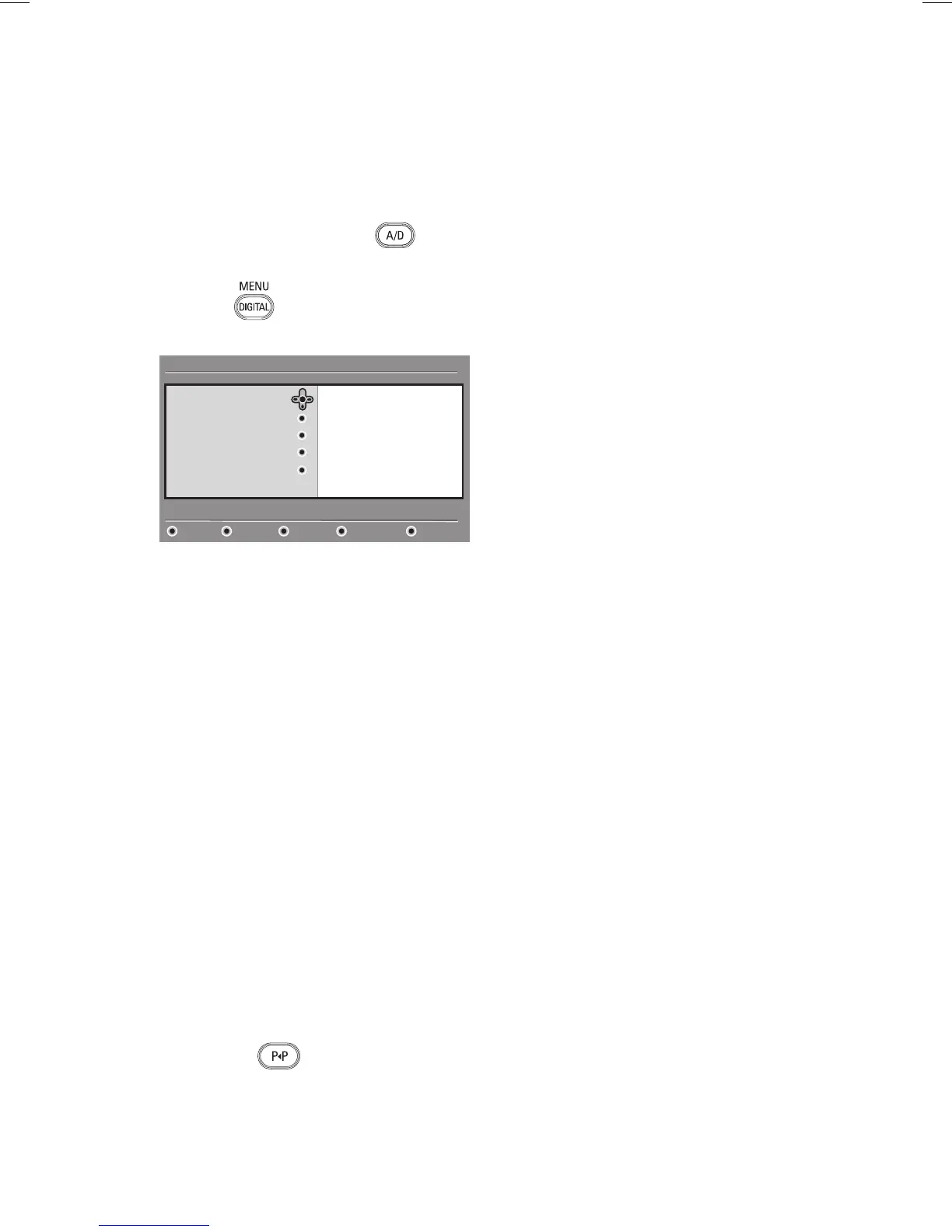
You can create up to four lists of your
favourite TV channels and radio stations.
If you are in analogue mode, switch to
digital mode by pressing the
key on
the remote control.
Press the key to display the setup
menu.
List 1
List 2
List 3
List 4
Favourites
Preferences
Information
Access restrictions
Installation
Setup
11:28
Make changes to your lists of favourite services
Close
Press the Æ key to enter the
Favourites menu.
Press the Î or ï key to select List 1,
List 2, List 3, or List 4, and press the
Æ key.
Press the Î or ï key to select a setting.
Press the Æ key to enter into the
submenu.
This list describes the options for the
Favourites menu.
Name:
To name a list.
Press the Î or ï key to move
around the name display area.
Press the P + / – keys to select the
characters. The name can contain up
to 16 characters.
Press the key to change a
character.
When the name has been entered,
press
u key to exit.
1.
2.
3.
4.
5.
6.
•
•
•
•
•
Select TV channels
To add TV channels to a list.
Press the Î or ï key to select a TV
channel.
Press the u key to confirm your
selection.
Press the Í key to exit.
Select radio stations
To add radio stations to a list.
Press the Î or ï key to select a
radio station.
Press the
u key to confirm your
selection.
Press the Í key to exit.
Add all services
To add all available services to a list.
Press the
u key.
Remove all services
To remove all services from a list.
Press the
u key.
•
•
•
•
•
•
•
•
•
•
•
•
Setting up lists of favourite channels








 To Next Page