29
You can block TV channels to prevent your
children from watching them.
Accessing the Parental Control
menu
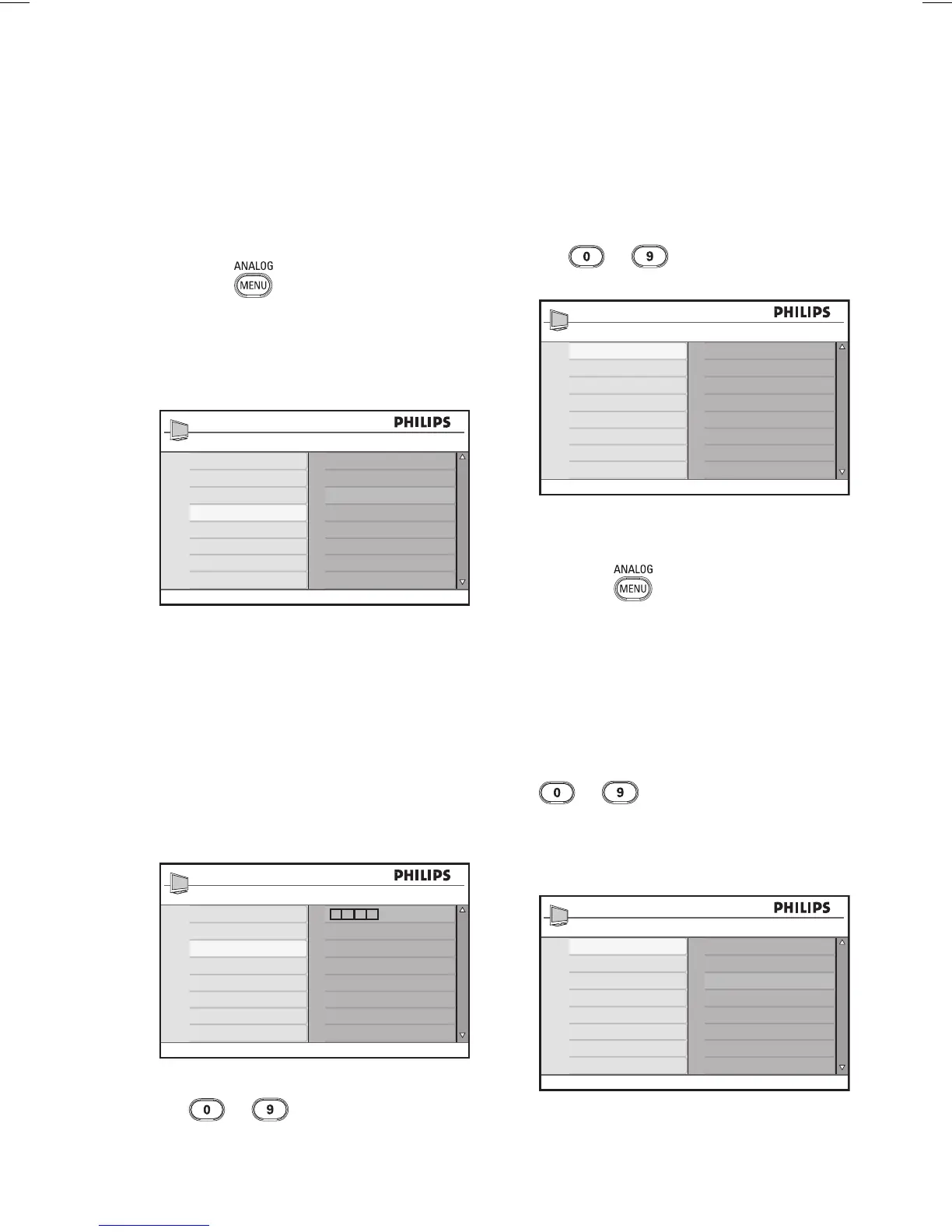
Press the key to display the Main
menu.
Press the Î or ï key to select
Features, and press the Æ or u key
to enter the menu.
Timer
Child Lock
Parental Control
Auto HDMI
Main
Picture
Sound
Ambilight*
Features
Install
* Available in selected models
Press the ï key to select the Parental
Control, and press the Æ or
u key to
enter the menu.
Creating a pin code for parental
control
Enter the Parental Control menu as
decribed in Accessing the Parental Control
menu above.
Features
Timer
Child Lock
Parental Control
Auto HDMI
Access Code
* * * *
Key in the access code 0711 by using
the
to digit keys.
The word Incorrect appears on the
screen.
1.
2.
3.
1.
2.
Key in the access code 0711 again.
The TV prompts you to change the
code.
Key in your own 4-digit code by using
the
to digit keys, and confirm
the new code.
001
002
003
004
005
006
007
008
Parental Control
Lock Program
Change Code
Clear All
Lock All
109
Press the Í key to return to the
previous menu.
Press the
key to exit the menu.
Blocking and unblocking selected
channels
Enter the Parental Control menu as
decribed in Accessing the Parental Control
menu above.
Key in your access code by pressing the
to digit keys. The Parental
Control menu appears.
Press the Æ key to enter Lock
Program.
001
002
003
004
005
006
007
008
Parental Control
Lock Program
Change Code
Clear All
Lock All
109
Press the Î or ï key to select the
channel to block or unblock.
3.
4.
5.
6.
1.
2.
3.
4.
Blocking channels (Parental Control)








 To Next Page