Studio 32/39HFL2808D/12 Page | 23
Enter Hotel TV Menu
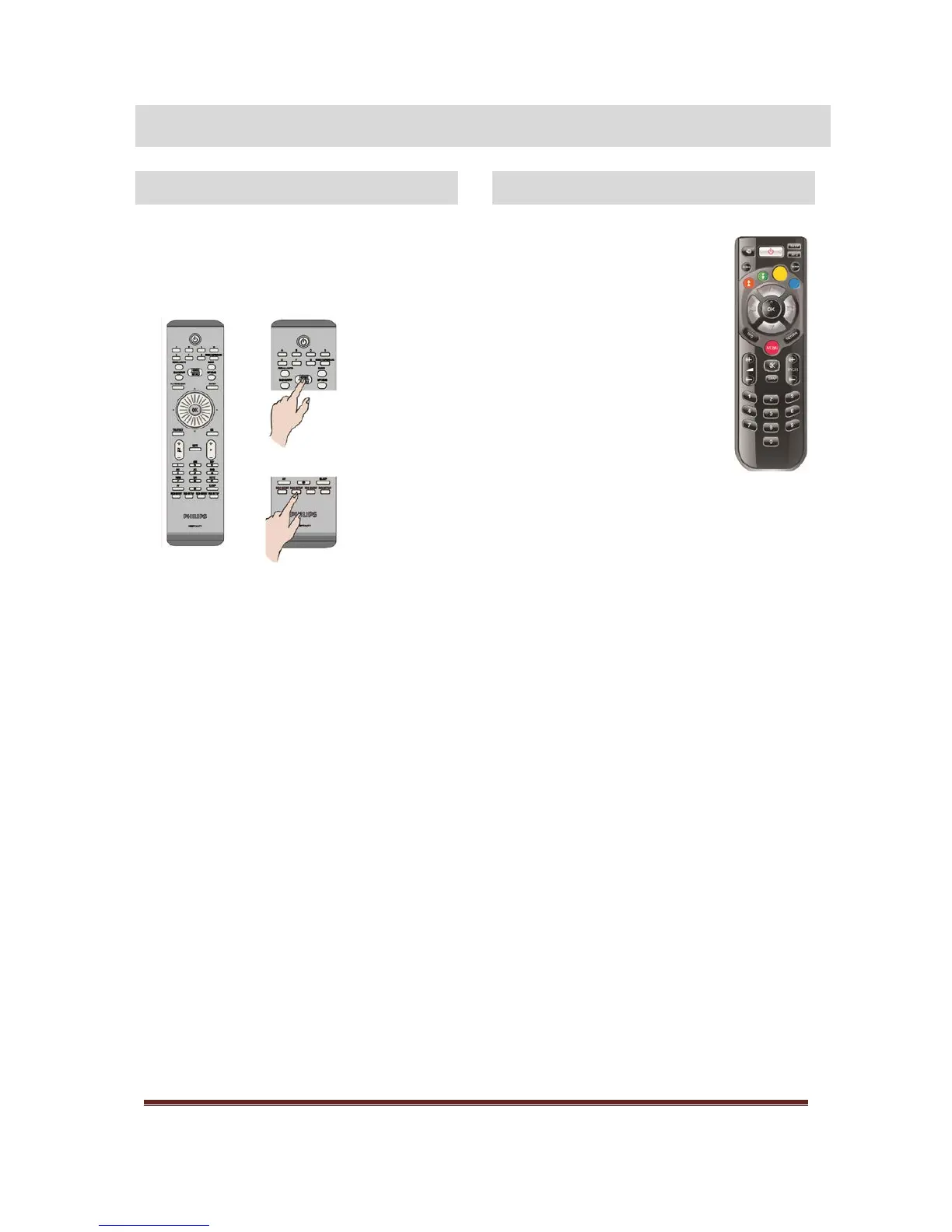
It is only possible to enter the Hotel TV Menu
for the Professional Mode using the optional
HotelTV SetUp Remote Control (22AV8573).
To enter the Hotel TV menu:
press RC5 Setup key
press Home/Menu key
Note:
Only the Home/Menu key on the HotelTV SetUp
RC (22AV8573) will control the TV. No other keys
will function on this TV! To make changes use the
Remote Control that is included with the TV.
The RC 22AV8573 is optional and NO part of the
standard accessories. This RC can be purchased at
your dealer.
Exit Hotel TV Menu
Leaving the Hotel TV Menu after making the
required settings can be done using the HotelTV
SetUp Remote Control (22AV8573) and the with
the TV included standard Remote Control.
To exit the Hotel TV menu:
press RC5 Setup key
press Home/Menu key
To exit the Hotel TV menu with standard RC:
press Menu key







 To Next Page