Studio 32/39HFL2808D/12 Page | 8
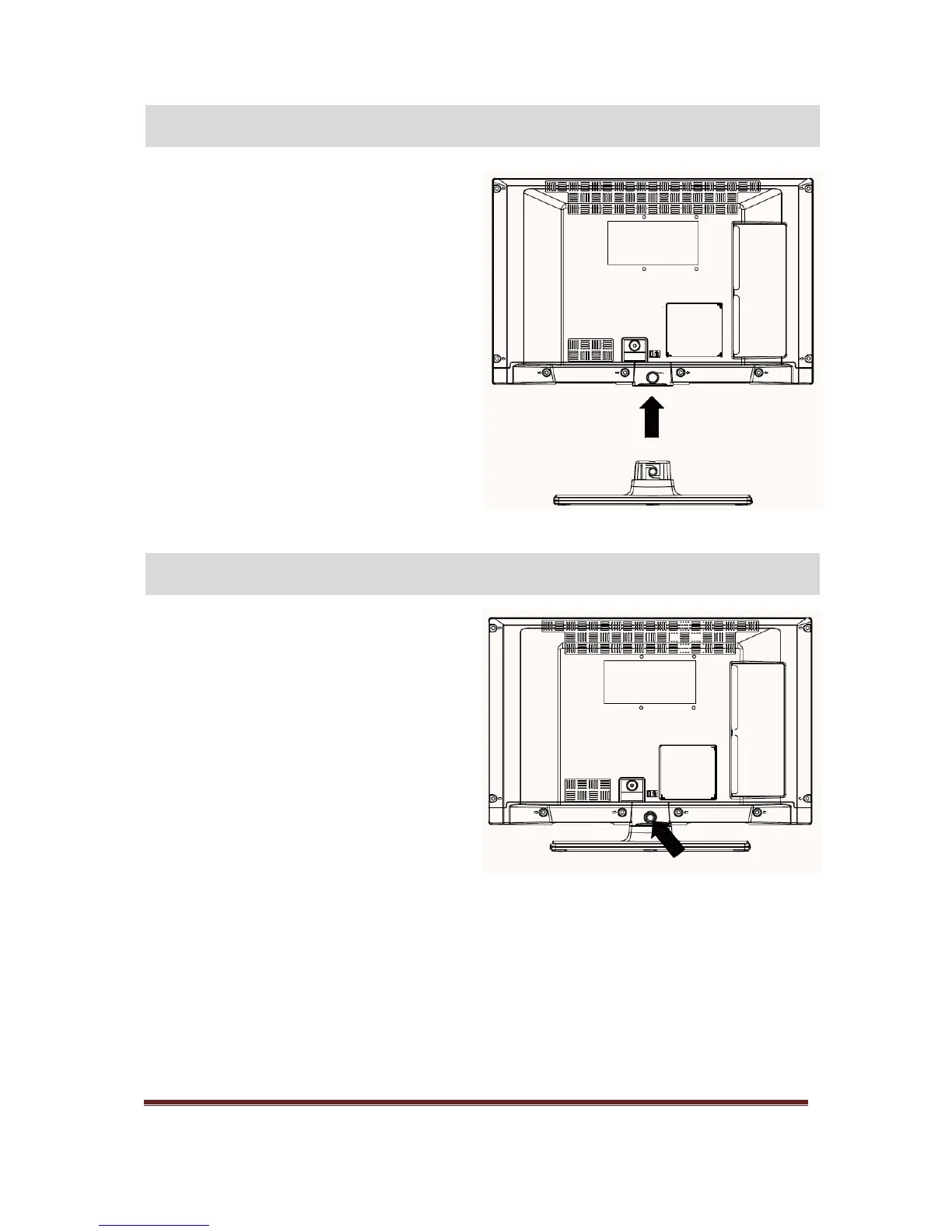
1. TV is laid on a flat surface. Make sure that
there are no objects on the table that can
damage/harm the TV
2. Position the stand so that it coincides with the
stand mounting points (4x) on the TV. Once it
is positioned fix the stand with four screws to
the TV.
1. TV is laid on a flat surface.
2. Remove four screw that fix stand to TV.
3. Stand is pulled back.
4. Stand is detached.










 To Next Page