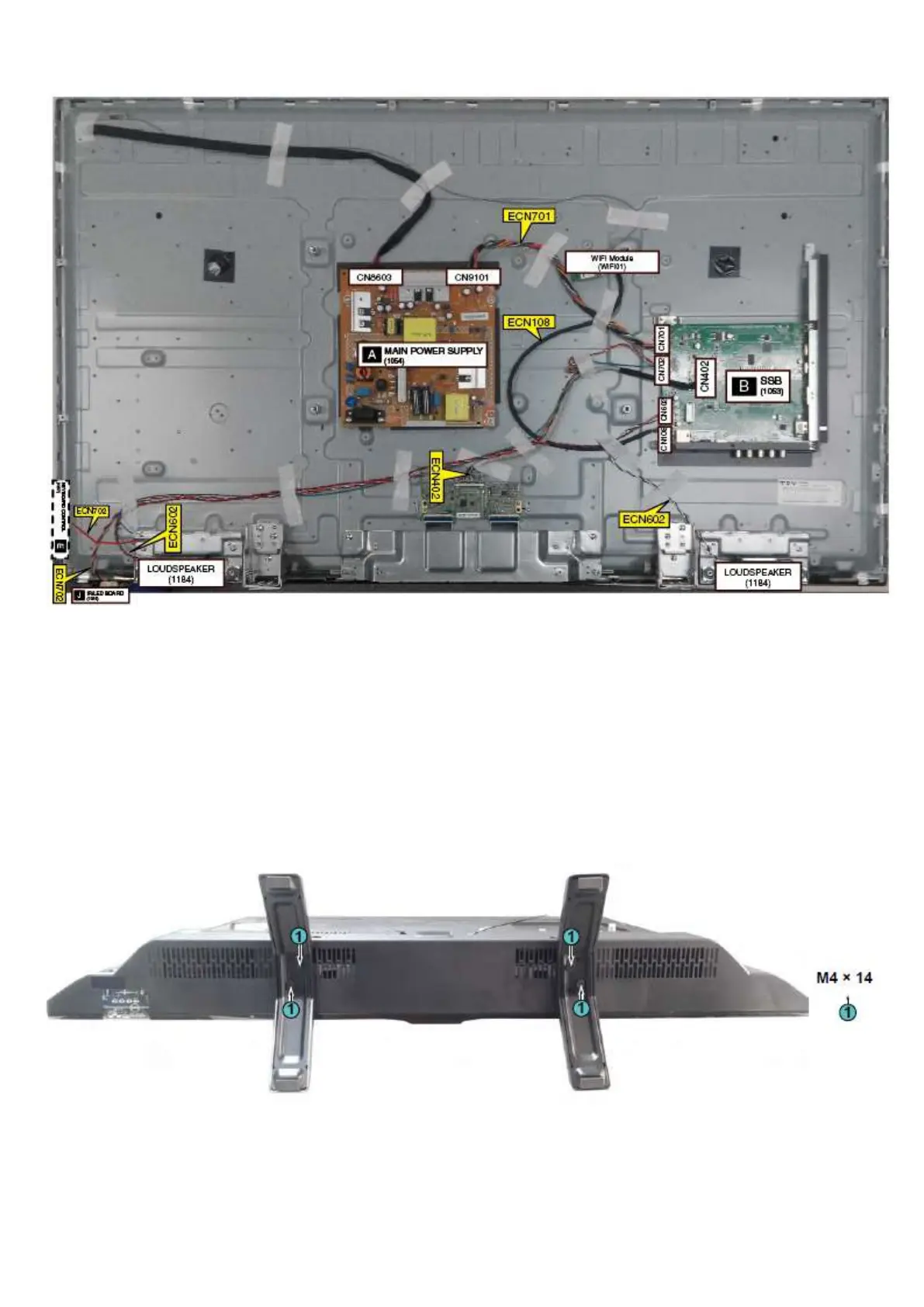
Cable dressing (49" 5102 series)
3.2 Assembly/Panel Removal
3.2.1 Stand removal
1. Remove the fixation screws [1] that secure the stand
2. Take the stand bracket out from the set.
3.2.2 Rear Cover
Warning: Disconnect the mains power cord before removing the rear cover.
1. Remove fixation screws [1] and [2] that secure the base assy..
2. Gently lift the rear cover from the TV. Make sure that wires and cables are not damaged while lifting the rear cover from the set.





 To Next Page