11
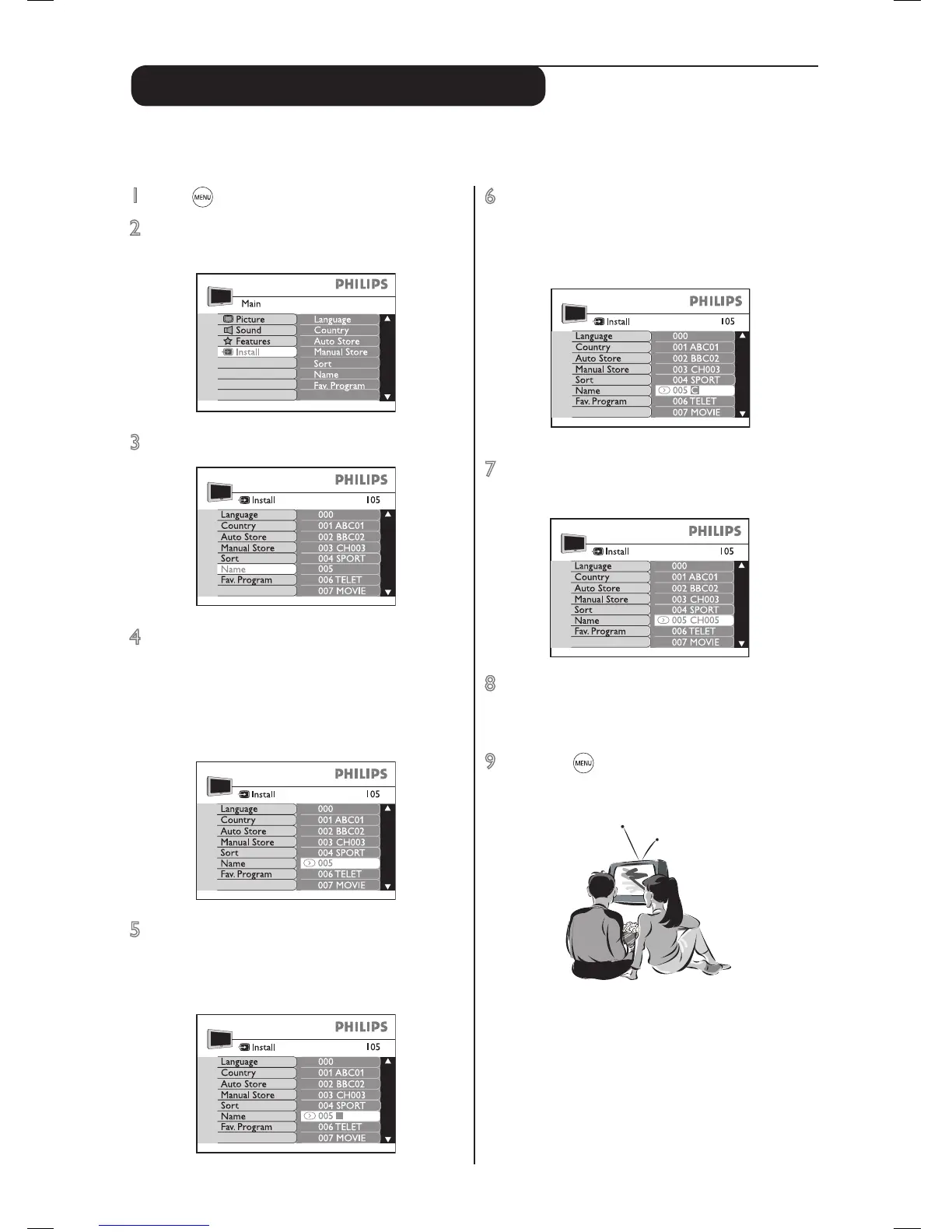
6 Press the cursor up or down to select a
character. You can key up to maximum of 5
characters. The characters available for
selection are A to Z, 0 to 9 and space.
7 To end, press the cursor left key until the
square disppears.
8 Press cursor up and down to select another
channel to name and repeat steps 5 and 7.
Otherwise go to step 9.
9 Press the key repeatedly to remove the
menu from the screen. Your TV is ready for
viewing.
Name (to personalise channels)
1 Press key to start. A main menu appears.
2 Press cursor down key to select Install. Press
cursor right key to enter.
3 Press cursor down key to select Name.
4 Press cursor right key to enter. The current
channel will be selected.
A symbol ¬ appears next to it. If this is the
channel you want to name, go to step 5.
Otherwise, press cursor up or down key to
select another channel.
5 Press cursor right key to conrm that this is
the channel you want to name. A square for
the rst character space will appear for you to
select character.
You can give a 5-character name to personalise the channels or edit existing channel names. This has to
be selected from the alpha numeric characters available in the TV’s memory.



 To Next Page