9
2. Setting up the monitor
Note
• MPRT: To reduce motion blur, LED
backlight will strobe synchronously
with screen refresh, which may
cause noticeable brightness change.
• 75Hz refresh rate or higher is
required for MPRT.
• AMD FreeSync™ and MPRT cannot
be enabled simultaneously.
• MPRT is to adjust brightness for
blur reduction, so cannot adjust
brightness while MPRT is turned on.
• MPRT is gaming-optimized mode.
Turn on MPRT may cause noticeable
screen flickering. It is recommended
to turn off when you are not using
the gaming function.
• This Philips monitor is certified
with AMD FreeSync™ only. The
technology is used to match the
refresh rate of the monitor to
the graphic cards. Providing the
smoothest gaming experience by
reducing or eliminating judder,
tearing, and stuttering.
Enabling Adaptive-Sync from
the On-Screen Display menu
will automatically activate the
appropriate technology depending
on the graphics card installed in
your computer:
• If using an AMD Radeon graphics
card, FreeSync will be enabled.
• Go to www.philips.com/support
to download the latest version of
leaflet to get more information on
FreeSync certification.
Resolutionnotication
This monitor is designed for optimal
performance at its native resolution, 3440
x 1440 When the monitor is powered
on at a dierent resolution, an alert is
displayed on screen:Use 3440 x 1440 for
best results.
Display of the native resolution alert can
be switched o from Setup in the OSD (On
Screen Display) menu.
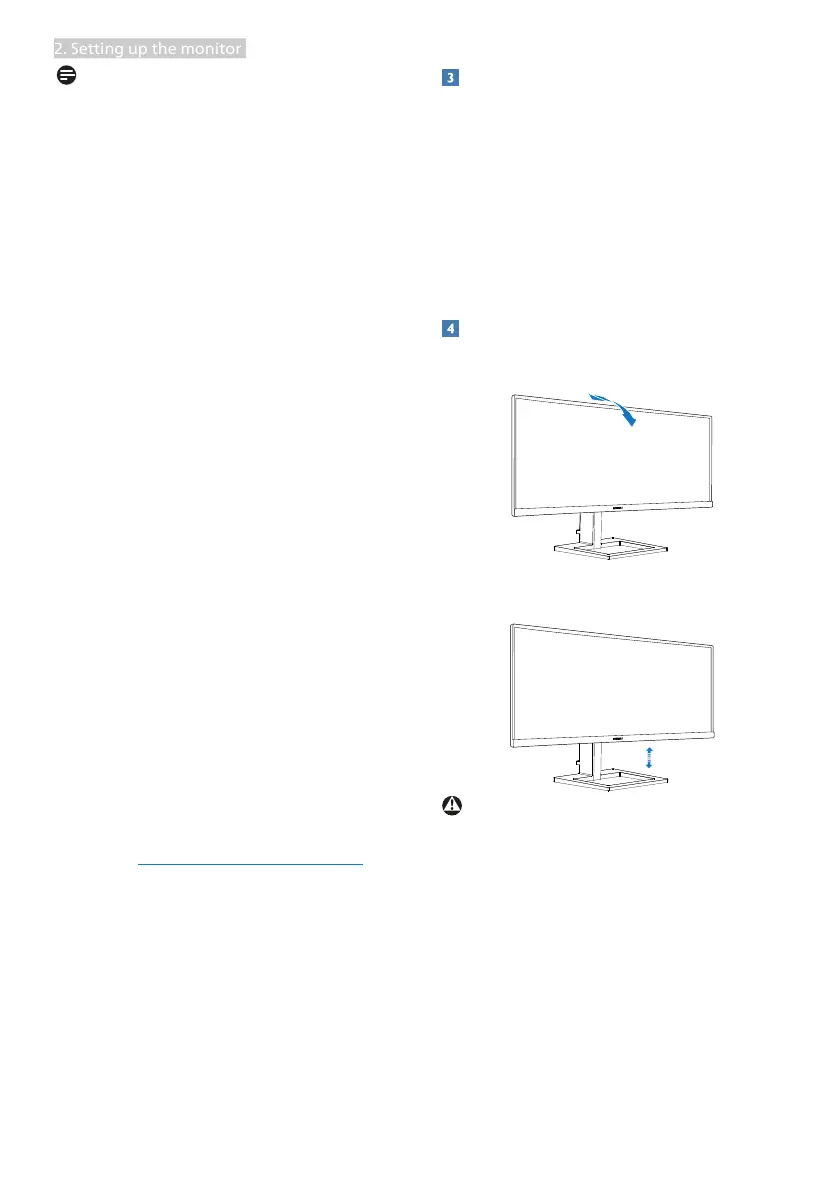
Physical Function
Tilt
-5˚
20˚
Height
100mm
Warning
• To avoid potential screen damage,
such as panel peeling, ensure that the
monitor does not tilt downward by
more than -5 degrees.
• Do not press the screen while adjust-
ing the angle of the monitor. Grasp
only the bezel.




 To Next Page