73
TPT1.1A LA
8. Alignments
8. Alignments
Index of this chapter:
8.1 Electrical Instructions
8.2
8.3 Serial Number Definition
Software Updrate With ISPWriter
Notes: You could adjust the LCD/TV following this chapter when the LCD/TV has the below defect.
1. Change panel. 2. Change or repair main board. 3. LCD/TV color is not right. 4. The settings are disabled.
Clear imageClear image
Measurement/viewing selectorMeasurement/viewing selector
8.1 Electrical Instructions
8.1.1 TV Mode display adjust
White balance adjustment (B)
General set-up:
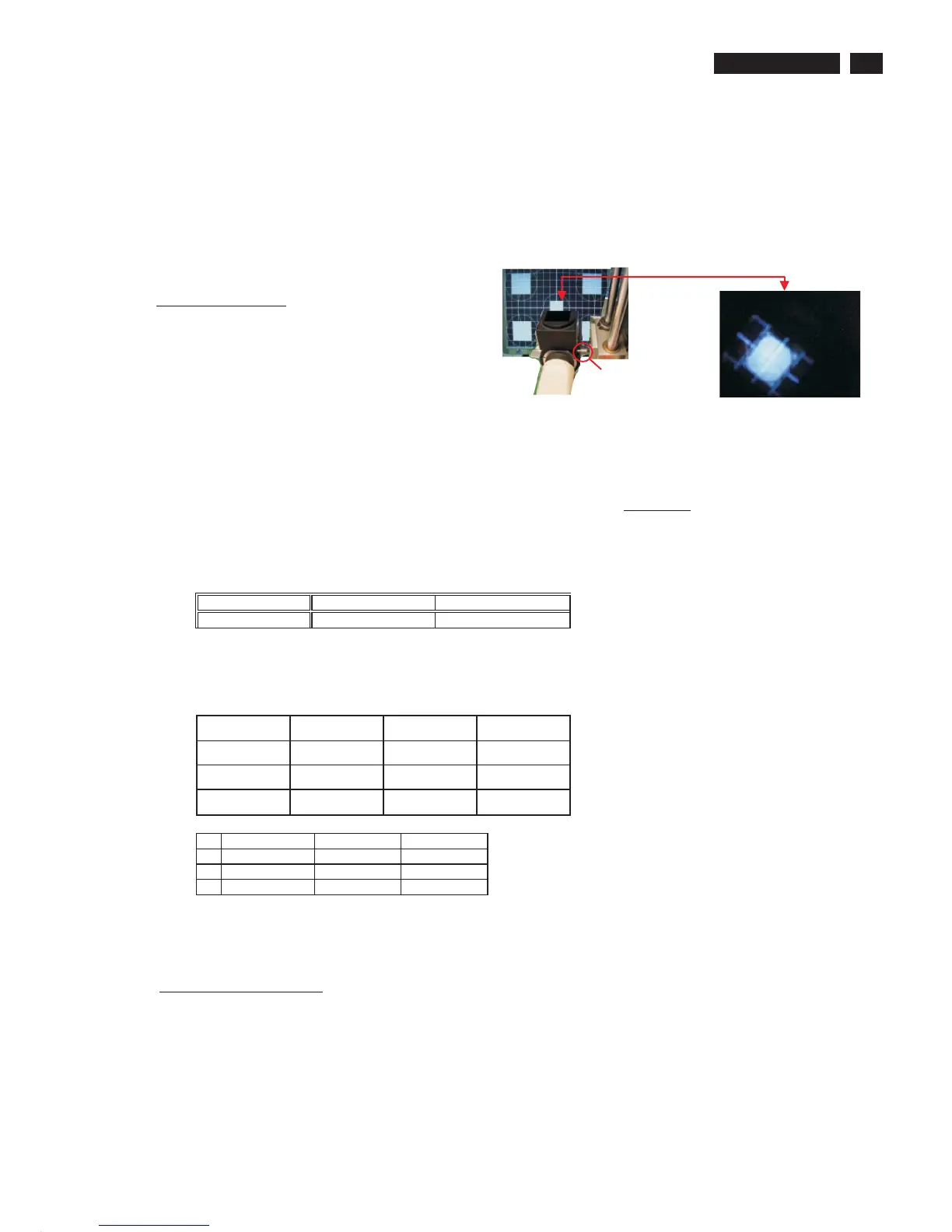
Equipment Requirements: Color analyzer.
Input requirements:
Input Signal Type: RF signal
1. Set to PAL D/K system, frequency=184.25MHz ( for China model ) with white pattern of 100%
2. Set to PAL B/G system, frequency=64.25MHz ( for WE model ) with white pattern of 100%
Input Signal Strength : 10mV (80 dBuV) terminal voltage.
Input Injection Point : TV Tuner input
Color Temp Alignment (B)
Apply full white pattern, select smart setting to be PERSONAL. Adjusting Normal SCALER GAIN RG B
to reach W/D and
luminance in factory mode
Adjust Normal R, G, B in factory OSD. The 1931 CIE chromaticity (X, Y) co-ordinates
shall be:
Table 1. Reading with Minolta CA-110.
Picture Mode x y
Normal (Original)
0.276 ± 0.010 0.283± 0.010
Luminance > 400 cd/m
2
in the center of the screen when Smart picture at contrast 100% and brightness 100%.
Set color temp is "WARM" or "COOL", their gains are as table 2.They should be
saved in EEPROM by the auto-alignment station of factory.
Table 2. relationship between three kinds of color temp
Normal Warm Cool
Scaler R Gain
R' R' R'-10
Scaler G Gain
G' G'-5 G'-9
Scaler B Gain B' B'-20 B'
If you have not CA-110, the following R,G and B values are for your reference.
Normal
Warm Cool
R 125 125 115
G 128 123 119
B 125 105 125
This group setting about color temp is also applied in TV/AV1/AV2/S-video 1/ S-video
2/Comp1/Comp2/PC. It means that TV/AV1/AV2/S-video 1/ S-video 2/Comp1/Comp2/
PC use one same setting.
8.1.2 PC mode Display Adjustment
WHITE-D adjustment (B)
At factory mode apply 1024X768 @60Hz mode with TVBAR100 pattern in
QuantumData 802R/ 802G/802BT as figure 1. . Set smart picture at "Normal" , and set
Brightness and contrast to be 50%.
Activate AUTO-COLOR function for auto ADC offset and gain setup.



 To Next Page