39EN
EnglishFrançaisEspañol
Selecting your connection quality
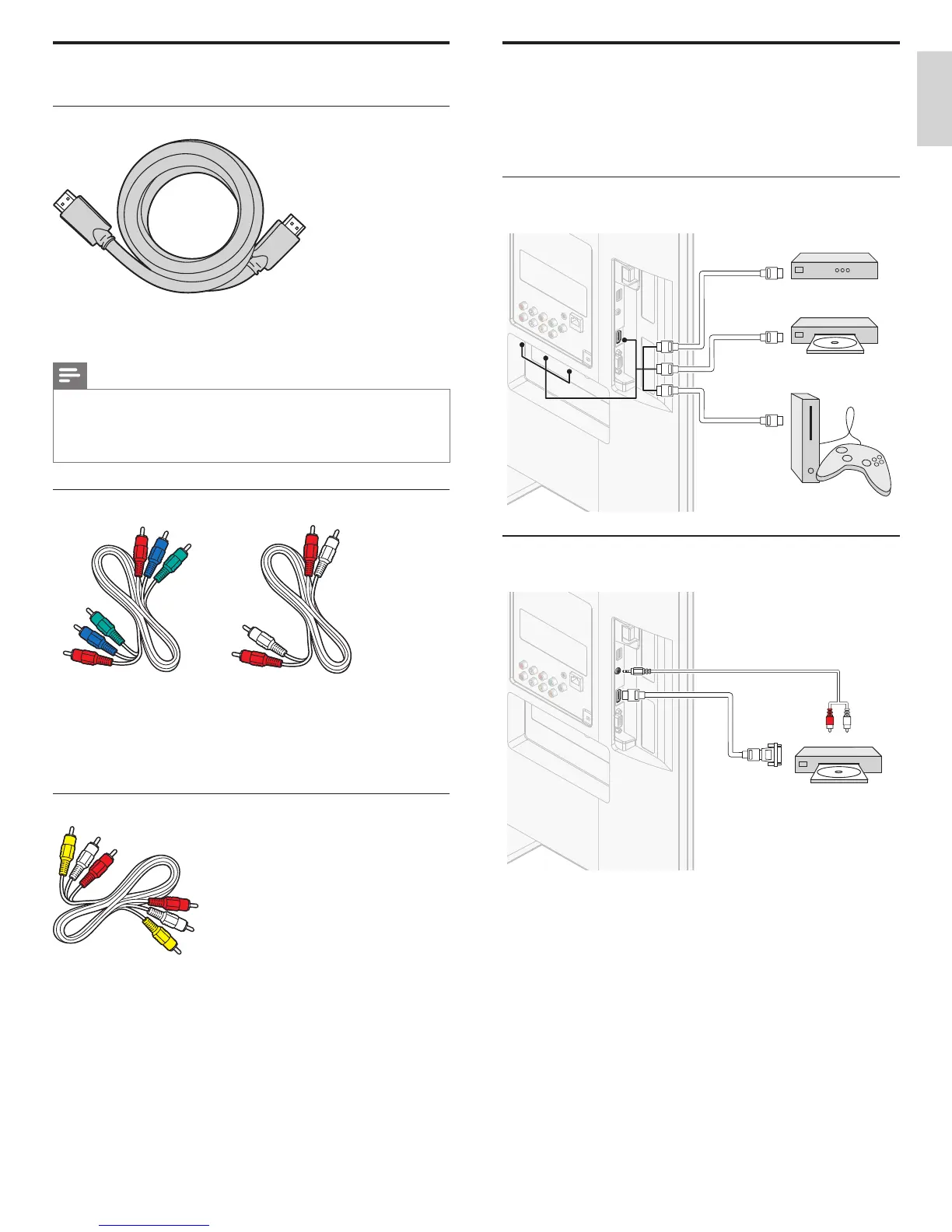
HDMI - Highest quality
Supports high-defi nition signals and gives highest picture and sound
quality. Video and audio signals are combined in one cable. You must use
HDMI for full high-defi nition video and to enable Philips EasyLink.
Note
• Philips HDMI supports HDCP (High-bandwidth Digital Contents Protection). HDCP
is a form of Digital Rights Management that protects high defi nition content in DVD
or Blu-ray Discs.
• The HDMI ARC connector on the TV features HDMI ARC functionality. This allows
output of TV audio to an HDMI ARC-compliant device.
Component
(
Y Pb Pr
)
- High quality
Component video cable (red / green / blue) and audio L/R cable (red / white).
Supports high-defi nition signals but gives lower picture quality than HDMI.
Component cables combine a red / green / blue video cable with a
red / white audio L/R cable. Match the cable colors when you connect
to the TV.
Composite - Basic quality
Composite video / audio cable (yellow / red / white)
For analog connections. Composite cables usually combine a yellow
video cable with a red / white audio L/R cable. Match the audio cable
colors when you connect to the TV.
Connecting your devices
This section describes how to connect a selection of devices with
different connectors. Different types of connectors can be used to
connect a device to your TV. The following sections describe examples
only, other confi gurations are possible.
Connecting a set-top box, Blu-ray Disc player and
HD game console via HDMI
OUT
OUT
HDMI
HDMI
OUT
IN
IN
HDMI
HDMI
HDMI
HDMI
set-top box
Blu-ray Disc player
HD game console
Connecting a DVD player / recorder via HDMI-DVI and
analog audio
AUDIO
OUT
AUDIO
IN
AUDIO
IN
DVI OUT
HDMI 4 IN only
DVD player / recorder












 To Next Page