40 EN
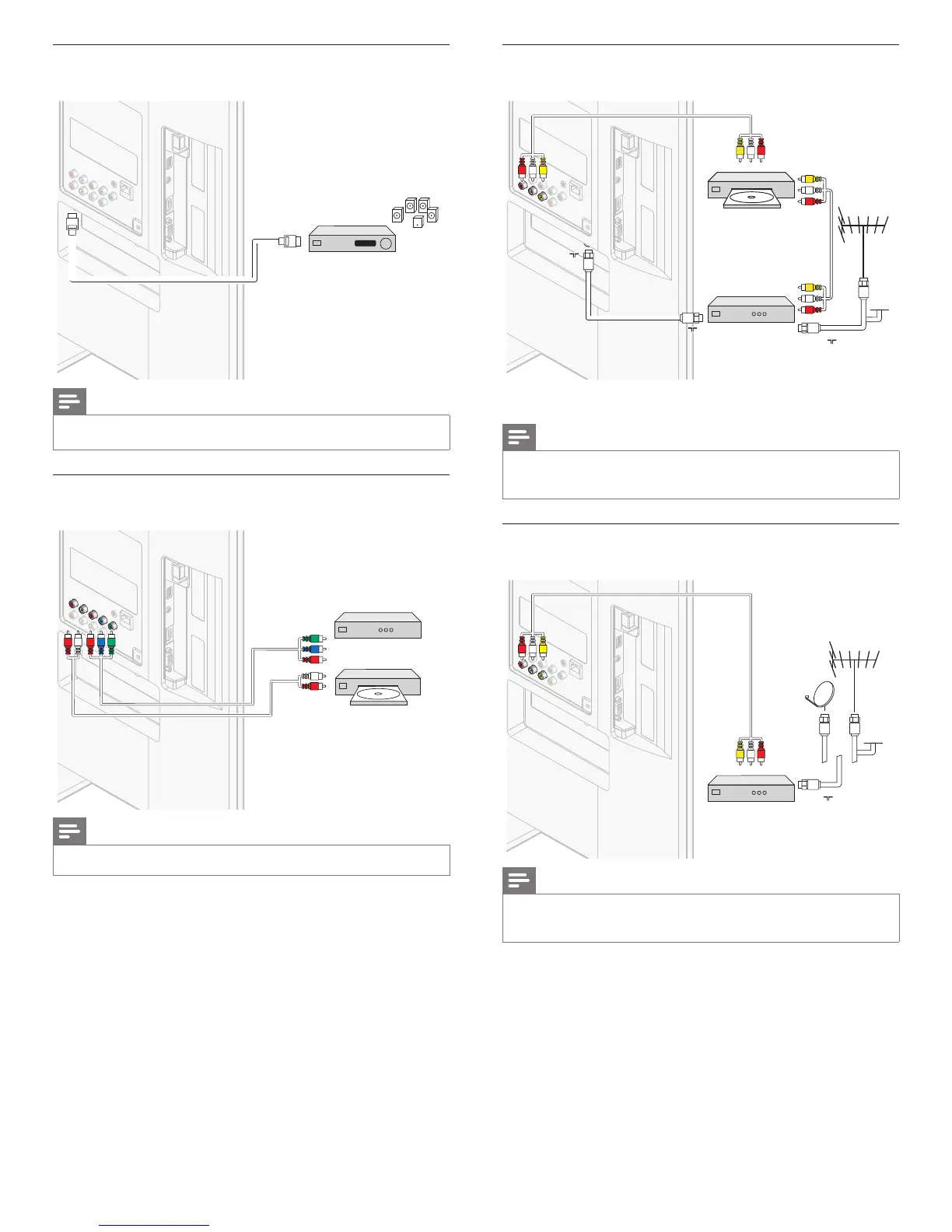
Connecting a digital home theater amplifer using
HDMI ARC
HDMI ARC
HDMI
HDMI
HDMI 1 IN only
digital home theater amplifi er
digital home theater amplifi er
Note
• The HDMI 1 connector is HDMI Audio Return Channel (ARC) compliant. Use it to
output digital audio to an HDMI Home Theater System.
Connecting a set-top box, DVD player / recorder via
component video connectors
(
YPbPr
)
and analog audio
OUT
OUT
IN
IN
IN IN
YPbPr
YPbPr
DVD player / recorder
set-top box
or
audio L/R
Note
• When you connect cables, match the cable colors to the connectors on the TV.
EN
Connecting a set-top box, DVD recorder via composite
connectors and analog audio
RF IN
IN
OUT
OUT
RF IN
RF IN
RF OUT
RF OUT
IN
IN
DVD recorder
audio L/R + video
set-top box
cable
Do not place your recorder too close to the screen because some
recorders can be susceptible to signals.
Note
• Only the left loudspeaker reproduces sound for mono equipment. Use a mono to
stereo adapter (not supplied) for sound reproduction via all internal loudspeakers.
• When you connect cables, match the cable colors to the connectors on the TV.
Connecting a set-top box via a composite connector and
analog audio
OUT
IN
IN
RF IN
audio L/R + video
set-top box
cable
Note
• Only the left loudspeaker reproduces sound for mono equipment. Use a mono to
stereo adapter (not supplied) for sound reproduction via all internal loudspeakers.
• When you connect cables, match the cable colors to the connectors on the TV.












 To Next Page