41EN
EnglishFrançaisEspañol
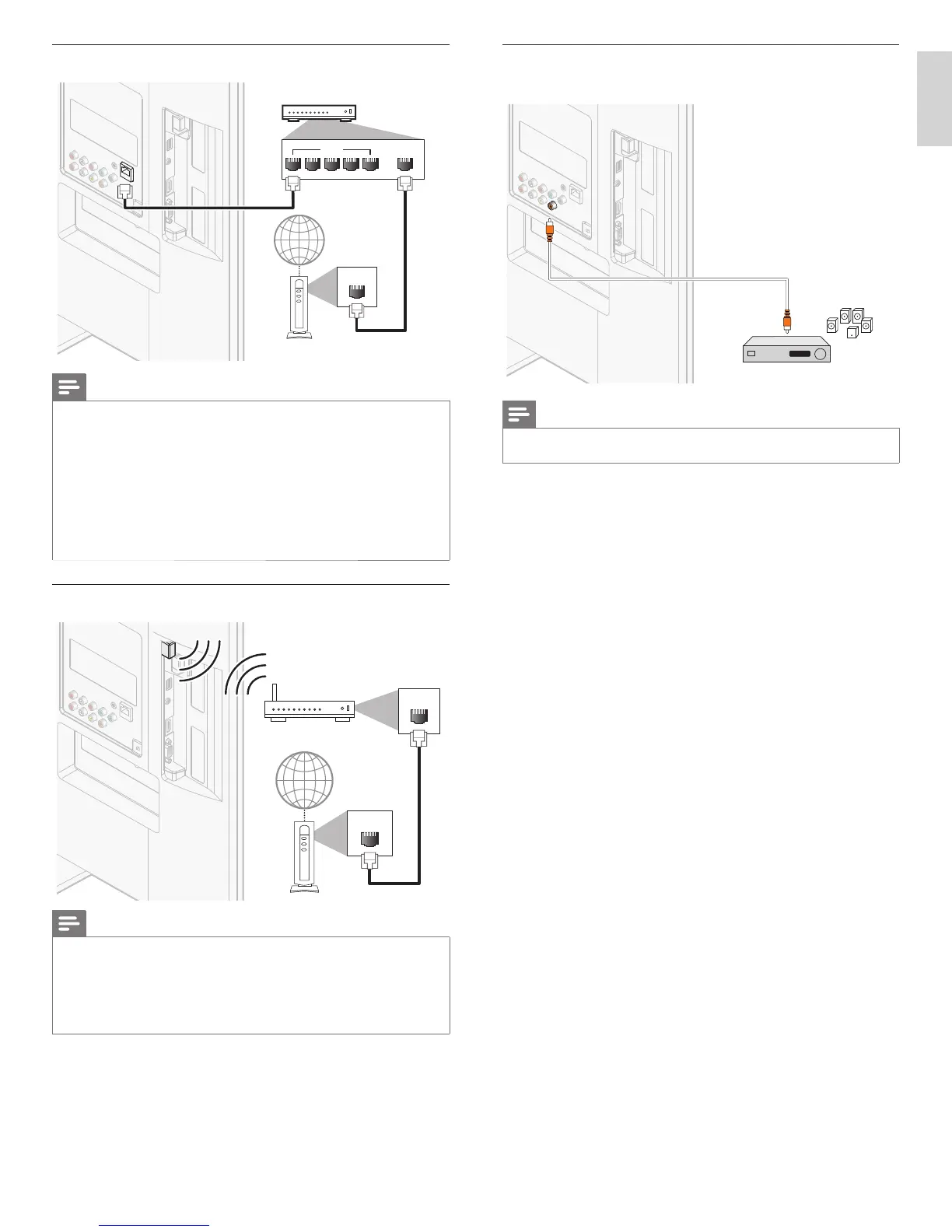
Connecting the TV to the internet using an Ethernet cable
LAN
LAN WAN
54321
hub or
broadband router
telecommunications
equipment (modem, etc.)
Ethernet cable
Ethernet cable
internet
Note
• Please purchase shielded Ethernet cables at your local store and use them when you
connect to network equipment.
• After connecting an Ethernet cable, set up necessary network settings. (For the
network setup, refer to ‘Network’ on page 30.)
• Do not insert any cable other than an Ethernet cable to the Ethernet port to avoid
damaging the unit.
• If your telecommunications equipment (modem, etc.) does not have broadband router
functions, connect a broadband router.
• If your telecommunications equipment (modem, etc.) has broadband router functions
but there is no vacant port, use a hub.
• For a broadband router, use a router which supports 10BASE-T / 100BASE-TX.
• Do not connect your PC directly to the Ethernet port of this unit.
Connecting the TV to the internet using a wireless LAN
LAN
WAN
Wireless LAN
Access Point (AP)
(e.g. wireless router)
network equipment
(modem, etc.)
Ethernet cable
internet
Note
• After you made the wireless connection, set up necessary network settings.
(For the network setup, refer to ‘Network’ on page 30.)
• Use a Wireless LAN Access Point (AP) (e.g. wireless router) which supports IEEE
802.11 b/g/n. (n is recommended for stable operation of the wireless network.)
• This unit does not support Ad-hoc mode.
• Other radio devices or obstacles may cause interference to the wireless network
connection.
Connecting a digital home theater amplifi er using a digital
audio coaxial cable
DIGITAL AUDIO
IN
OUT
OUT
digital home theater amplifi er
digital home theater amplifi er
Note
• Due to Copyright restrictions, the broadcaster may choose to mute PCM audio over
Digital Audio Output for certain channels, shows or segments during the broadcast.












 To Next Page