3139 246 14374
English
12
Functional Overview
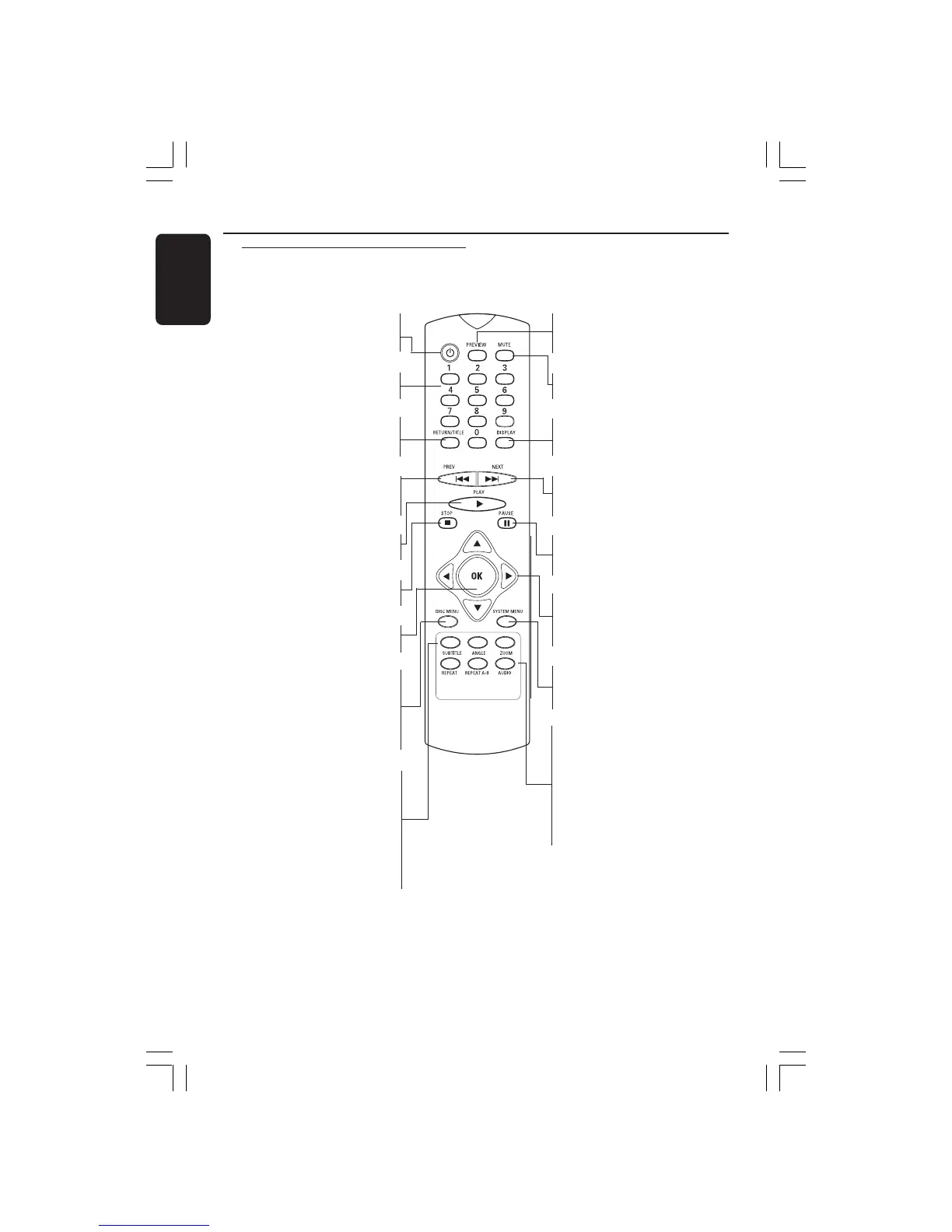
Remote Control
POWER B
– To switch the DVD player to
standby mode or ON
0-9 numerical key pad
– Selects numbered items in a menu
RETURN/TITLE
– To go back to previous menu/show
title menu
S
– To search or select previous
chapter or track
PLAY ( B )
– To start playback
STOP ( 9 )
– To stop playback
OK
– Acknowledge menu selection
DISC MENU
– Enters or exits the disc contents
menu
– Switches on or off the playback
control mode (for VCD version
2.0 only)
REPEAT
– Selects various repeat modes
REPEAT (A-B)
– Repeats playback a specific section
on a disc
AUDIO
– To access audio language system
menu
PREVIEW
– To search chapter/track during
playback
MUTE
– Disables or enables sound output
DISPLAY
– Displays information on TV
screen during playback
T
– To search or select next chapter
or track
PAUSE ( ; )
– To pause playback temporarily /
frame-by-frame playback
1 2 3 4
– Selects an item in the menu/ fast
forward/backward, slow forward/
backward
SYSTEM MENU
– Access or exit DVD Player’s
system menu
SUBTITLE
– To access subtitle language
system menu
ANGLE
– Selects a DVD camera angle
ZOOM
– Enlarge a picture on the TV
screen
Helpful Hint:
Press “STOP” for about 2 seconds to
OPEN or CLOSE disc tray.
01-30 XDV425_EU_004 23/12/2004, 6:04 PM12



 To Next Page