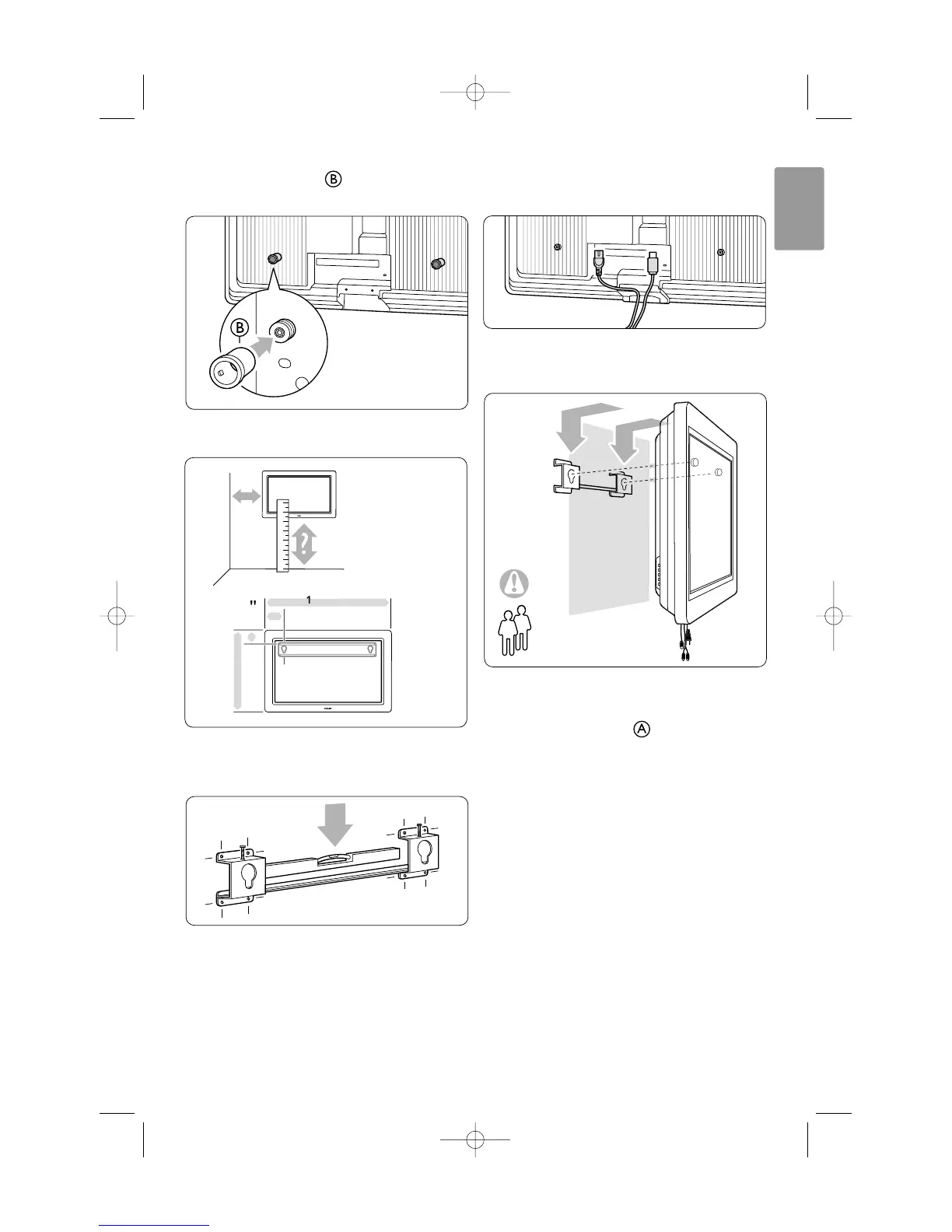
† Mount the 2 spacers on the 2 lower discs
at the back of the TV.
º Calculate your TV’s ideal position.
◊Position and level the wall mount bracket and
fix the bracket firmly to the wall.
‹Connect all cables.
See section 7 Connections.
≈Lift the TV into the wall mount bracket.
ÚSecure the TV in the bracket by screwing in the
2 already fitted screws .
Your TV 7
ENGLISH




 To Next Page