28
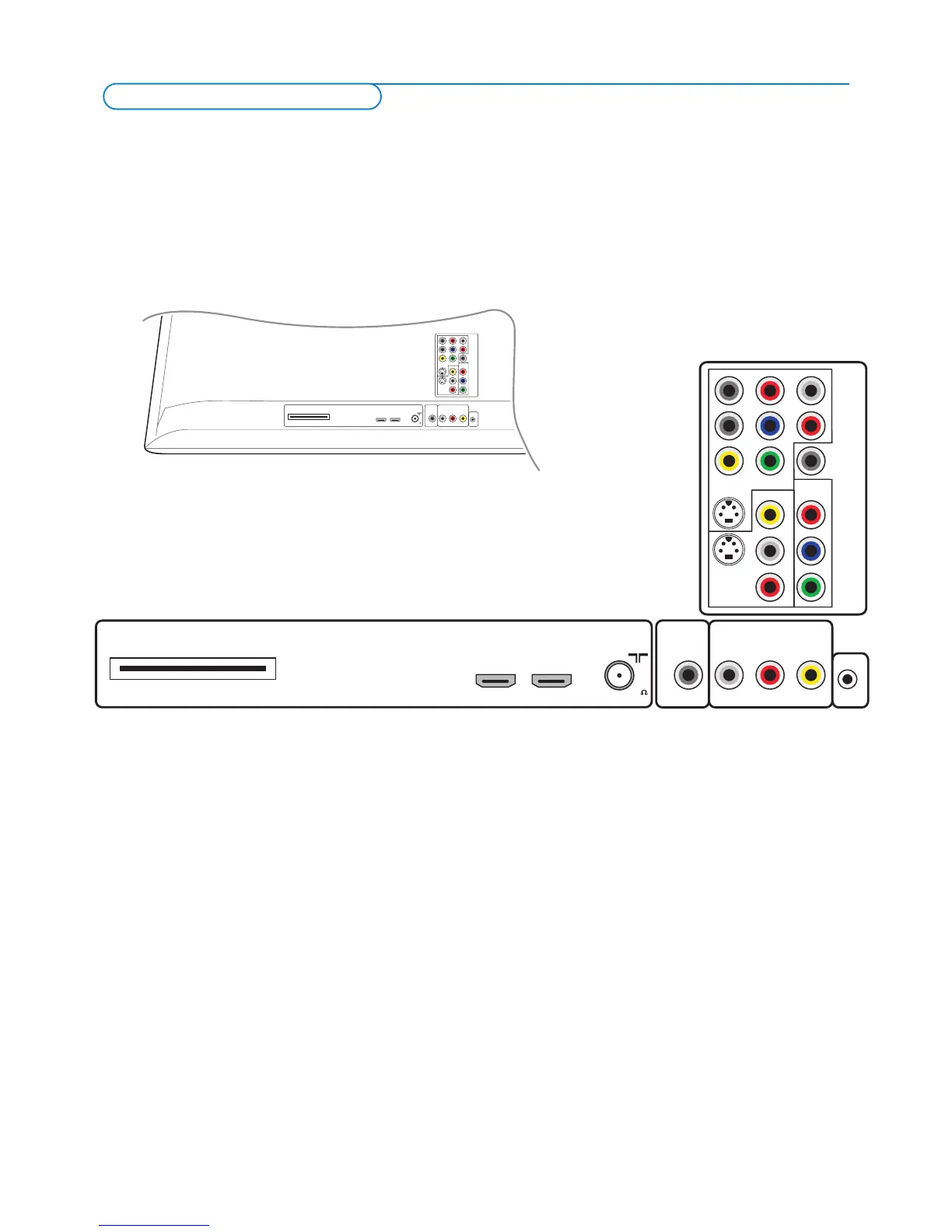
There is a wide range of audio and video devices that can be connected to your TV.The following connection diagrams show you
how to connect them to the TV.
AV1 can handle YPbPr, S-VIDEO, RGB + HV or VIDEO and L/R Audio,
AV2 VIDEO or S-VIDEO and L/R Audio,
AV3 YPbPr and Digital Audio,
Side VIDEO or S-VIDEO and L/R Audio.





 To Next Page