35
Camera, Camcorder, Game
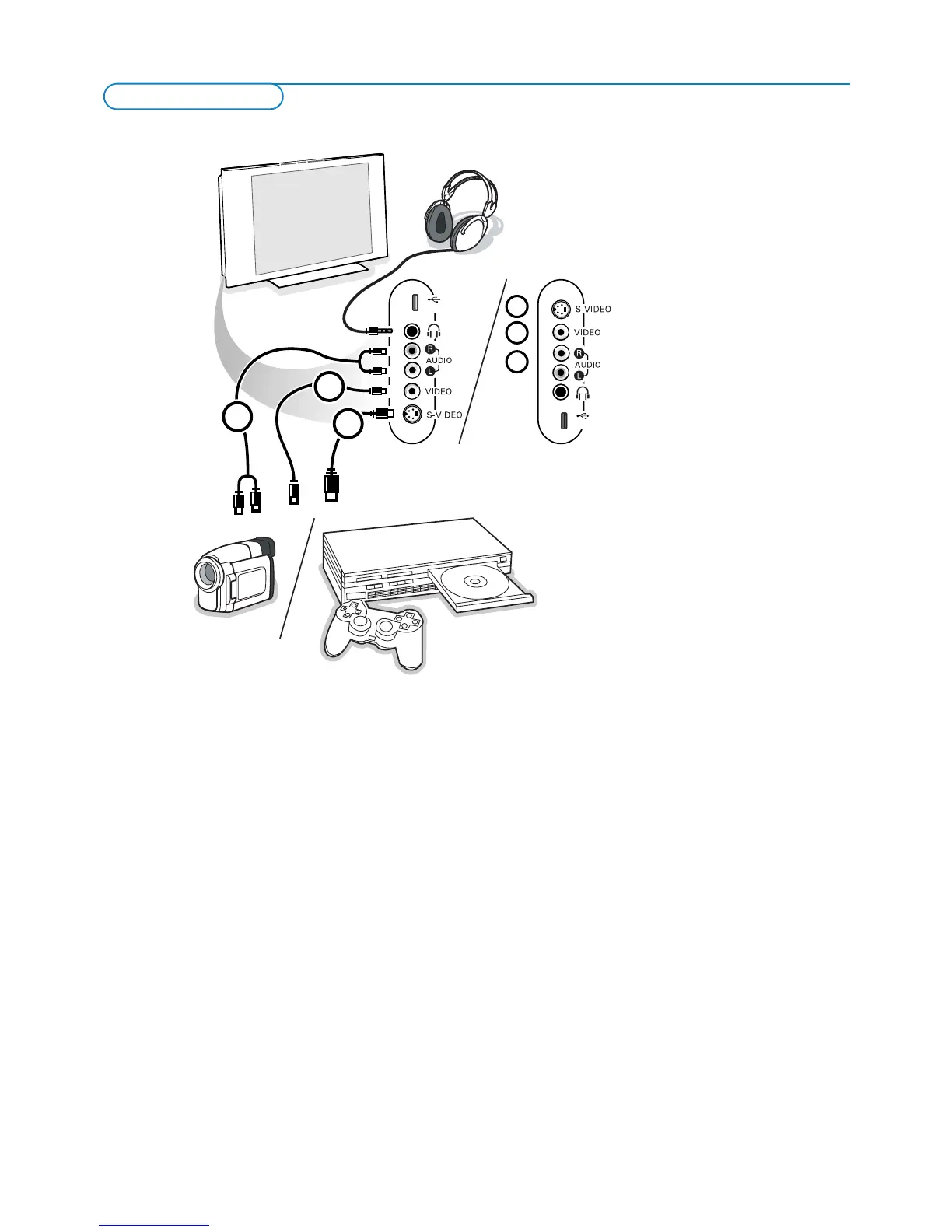
& Connect your camera, camcorder or game as shown.
é Connect to VIDEO 2 and AUDIO L 3 for mono equipment. For stereo equipment also connect AUDIO R 3.
S-VHS quality with an S-VHS camcorder is obtained by connecting the
S-VHS cables with the
S-VIDEO input 1 and AUDIO inputs 3.
Do not connect cable 1 and 2 at the same time.This may cause picture distortion !
Headphone
& Insert the plug into the headphone socket L as shown.
é Press the MUTE button on the remote control to switch off the internal loudspeakers of the TV.
The headphone impedance must be between 8 and 4000 Ohm.The headphone socket has a 3.5 mm jack.
In the Sound menu select
Headphone volume to adjust the headphone volume.






 To Next Page