Adjust feature menu settings (Continued)
EN
27
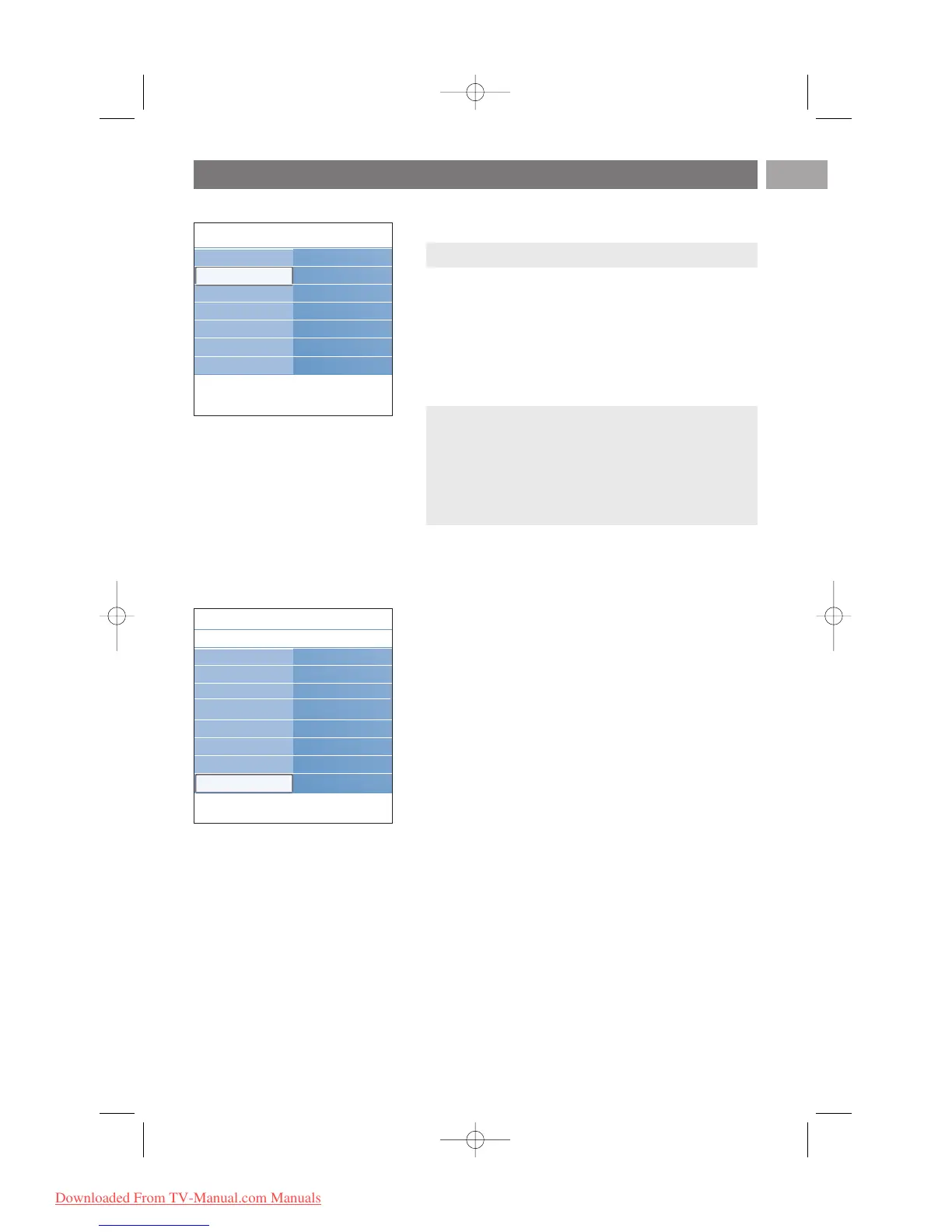
Common interface
This allows you to access common interface applications
defined by the service provider of the Common Interface
(CI) module.
The Common Interface (CI) module can contain one or
more applications, which are used to communicate with the
CI service provider and provide some additional facilities to
the user.
See Use the Common Interface slot, p. 55.
Demo
This allows you to get an idea of the features that are part
of the television.
1. Select Demo.
2. Press the cursor right.
3. Select a desired demo.
4. Press the
OK key to start the demo.
> The selected demo is played once.
5. Press the red colour key to stop the demo and to return to
the demo menu.
6. Press the red colour key to exit the demo menu.
Note: this menu item and the common interface
applications are only selectable when an authenticated
Common Interface card is present and some Common
Interface card user interface sessions are listed.
The CI service provider is responsible for the messages
and texts on screen. In case of failure or strange behaviour,
you must call your CI service provider.
Info
TV menu
Features
Demo
Pixel Plus
Ambilight
ClearLCD
Settings assistant
Active control
..............
Dig. subtitle langu.
Sleeptimer
Child lock
Set/Change code
On timer
Common interface
Demo
Info
TV menu Features
.............
Sleeptimer
Child lock
Set/Change code
On timer
Common interface
Demo
TV settings
Features
Installation
Note: this functionality is only available in certain countries.










 To Next Page