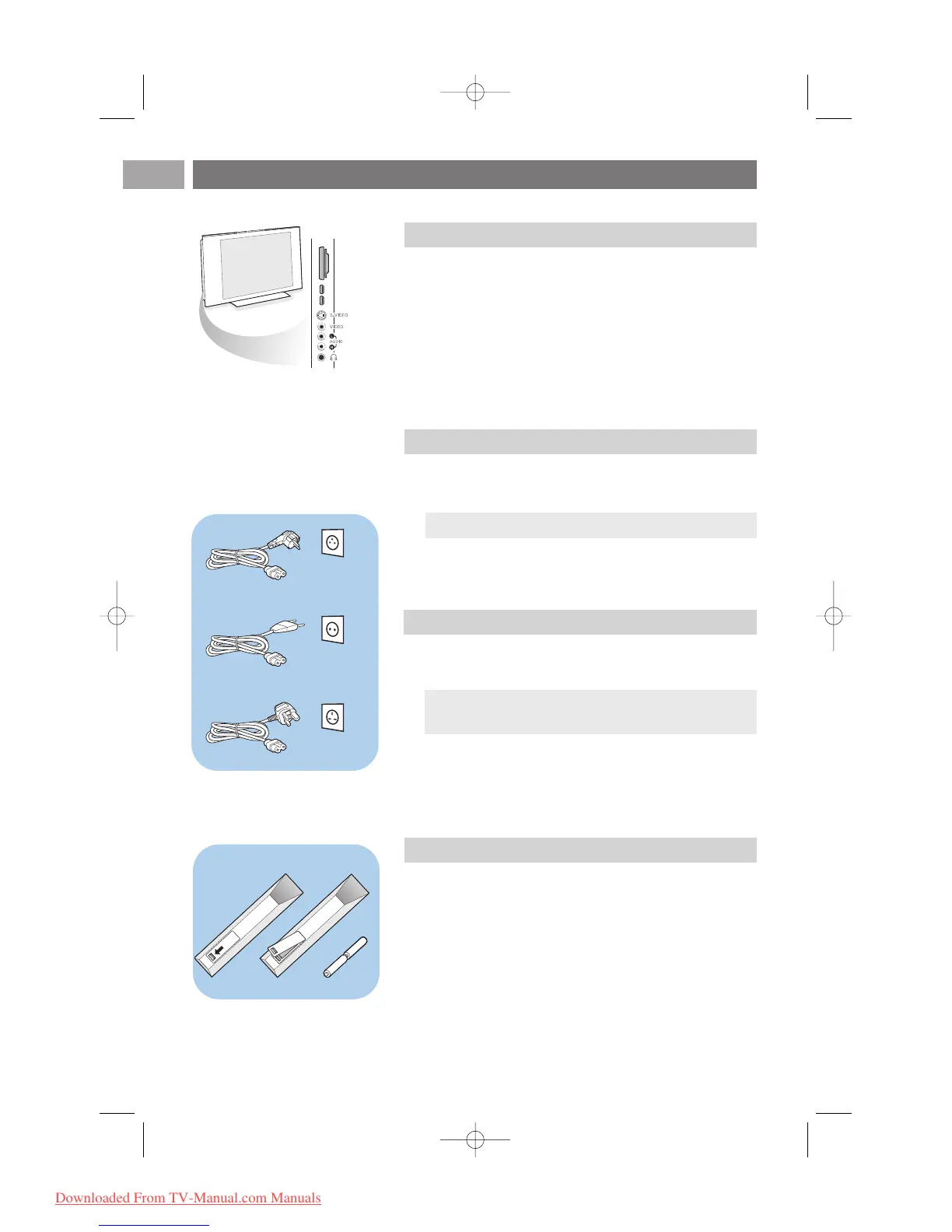
< Insert the aerial plug firmly into the aerial socket x at the
bottom of the TV.
Getting started (Continued)
EN
4
-To connect a camera, camcorder or game, see To make video
and audio connections, p. 47.
-To connect a headphone, see To make video and audio
connections, p. 47.
-To connect a USB device or memory card, see Multimedia
browser, p. 39.
Tip:for best quality use the suppressor cable supplied.
Warning:verify that the mains supply voltage corresponds
to the voltage printed on the sticker at the rear of the TV.
Overview of the side connector panel
Connect the antenna
Connect the mains
< Insert the mains cord supplied into the mains at the bottom
of the TV and in the wall socket.
Remote control
< Insert the 2 batteries supplied (Type R6-1,5V).
Be sure the (+) and (-) ends of the batteries line up
correctly (inside of case is marked.)
For most keys pressing a key once will activate the function.
Pressing a second time will de-activate it.










 To Next Page