Some digital channels offer dedicated digital text services (for
example BBCi).
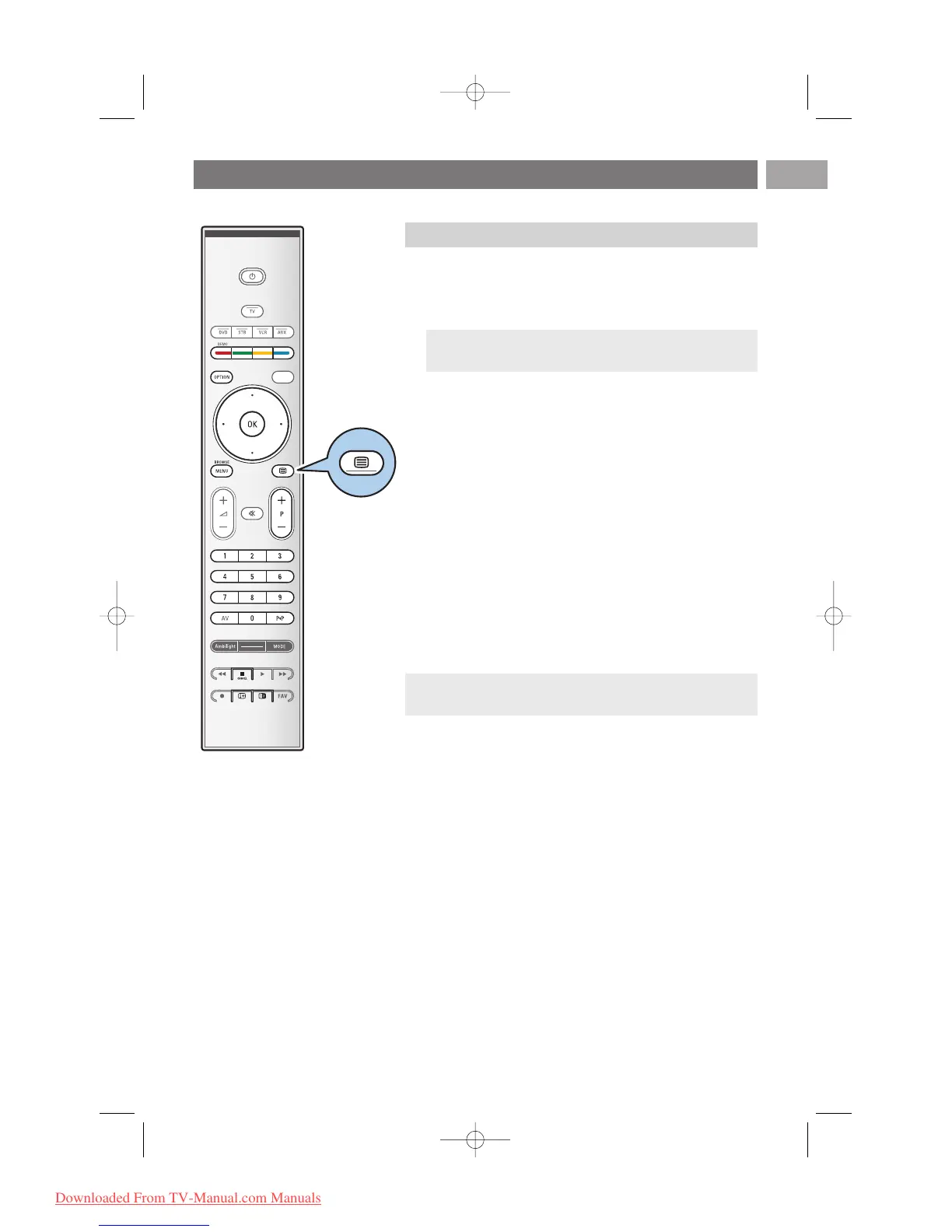
1. Press b to switch Digital text on.
2. To use the digital text, follow the instructions on screen.
3. Depending on the service, you may be asked to use the
cursor keys, the
OK key, the coloured keys, the teletext key
and sometimes the digit keys.
4. When you have finished watching teletext, select a different
channel with the
-P+ keys or follow the instructions on
screen to return to picture.
5. Press ‡
CANCEL to cancel digital text or interactive
services.
Te xt info
Some digital channels also offer information on the
programme being broadcast. In that case a message may
appear at the bottom of the screen for a few seconds.
Follow the instructions on screen and use the cursor keys
to scroll through the next pages.
Teletext (Continued)
EN
45
Note: UK only: Digital text is displayed when programmes
are carrying digital text or interactive services.
Note: digital text will not be available when Subtitles are set
to On in the Features menu.
Digital text (only for UK)











 To Next Page