3
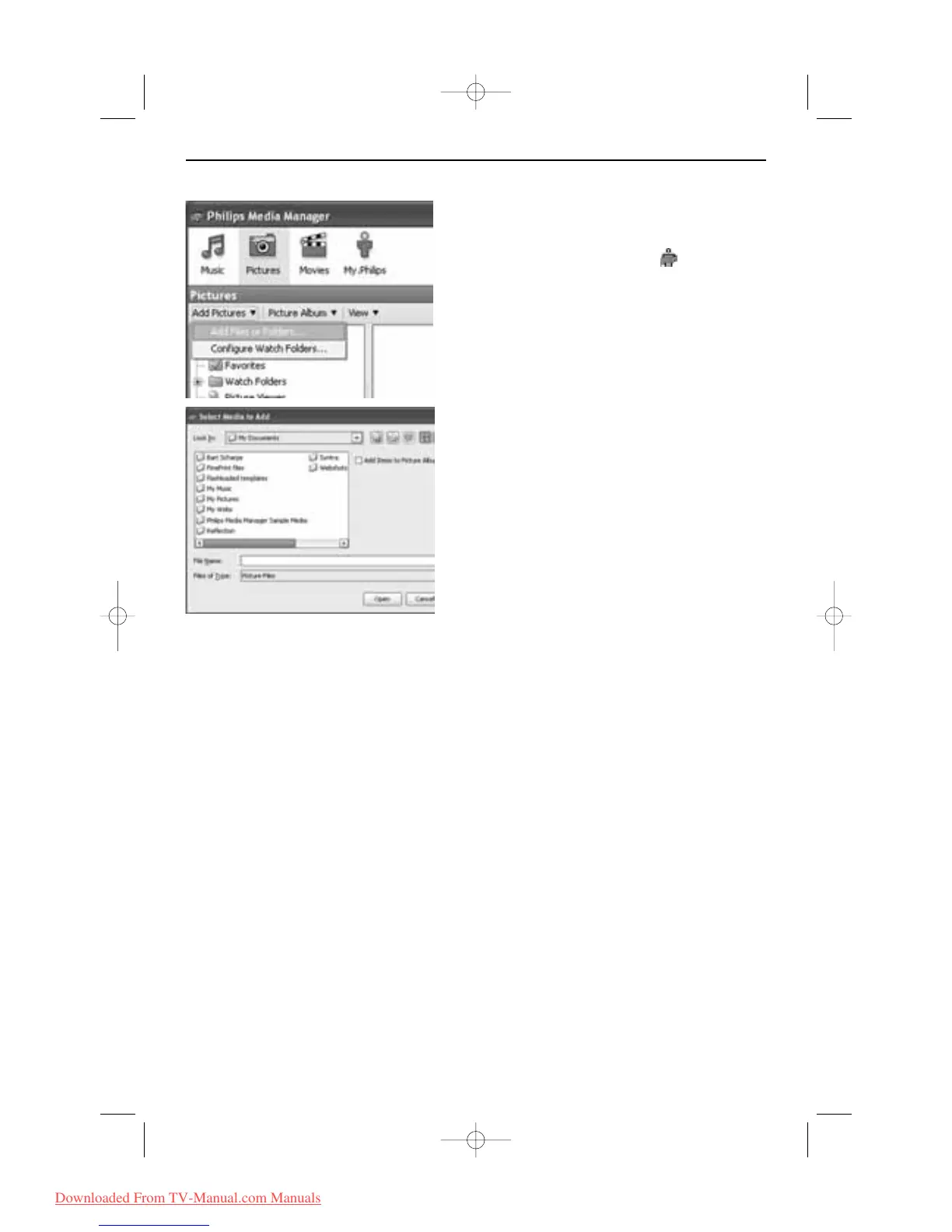
Adding files in the Philips Media Manager (PMM)
& Select the PMM from your Windows Start-menu or
double-click on the PMM symbol in the task bar.
é Click on Music, Pictures or Movies at the top of
the PMM window.
“ Select Add Music, Add Pictures or Add Movies.
‘ Click on Add Files or Folders... .
( Select a folder or one or more media files and click
on
Open to add the selected folder or files to the
Media Manager window.










 To Next Page