_________________________
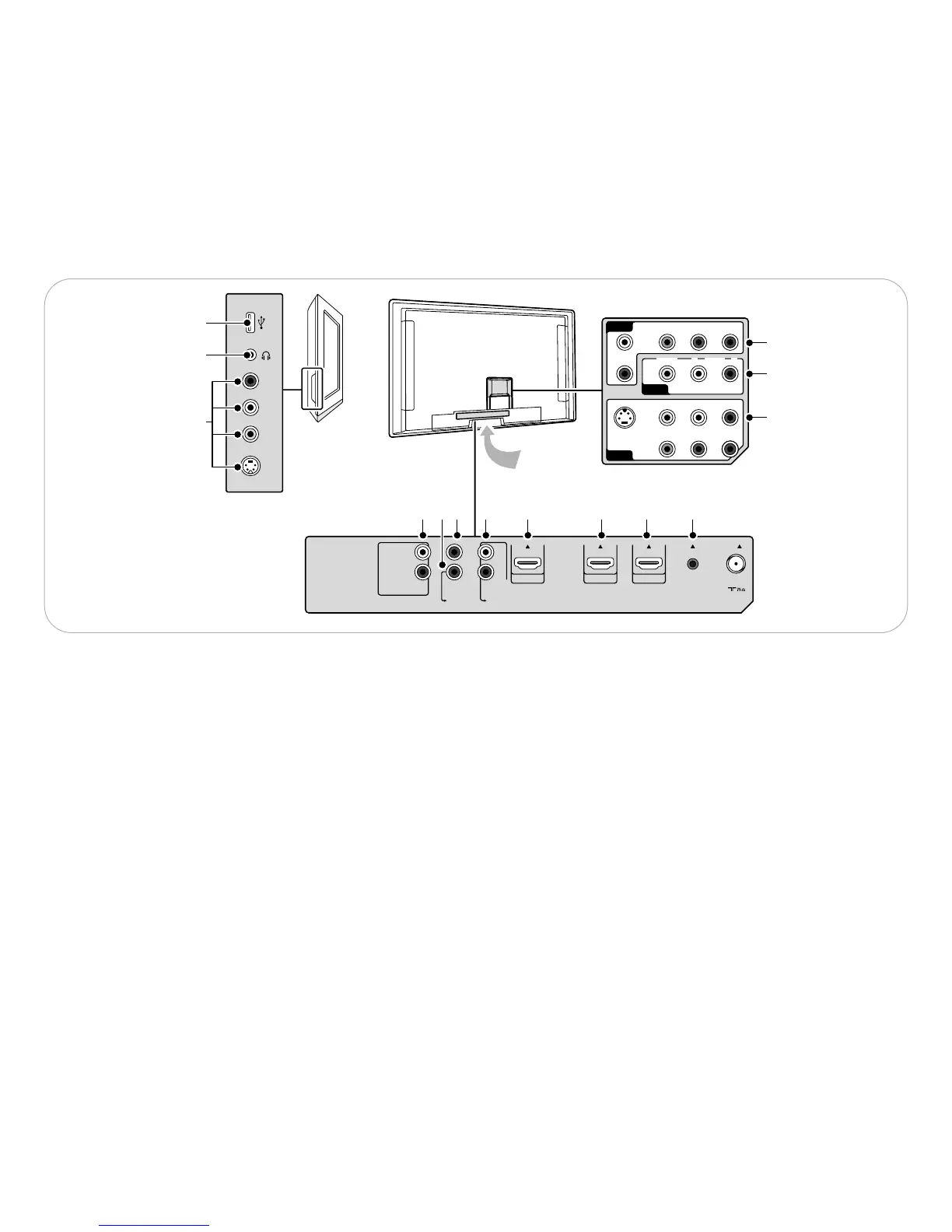
2.1 Connection overview
There is a wide range of audio and video devices that can be
connected to your TV. See Chapter 11 How to connect and
operate accessory devices.
_________________________
2.1.1 Back connections
1-2-3
AV1 - AV2 - AV3
To connect devices with
- an S-Video connector and L and R audio cables
-devices with 3 separate Component Video Output
connectors (YPbPr) and Analog L and R audio cables
-devices with Video and Audio L and R AV cables.
4-5-6
HDMI *
To connect a device with a HDMI connector. If the accessory
device has a DVI output only, see Chapter 11.7.
7 Analog Audio In L/R
Analog audio for devices connected to a HDMI connector.
8 Digital Audio Out
To connect a digital Home theater amplifier.
9 Digital Audio In
10 Audio Out L/R
11 Service UART
For use only by authorized service personnel.
ç For installers/integrators: Do not connect RS232 without
level shifter.
_________________________
2.1.2 Side connections
12 To connect devices with Video or S-Video and Audio Left and
Right AV cables.
(For ex. camera, camcorder, game, audio,...)
13 To connect your headphone.
14 To connect a USB device.
* According to your type of set, 2 or 3 HDMI connectors are
available.
4
_________________________
2 Getting started
Welcome to the growing family of owners of Philips.
à Before installing your TV or before hanging it on the wall, first
connect your accessory devices.
) Do not insert the power plug into the mains at the bottom of the
TV and in a wall socket before all connections are made.







 To Next Page