EasyManua.ls Logo

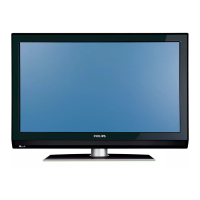
Philips 42PFL7432/98 - User Manual

Philips 42PFL7432/98
49 pages
Print Icon
To Next Page IconTo Next Page
Loading...
FLAT TV
User Manual
philips
32PFL7332
32PFL7932
42PFL7432
52PFL7432
English

Table of Contents

Questions and Answers

  • T
    taylorhoffmanAug 18, 2025
    Why is there no sound on my Philips LCD TV?
    • S
      scott76Aug 18, 2025
      If there's no sound on your Philips LCD TV, first check that the volume isn't set to the minimum. Next, make sure the 'Mute' function isn't enabled. Finally, verify that the correct connection source is selected.
  • K
    Kayla PerkinsAug 20, 2025
    What to do if there is no picture on Philips 42PFL7432/98 LCD TV?
    • C
      christina75Aug 21, 2025
      If there is no picture on your Philips LCD TV, ensure that the antenna and power cables are properly connected. Also, check that the correct input source is selected. Finally, verify that the Parental Lock function is switched off.
  • D
    Danielle MendezAug 23, 2025
    What to do if Philips 42PFL7432/98 has no display on screen?
    • A
      Andrew BautistaAug 23, 2025
      If there is no display on your Philips LCD TV screen: * Check that the power cable is connected properly into the mains socket and to the TV. * Disconnect the power plug from the wall socket, wait for about 60 seconds, and then reconnect the plug. * Switch on the TV. * Press the button on the remote control.
  • K
    Kathleen MullinsAug 26, 2025
    What to do if Philips 42PFL7432/98 LCD TV is not responding to the remote?
    • D
      duncanbethAug 26, 2025
      If your Philips LCD TV isn't responding to the remote, first ensure there are no obstructions between the remote and the TV. Then, check that the batteries are correctly inserted in the remote. If the issue persists, try replacing the batteries.
  • T
    Tamara SerranoAug 28, 2025
    How to fix poor reception on Philips 42PFL7432/98?
    • S
      Samuel MorganAug 28, 2025
      To fix poor reception or a snowy picture on your Philips LCD TV: * Check that the antenna connection is properly connected from the TV to the antenna source. * Adjust the picture manually. * Check that the correct TV system is selected. * Press the button to check the incoming signal strength indication at the top of the TV screen.
  • J
    jerry54Aug 30, 2025
    Why is there sound interference on my Philips 42PFL7432/98?
    • C
      Cathy FuentesAug 30, 2025
      If you're experiencing sound interference with your Philips LCD TV, try switching off any nearby electrical appliances, such as a hair dryer or vacuum cleaner.
  • J
    jamieturnerSep 2, 2025
    Why is there no sound on certain channels on Philips LCD TV?
    • M
      Michelle PachecoSep 2, 2025
      If there is no sound on certain channels on your Philips LCD TV, check that the correct TV system is selected.
  • H
    harrismatthewSep 5, 2025
    What causes intermittent flickering in HD mode on Philips 42PFL7432/98 LCD TV?
    • A
      Aaron FritzSep 5, 2025
      Intermittent flickering in HD mode on your Philips LCD TV can be due to the connected digital equipment such as a DVD player or Set-Top box failing. Use a standard-compliant (high-quality) HDMI cable.
  • P
    Patty BallardSep 7, 2025
    What to do if there is no sound or picture but front panel red light is lit on Philips 42PFL7432/98 LCD TV?
    • C
      Courtney Sanchez DDSSep 7, 2025
      If your Philips LCD TV has no sound or picture, but the front panel red light is lit, press the button on the remote control.
  • L
    Luis SchmidtSep 9, 2025
    How to fix faint colour in S-Video mode on Philips LCD TV?
    • R
      Ryan BarnesSep 10, 2025
      If the color becomes faint in S-Video mode on your Philips LCD TV, check that the S-Video cable is connected properly.

Summary

Safety Precautions

General Handling and Placement

Safety rules for TV handling, placement, ventilation, and environmental factors.

Getting Started

Connecting Antenna and Power

Instructions for connecting the TV to an antenna and power source.

Remote Control Overview

Power, Volume, and Basic Controls

Explains the standby, volume, mute, and channel buttons.

Channel Tuning and Management

Automatic and Manual Channel Search

Scanning and storing channels using automatic or manual methods.

Picture and Sound Adjustments

Picture Settings Customization

Adjusting brightness, contrast, colour, sharpness, and colour temperature.

Sound Settings Optimization

Configuring equalizer, balance, AVL, and surround sound modes.

Timer Functions

Sleep Timer and Clock Setup

Setting the sleep timer and adjusting the TV clock.

Program Access Control

Child Lock and Parental Lock Features

Enabling child lock and accessing parental lock for program control.

Managing Channel Lock and Access Codes

Changing the access code and locking/unlocking all channels.

Advanced Usage Modes

Troubleshooting Common Issues

Display and Audio Problems

Solutions for no picture, poor reception, no sound, and interference.

Technical Specifications

Philips 42PFL7432/98 Specifications

General IconGeneral
Screen Size42 inches
Resolution1920 x 1080 pixels
Display TypeLCD
Backlight TypeCCFL
HDMI Ports3
USB Ports1
Audio OutputYes
Aspect Ratio16:9
Response Time8 ms
Dynamic Contrast Ratio8000:1
Brightness500 cd/m²
Viewing Angle176° (H) / 176° (V)
Component Video Input1
S-Video Input1
Composite Video Input1
Audio InputYes
Weight25 kg

Related product manuals