EasyManua.ls Logo

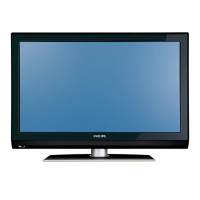
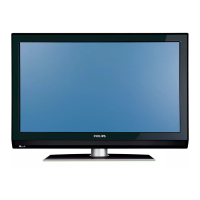
Philips 42PFL7432/93 - User Manual

Philips 42PFL7432/93
49 pages
Print Icon
To Next Page IconTo Next Page
Loading...
FLAT TV
User Manual
philips
32PFL7332
32PFL7932
42PFL7432
52PFL7432
English

Table of Contents

Questions and Answers

  • J
    jwhiteAug 16, 2025
    Why is there no sound on my Philips 42PFL7432/93 LCD TV?
    • M
      Mary FlemingAug 16, 2025
      If there's no sound on your Philips LCD TV, first check that the volume isn't set to the minimum. Next, make sure the 'Mute' function isn't enabled. Finally, verify that the correct connection source is selected.
  • S
    Sara MedinaAug 18, 2025
    What to do if there is no picture on Philips 42PFL7432/93?
    • F
      fsullivanAug 19, 2025
      If there is no picture on your Philips LCD TV, ensure that the antenna and power cables are properly connected. Also, check that the correct input source is selected. Finally, verify that the Parental Lock function is switched off.
  • N
    ngonzalezAug 22, 2025
    What to do if Philips LCD TV has no display on screen?
    • T
      taylortravisAug 22, 2025
      If there is no display on your Philips LCD TV screen: * Check that the power cable is connected properly into the mains socket and to the TV. * Disconnect the power plug from the wall socket, wait for about 60 seconds, and then reconnect the plug. * Switch on the TV. * Press the button on the remote control.
  • S
    Susan YoderAug 25, 2025
    What to do if Philips 42PFL7432/93 is not responding to the remote?
    • A
      Amanda WhiteAug 26, 2025
      If your Philips LCD TV isn't responding to the remote, first ensure there are no obstructions between the remote and the TV. Then, check that the batteries are correctly inserted in the remote. If the issue persists, try replacing the batteries.
  • S
    Shawn ThomasAug 27, 2025
    How to fix poor reception on Philips 42PFL7432/93 LCD TV?
    • B
      Brandy StewartAug 27, 2025
      To fix poor reception or a snowy picture on your Philips LCD TV: * Check that the antenna connection is properly connected from the TV to the antenna source. * Adjust the picture manually. * Check that the correct TV system is selected. * Press the button to check the incoming signal strength indication at the top of the TV screen.
  • G
    gmendozaAug 31, 2025
    What causes intermittent flickering in HD mode on Philips 42PFL7432/93?
    • M
      Michelle LawrenceAug 31, 2025
      Intermittent flickering in HD mode on your Philips LCD TV can be due to the connected digital equipment such as a DVD player or Set-Top box failing. Use a standard-compliant (high-quality) HDMI cable.
  • W
    Wendy LunaSep 3, 2025
    What to do if there is no sound or picture but front panel red light is lit on Philips LCD TV?
    • V
      vclineSep 3, 2025
      If your Philips LCD TV has no sound or picture, but the front panel red light is lit, press the button on the remote control.
  • N
    Noah BoydSep 6, 2025
    How to fix faint colour in S-Video mode on Philips 42PFL7432/93 LCD TV?
    • L
      Leah WoodsSep 6, 2025
      If the color becomes faint in S-Video mode on your Philips LCD TV, check that the S-Video cable is connected properly.
  • W
    William OrtizSep 9, 2025
    How do I fix black bars in VGA mode on my Philips 42PFL7432/93 LCD TV?
    • V
      Vanessa ChenSep 9, 2025
      To resolve black bars on the top and bottom of the screen in VGA mode on your Philips LCD TV, change the PC refresh rate to 60 Hz.
  • J
    johnfoxSep 12, 2025
    Why is VGA mode not working on my Philips 42PFL7432/93 LCD TV?
    • A
      Anthony ChaseSep 12, 2025
      If VGA mode isn't working on your Philips LCD TV: * Check the VGA cable is securely connected. * Ensure the correct AV source is selected by pressing the button to display the source list and selecting the correct one. * Verify that your computer is configured to a compatible display resolution. * Check the graphics card setting of your computer.

Summary

Recycling and Disposal

Electric, Magnetic, and Electromagnetic Fields (EMF)

Information on Philips' commitment to EMF safety standards and product compliance.

Safety and Care

General Safety Precautions

Covers lifting, placement, ventilation, and electrical safety for the TV.

Wall Mounting Guidelines

Provides instructions and warnings for safely mounting the TV on a wall.

Getting Started

Connecting;Disconnecting from the Mains

Steps for safely connecting and disconnecting the TV's power cord from the mains.

Controls and Connectors

Side Controls Overview

Description of the TV's side control buttons like Volume, Menu, Channel, and Power.

Remote Control Functions

Remote Control Buttons (1-13)

Explains the functions of the numbered buttons on the remote control.

Remote Control Buttons (14-22)

Details the functions of the remaining numbered buttons on the remote control.

Channel Management

Automatic Channel Searching

Guide to automatically scan and store TV channels.

Picture Settings Adjustment

Adjusting Picture Settings

Guide to customize picture parameters like brightness, contrast, and sharpness.

Sound Settings Adjustment

Adjusting Sound Settings

Instructions for customizing sound settings like equalizer, balance, and surround sound.

Timer Functions

Locking Features

Activating the Child Lock

Instructions for enabling the Child Lock feature to restrict TV functions.

Deactivating the Child Lock

Steps to disable the Child Lock feature on the TV.

Program Access Control

Accessing Parental Lock

How to access and use the Parental Lock feature to control program access by age rating.

Changing the Access Code

Steps to change the default or existing access code for Parental Lock.

Locking All Channels

How to lock all TV channels, requiring an access code to view them.

Unlocking All Channels

Steps to unlock all TV channels, removing the need for an access code.

Ambilight Feature

Smart Settings

Computer Connection

High Definition (HD) Mode

Troubleshooting Common Issues

Troubleshooting Table (Symptom;Solution)

Provides solutions for common TV problems like no display, poor reception, or no sound.

Advanced Troubleshooting

Addresses issues like flickering in HD mode, no sound/picture, S-Video problems, VGA issues, and black bars.

Specifications

Philips 42PFL7432/93 Specifications

General IconGeneral
BrandPhilips
Model42PFL7432/93
CategoryLCD TV
LanguageEnglish

Related product manuals