EasyManua.ls Logo

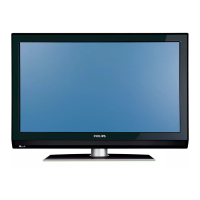
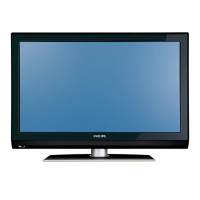
Philips 42PFL7432/98 - User Manual

Philips 42PFL7432/98
49 pages
Print Icon
To Next Page IconTo Next Page
Loading...
FLAT TV
User Manual
philips
32PFL7332
32PFL7932
42PFL7432
52PFL7432
English

Table of Contents

Questions and Answers

  • A
    Amanda LynchSep 12, 2025
    How do I fix black bars in VGA mode on my Philips 42PFL7432/98 LCD TV?
    • C
      Christopher WolfSep 12, 2025
      To resolve black bars on the top and bottom of the screen in VGA mode on your Philips LCD TV, change the PC refresh rate to 60 Hz.
  • J
    johnny16Sep 14, 2025
    Why is VGA mode not working on my Philips LCD TV?
    • J
      James HicksSep 14, 2025
      If VGA mode isn't working on your Philips LCD TV: * Check the VGA cable is securely connected. * Ensure the correct AV source is selected by pressing the button to display the source list and selecting the correct one. * Verify that your computer is configured to a compatible display resolution. * Check the graphics card setting of your computer.

Summary

Safety Precautions

General Handling and Placement

Safety rules for TV handling, placement, ventilation, and environmental factors.

Getting Started

Connecting Antenna and Power

Instructions for connecting the TV to an antenna and power source.

Remote Control Overview

Power, Volume, and Basic Controls

Explains the standby, volume, mute, and channel buttons.

Channel Tuning and Management

Automatic and Manual Channel Search

Scanning and storing channels using automatic or manual methods.

Picture and Sound Adjustments

Picture Settings Customization

Adjusting brightness, contrast, colour, sharpness, and colour temperature.

Sound Settings Optimization

Configuring equalizer, balance, AVL, and surround sound modes.

Timer Functions

Sleep Timer and Clock Setup

Setting the sleep timer and adjusting the TV clock.

Program Access Control

Child Lock and Parental Lock Features

Enabling child lock and accessing parental lock for program control.

Managing Channel Lock and Access Codes

Changing the access code and locking/unlocking all channels.

Advanced Usage Modes

Troubleshooting Common Issues

Display and Audio Problems

Solutions for no picture, poor reception, no sound, and interference.

Technical Specifications

Philips 42PFL7432/98 Specifications

General IconGeneral
Screen Size42 inches
Resolution1920 x 1080 pixels
Display TypeLCD
Backlight TypeCCFL
HDMI Ports3
USB Ports1
Audio OutputYes
Aspect Ratio16:9
Response Time8 ms
Dynamic Contrast Ratio8000:1
Brightness500 cd/m²
Viewing Angle176° (H) / 176° (V)
Component Video Input1
S-Video Input1
Composite Video Input1
Audio InputYes
Weight25 kg

Related product manuals