EasyManua.ls Logo

Philips 46PFL8686M/08 - User Manual

Philips 46PFL8686M/08
84 pages
Print Icon
To Next Page IconTo Next Page
Loading...
!!!"#$%&%#'"()*+!,&()*,
-,.%'/,012)301#0)43(/15641.,/1'3##)0 /15/ 78881',0 %,'19*50/1:;<1=>
?8@A:7B8B
?B@A:7B8B
?B@A:7B7B
C',01*5635&

Questions and Answers

  • C
    cpetersonSep 3, 2025
    Why does my Philips Radio have no sound?
    • L
      laura52Sep 3, 2025
      If your Philips Radio isn't producing any sound, here are a few things to try: * First, make sure the volume isn't set too low or muted. * If you're using the radio function, fully extend and adjust the position of the radio antenna. * Keep the radio away from other electronic devices to avoid interference. * For internet radio, check your Wi-Fi network connection and rotate/adjust the position of the Wi-Fi antenna. Also, verify the radio station is not buffering.
  • D
    danielcampbellSep 1, 2025
    How to fix Philips 46PFL8686M/08 when buttons on main unit do not work?
    • G
      gonzalezchadSep 2, 2025
      If the buttons on the main unit of your Philips Speaker System do not work, disconnect it from the power supply for a few minutes, and then connect again.
  • C
    chavezterriAug 31, 2025
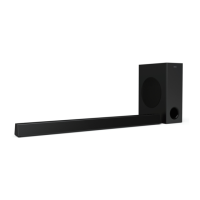
    Why can't my device connect to the Philips 46PFL8686M/08 Speaker System soundbar?
    • M
      Michael YangAug 31, 2025
      If a device cannot connect with the soundbar of your Philips Speaker System, it may be due to the following reasons: * The device does not support the compatible profiles required for the soundbar. * You have not enabled the Bluetooth function of the device. See the user manual of the device on how to enable the function. * The device is not correctly connected. Connect the device correctly. * The soundbar is already connected with another Bluetooth device. Disconnect the connected device, and then try again.
  • M
    Madeline WardAug 29, 2025
    Why is my Philips 46PFL8686M/08 Speaker System remote control not working?
    • S
      Stephen HoAug 29, 2025
      If the remote control for your Philips Speaker System is not working, try these steps: * First select the correct source before pressing any playback control button. * Reduce the distance between the remote control and the unit. * Ensure the battery is inserted with correct polarities (+/-) as indicated. * Replace the battery. * Aim the remote control directly at the sensor on the front of the unit.
  • R
    Ryan RiosAug 27, 2025
    How to fix no power on Philips 46PFL8686M/08?
    • C
      Corey SummersAug 28, 2025
      If your Philips Speaker System has no power, check the following: * Ensure that the AC cord is properly connected. * Ensure that there is power at the AC outlet. * Press the button on the remote control or soundbar to turn the soundbar on.
  • M
    mistystrongAug 26, 2025
    Why do some Philips Radio stations disappear from the list?
    • T
      Tiffany PayneAug 27, 2025
      When a station stops broadcasting on the Internet, it will be removed from the list on your Philips Radio. The radio will check constantly if the station is on the air. If it restarts broadcasting, it will be brought back to the station list.
  • B
    Brian CraigAug 25, 2025
    Why do some Philips Radio stations not work sometimes?
    • M
      michael98Aug 25, 2025
      Some stations can only support a limited number of listeners. If some stations do not work on your Philips Radio, try again after a few minutes. Also, the station may not be broadcasting at the moment, so try again later.
  • R
    ricelouisAug 23, 2025
    How to improve Philips Radio reception?
    • A
      Alicia BennettAug 23, 2025
      If your Philips Radio isn't getting a good signal, try these steps: * Keep the radio away from other electronic devices that might cause interference. * Fully extend and adjust the position of the radio antenna. * If you are using Wi-Fi, check the network connection and rotate or adjust the position of the Wi-Fi antenna.

Philips 46PFL8686M/08 Specifications

General IconGeneral
BrandPhilips
Model46PFL8686M/08
CategorySpeaker System
LanguageEnglish

Related product manuals